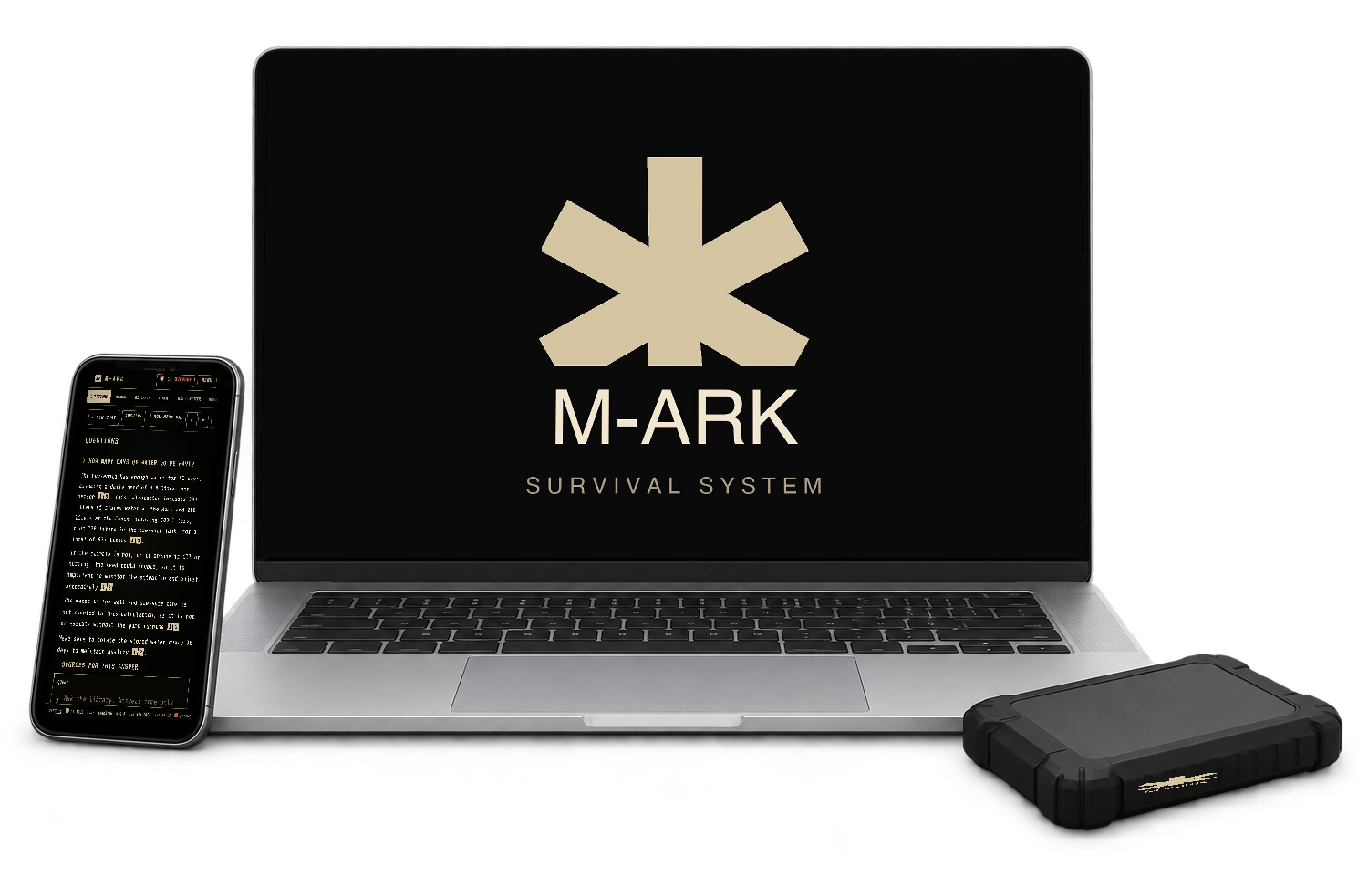
One payment, no subscription, no account. Prices in USD.
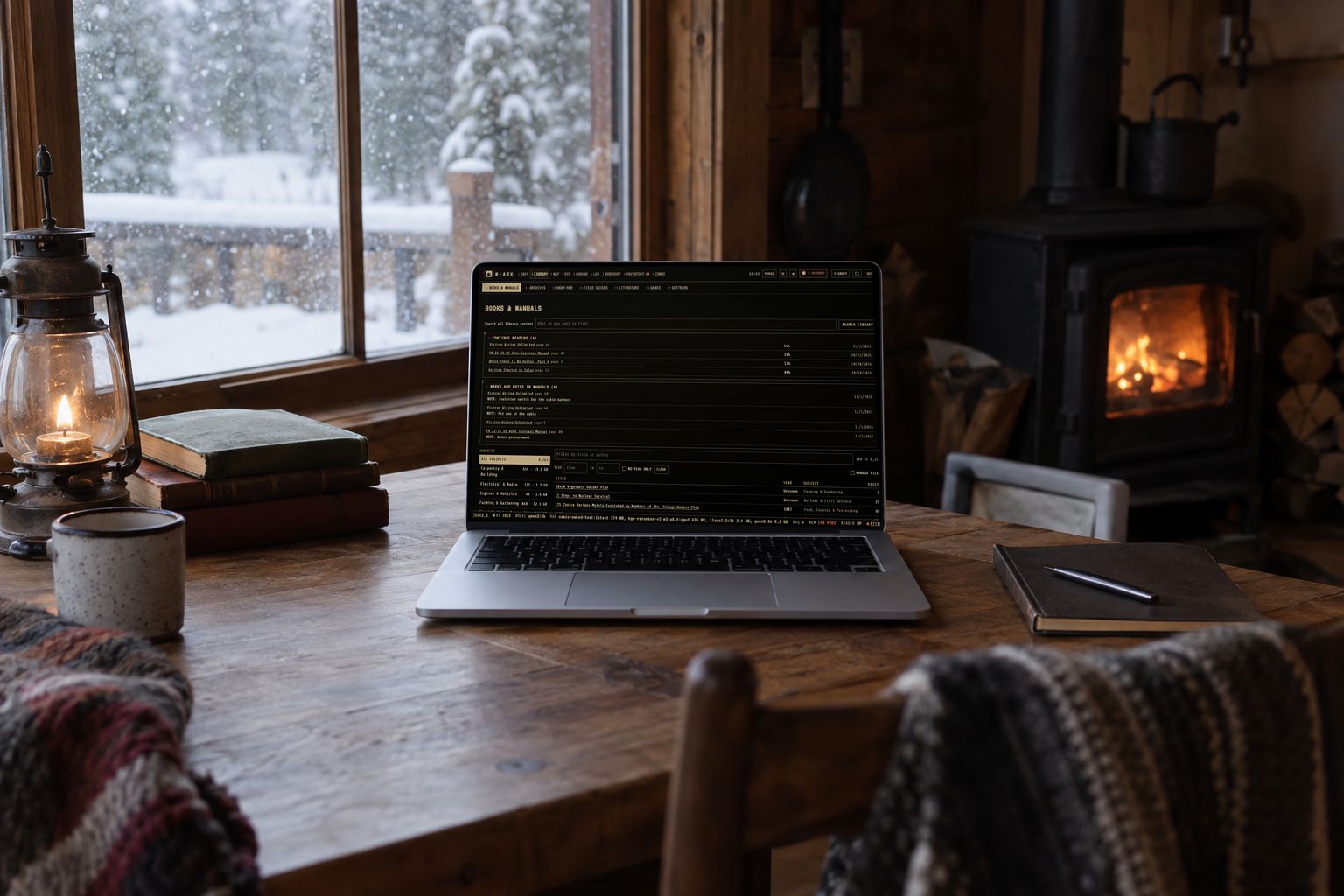
Turn the computer you already own into an offline survival system. The survival library with search, maps and routes with no signal, your food, water, medicine and equipment records, and a private AI that answers from the library. Everything runs on your own machine with the internet off, with or without the AI.
Edition
Download link and license key by email within a minute of payment.
Survival library on your disk, medical, water, food, power, repair, navigation and radio, with full-text search and readers
Stock and rations, batches with expiry dates, days left per person, warnings 30 days ahead
Equipment maintenance, every machine on a schedule with a score and its manual one click away
Maps with no signal, routes by car, foot, bike or cross-country, a compass fix, printable sheets
A private AI, optional, answers from your library with the source page, on your own processor
What you get
Library
Preloaded for any catastrophe, and RESEARCH adds what your place needs
Platform
Mac (Apple silicon), Windows 10 and 11, Linux beta
Works on
Your own computer, plus every phone and TV on your Wi-Fi
Internet
Needed once to install. Never again.
License
Your household, not one machine
Download
About 400 MB, the library comes after, you pick the collections
Updates
Included
Requirements
Memory
8 GB with the AI off or the small model, 16 GB for the full model
Disk
60 GB for the core library, up to 600 GB for everything, internal or external
Phones
Any phone, tablet or TV with a browser, nothing to install
Instant download. The link and your license key arrive by email within a minute. Secure checkout by card, PayPal, Apple Pay or Google Pay, handled by our reseller and merchant of record Paddle, which also issues the invoice and adds any sales tax or VAT.
Returns
All sales are final, because downloaded software cannot be returned. Check the specifications and ask us anything before you buy. We answer honestly, including when M-ARK is not for you.
Works with the internet offEverything runs on your computer
No account, no cloudYour records never leave the house
175 functionsIn one app, see every one below
Every phone in the houseOver Wi-Fi, nothing to install
Watch every function, start to finish.
An 8 minute tour of the real app, with a household from Sisters, Oregon loaded in. Library, stock, maintenance, maps, the compass fix, the calendar, Morse and the radios, and at the end the AI that knows all of it.
8:34 · narrated · English subtitles in the player
Built for the night the lights go out.
No account to log into, no server to reach. M-ARK is on your own computer, so the night the grid goes down it opens like any other app, with your library, your stock and your maps exactly where you left them.
Five of the jobs M-ARK does, on real screens from the app. Hover or tap a number to read what that part is.
01 / 05
Know what you have, and what runs out first.
Every can, bottle, cartridge and medicine in real units, in batches with their own dates, at home, in the cabin and in the cache. M-ARK tells you what expires next, how many days of food and water each person has, and which medicine runs out on Thursday.
Expiry warnings 30 days ahead, on every phone in the house
Ration plan per person from their energy need, 95,783 foods with nutrients
Medicines linked to the people who take them, with days left
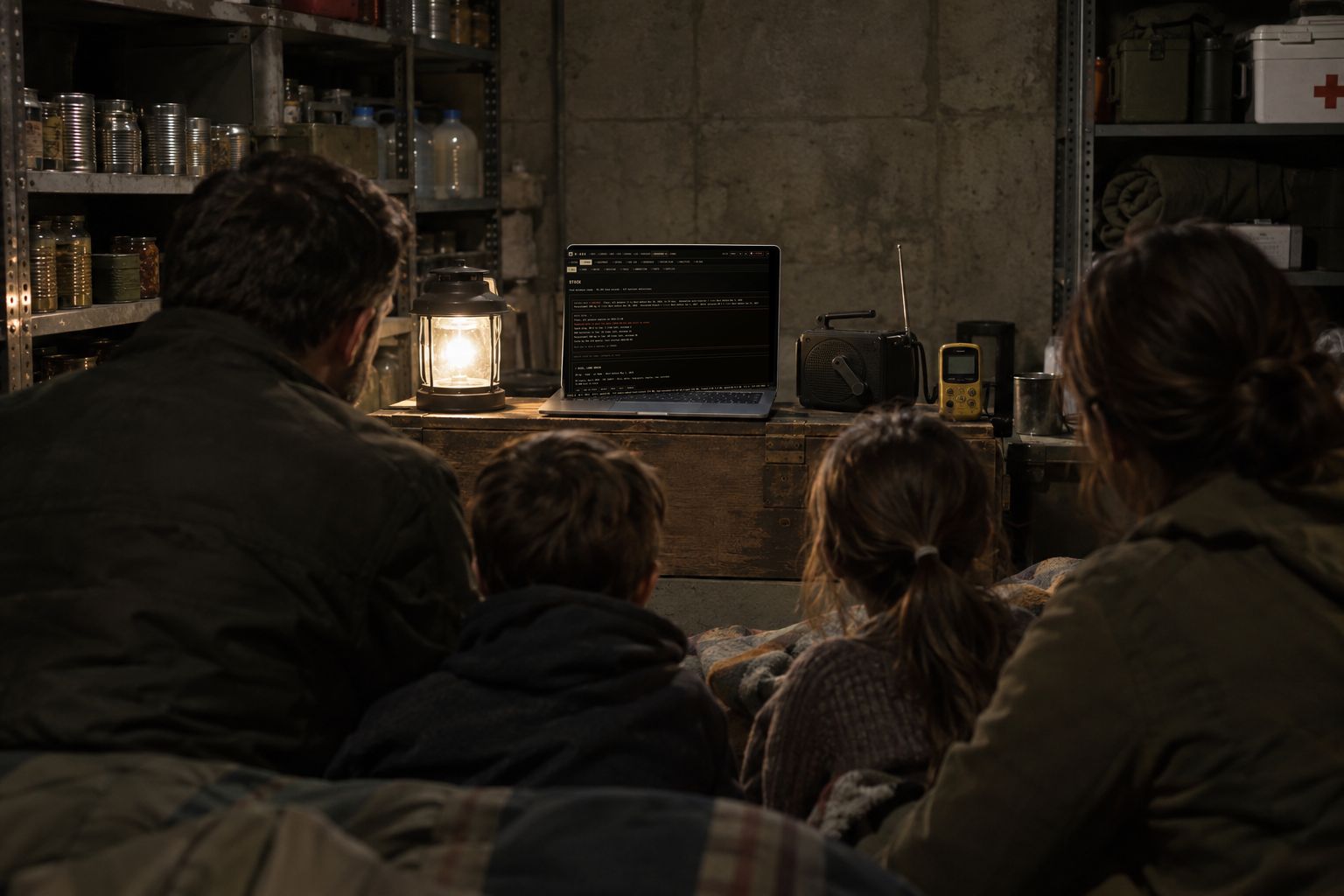
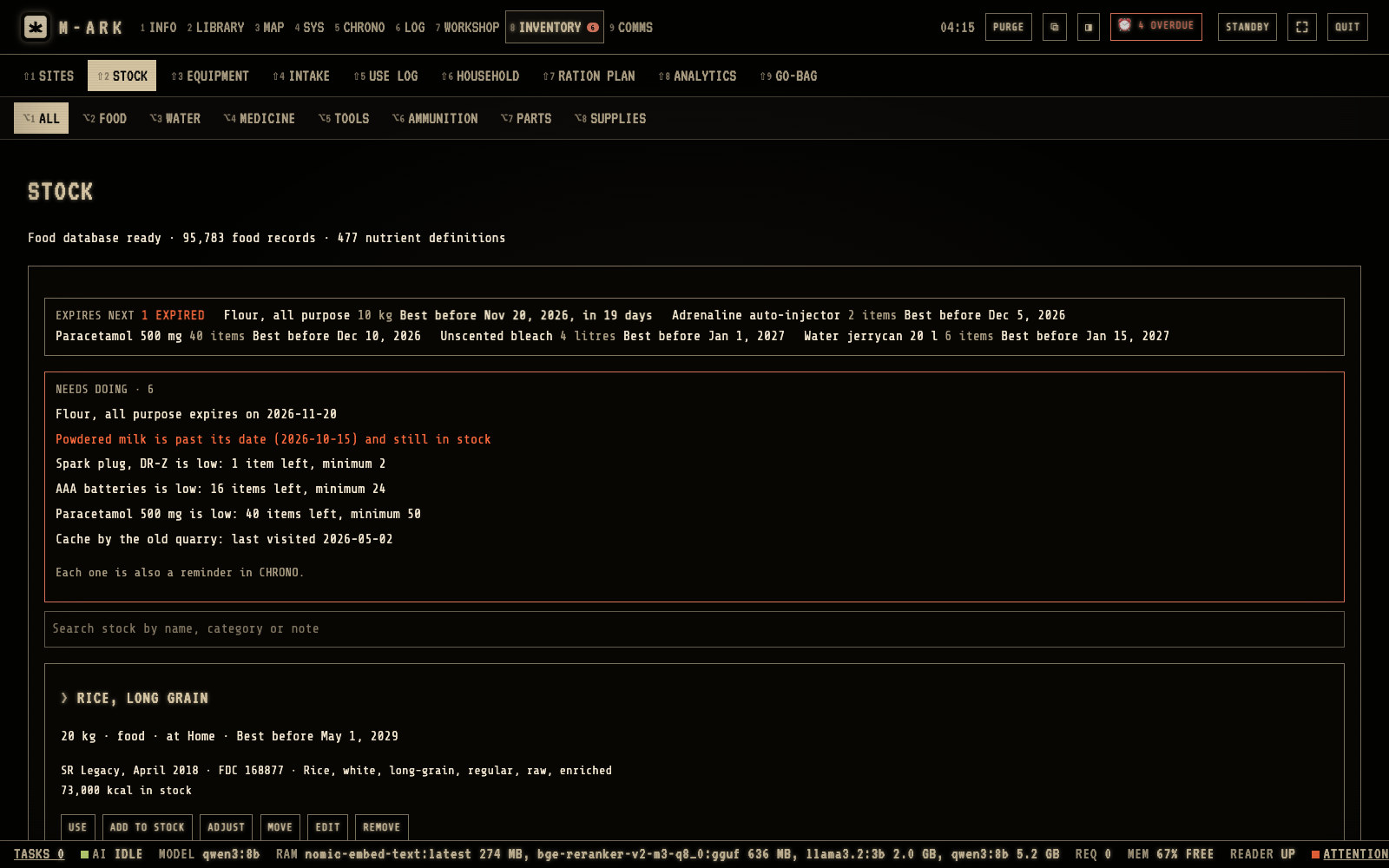
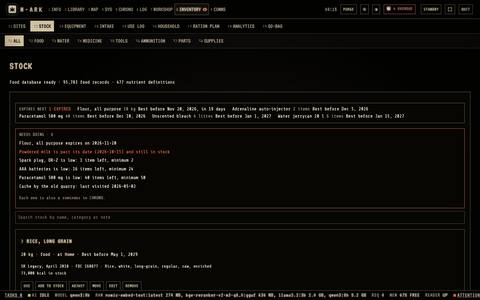
In the shelter, what expires first and how many days are left for each person.
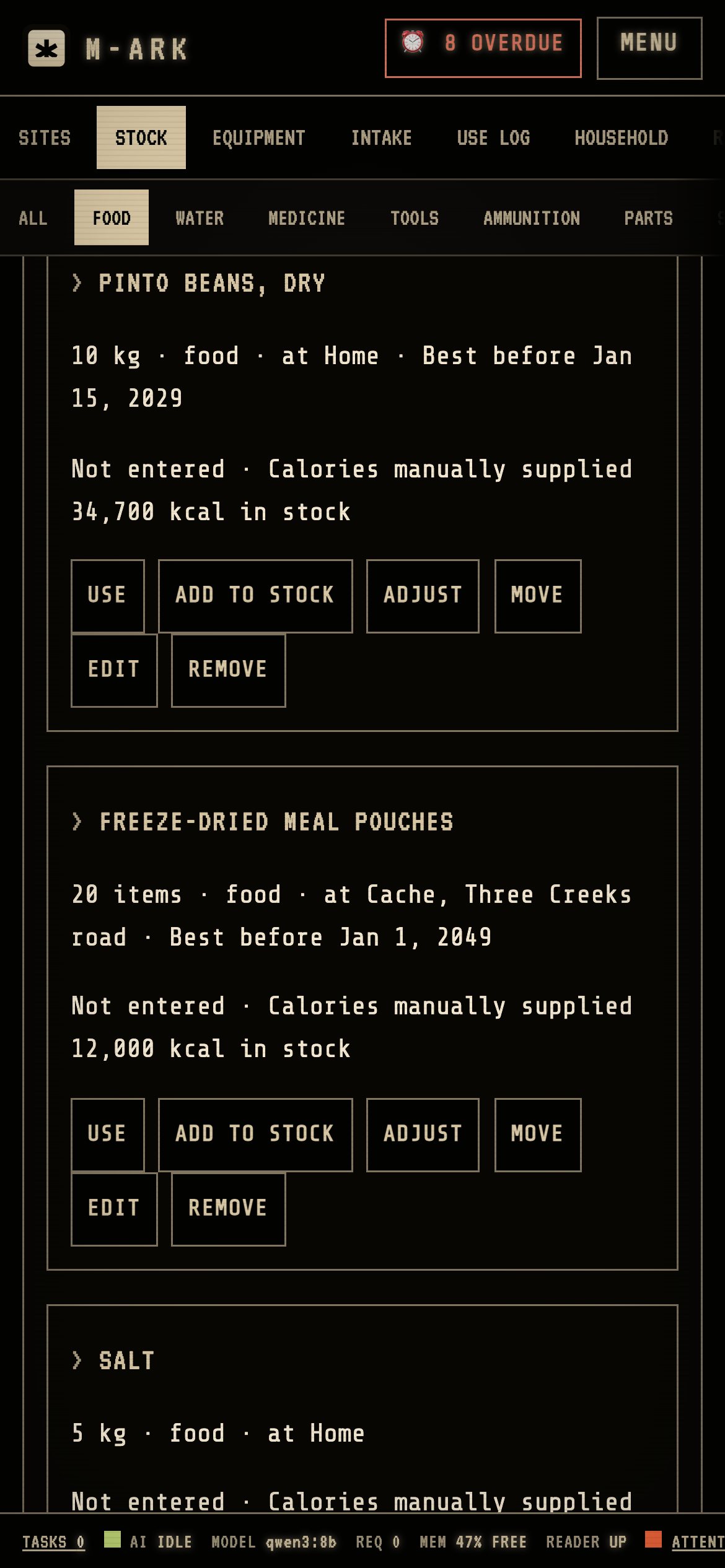
Expires nextHow many items have expired, then the five with the nearest dates.Needs doingPast its date, expiring within 30 days, low stock, medicine and water running out. Each is also a reminder.USERecords what you used. ADD TO STOCK, ADJUST and MOVE sit next to it.
STOCK lists what you have, at every site.
1
Expires nextHow many items have expired, then the five with the nearest dates.
2
Needs doingPast its date, expiring within 30 days, low stock, medicine and water running out. Each is also a reminder.
3
USERecords what you used. ADD TO STOCK, ADJUST and MOVE sit next to it.
02 / 05
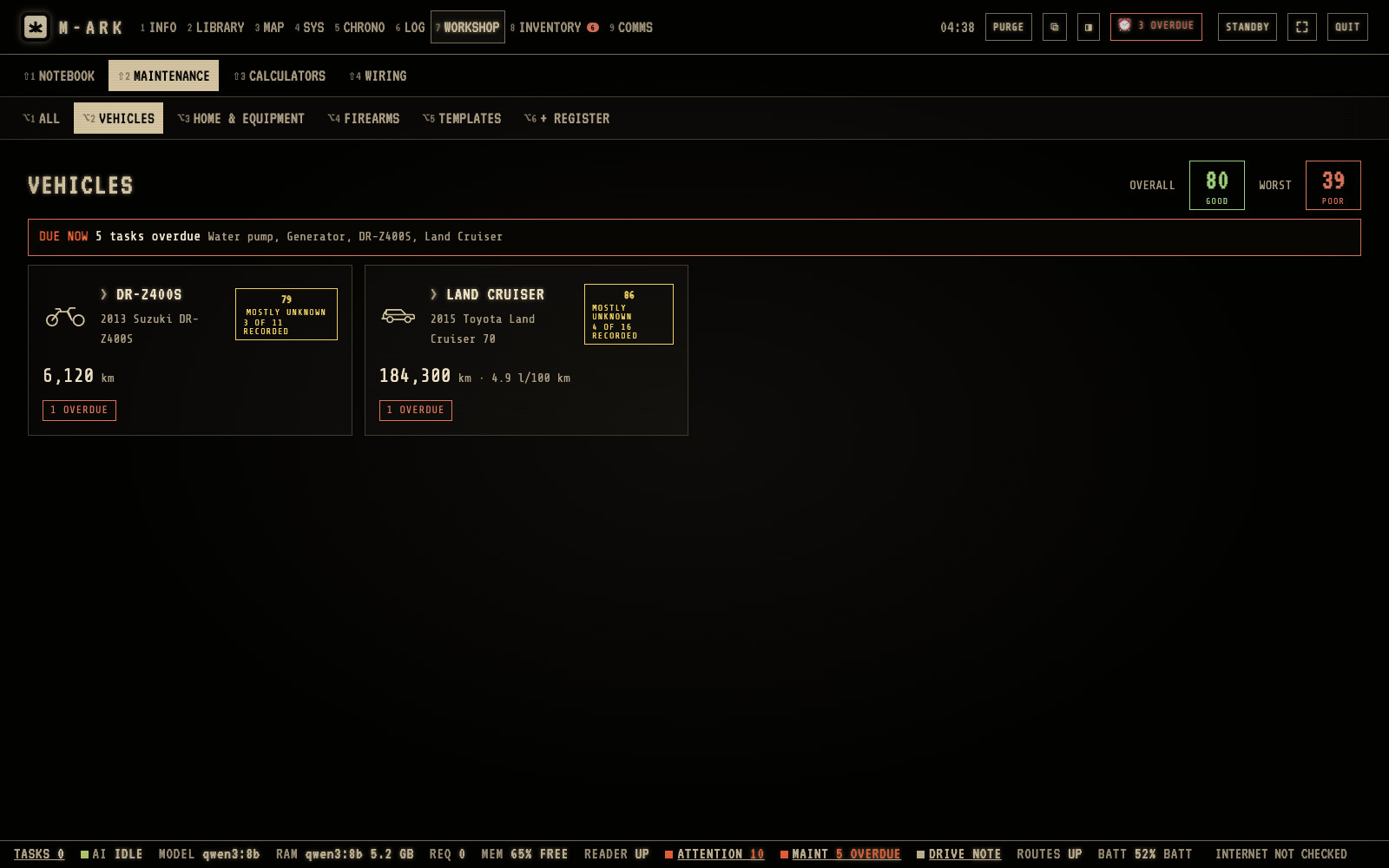
Every machine on a schedule, with a score.
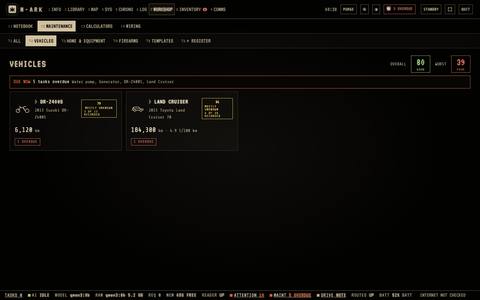
Trucks, generators, chainsaws, pumps, solar banks, firearms, health devices. 106 kinds of equipment come with 611 preset maintenance tasks. Each item gets a score out of 100, due tasks land in the calendar, and the manual for that kind of machine is one click away.
Tasks by miles, hours, rounds or months, whichever comes first
Fuel and use logs, parts taken from stock when a task is done
The worst item shown beside the average, so one failed machine is never hidden
In the rain, the generator task list and its manual on a rugged tablet.
Overall and worstWORST shows the lowest score, so one failed machine is not hidden by the average.DUE NOWThe red line counts the overdue tasks.One card per itemThe reading, the score and what is due. Click it to open the item.+ REGISTERRegister equipment. The catalog knows 106 kinds with 611 preset tasks.
Each item gets a maintenance score out of 100, and due tasks go to the calendar.
1
Overall and worstWORST shows the lowest score, so one failed machine is not hidden by the average.
2
DUE NOWThe red line counts the overdue tasks.
3
One card per itemThe reading, the score and what is due. Click it to open the item.
4
+ REGISTERRegister equipment. The catalog knows 106 kinds with 611 preset tasks.
03 / 05
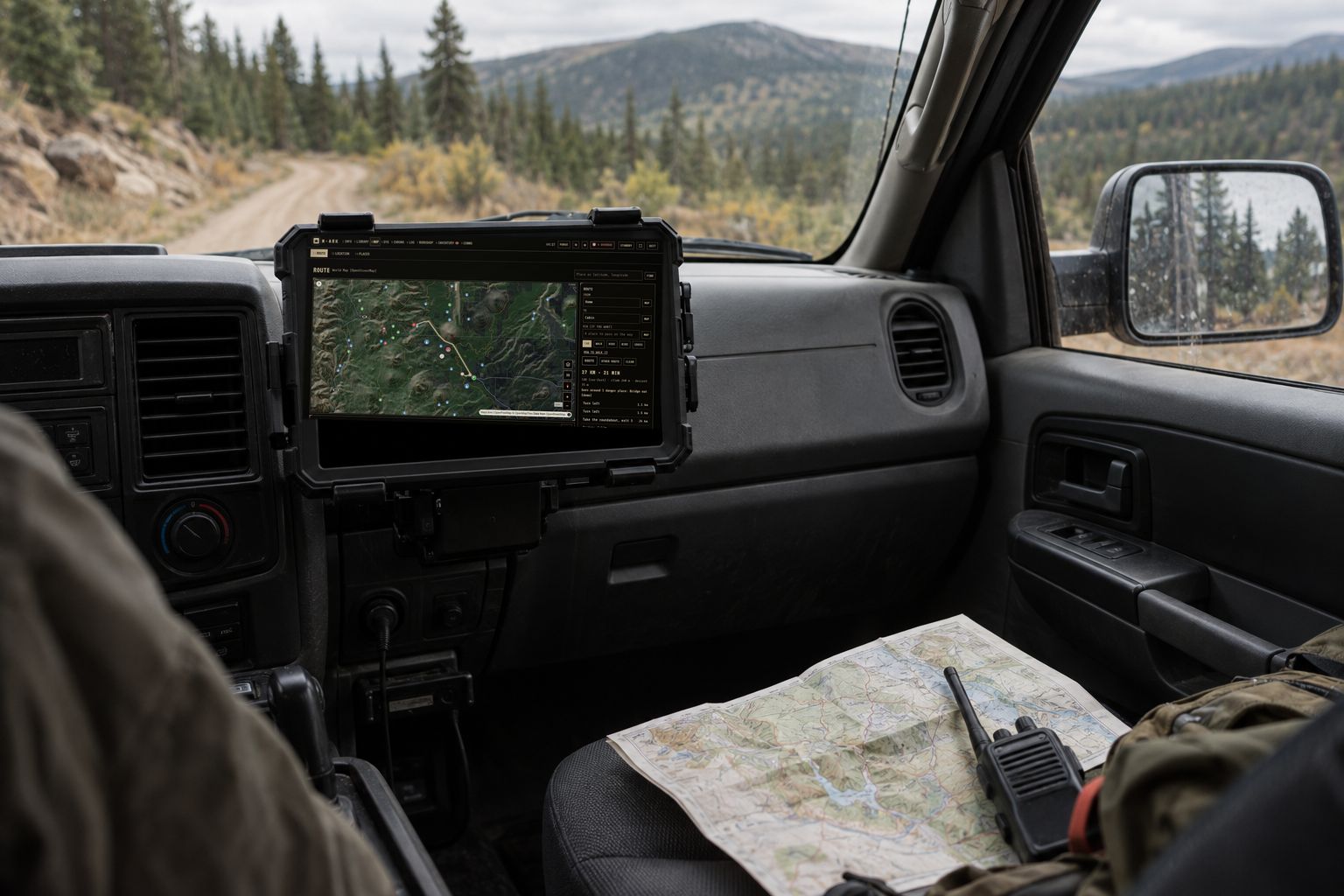
Find your way with no signal.
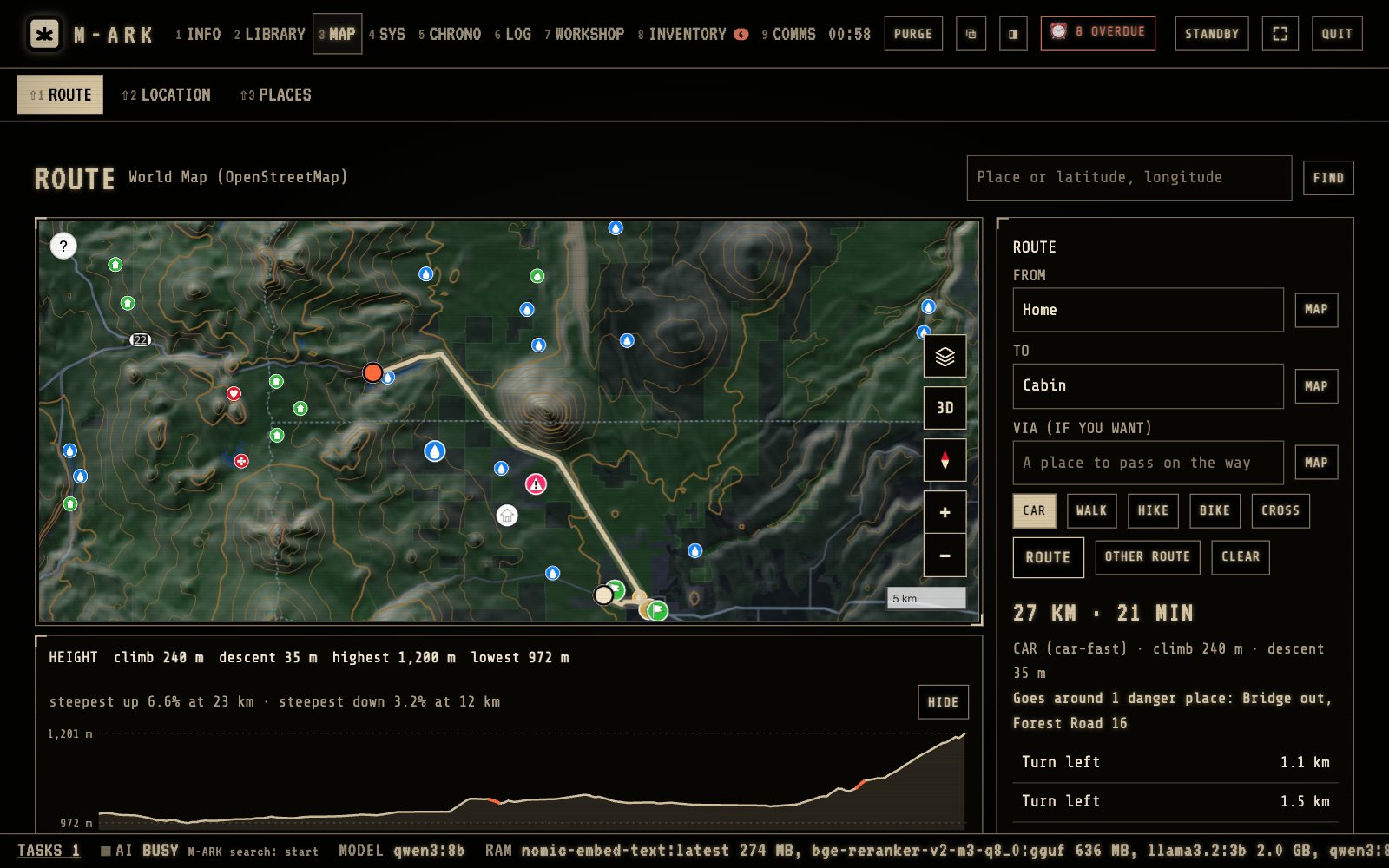
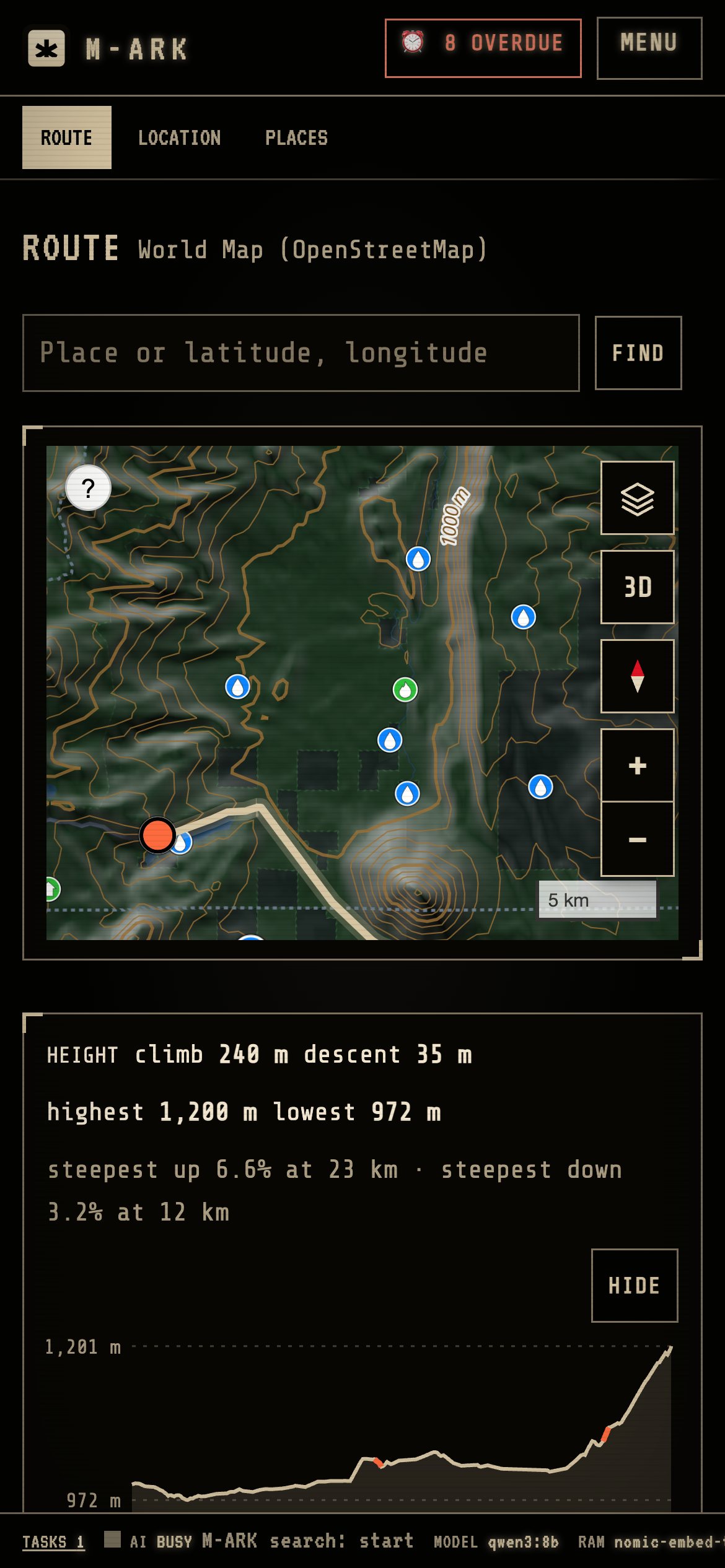
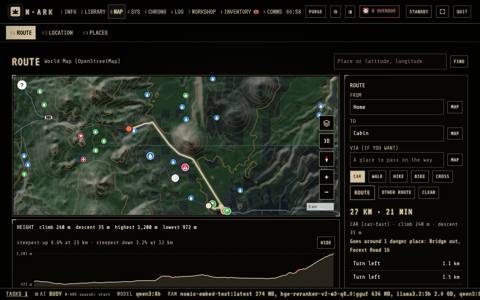
The world map lives on your disk. Plan routes by car, on foot, by bike or straight across country, around the places you mark as dangerous, and fix your position from compass bearings when the GPS is gone.
Up to three alternative routes with every turn and the climb
Four million water points, pharmacies, shelters and fuel stops
Print a map sheet with a grid for the glove box
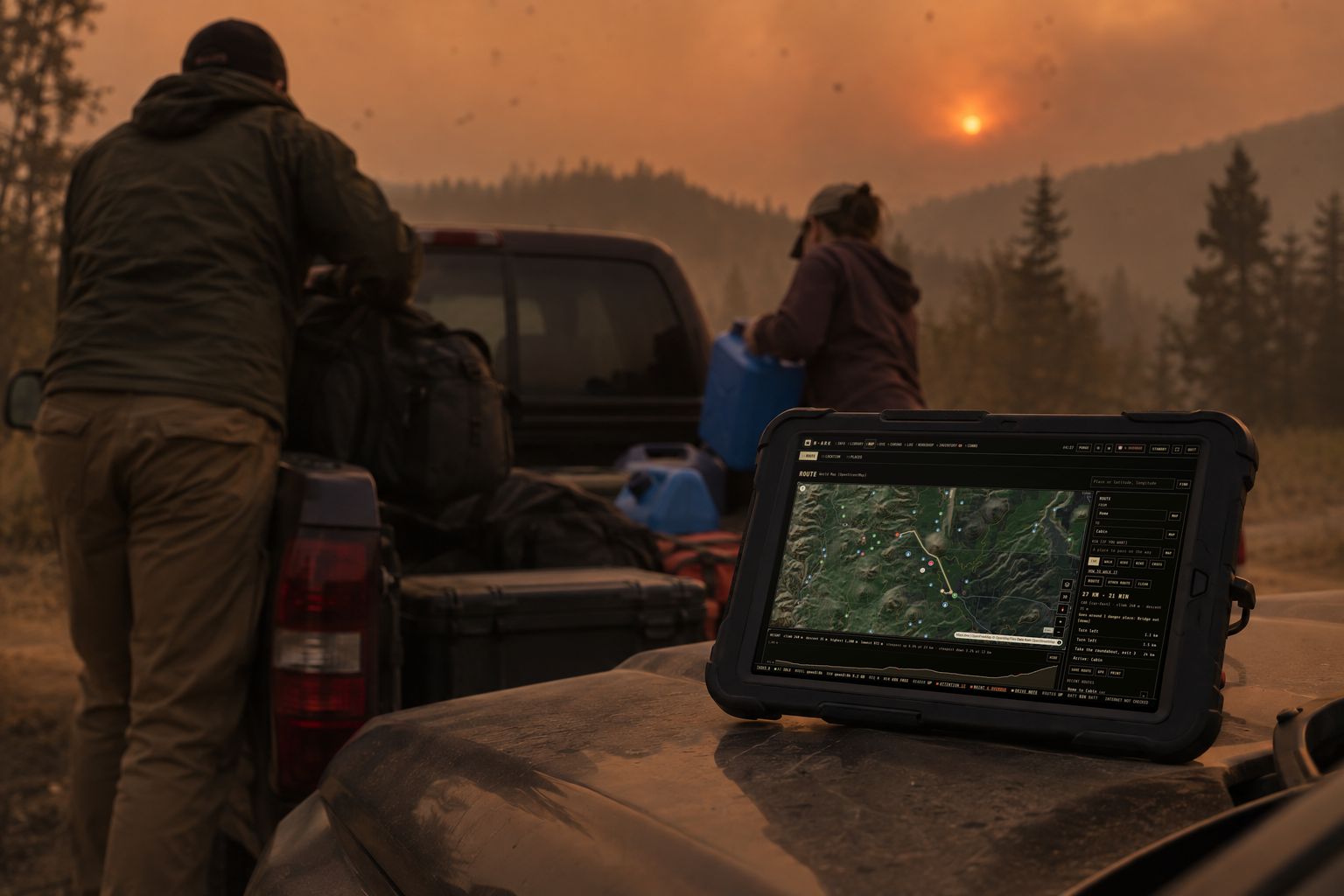
In the truck, the route on a tablet with no bars on the phone.
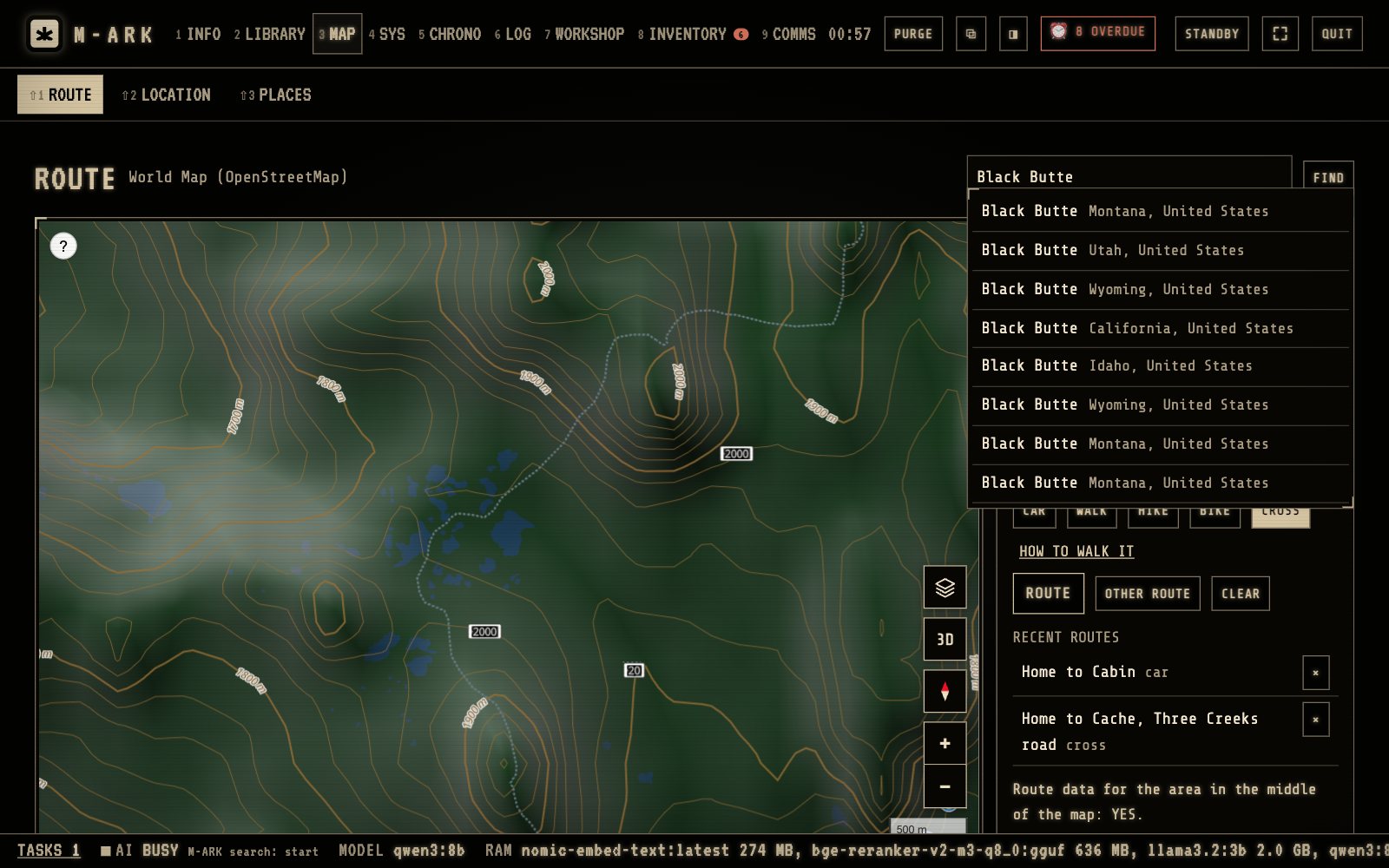
FROM and TOType a place, home, one of your sites or saved places.ModesCAR, WALK, HIKE, BIKE or CROSS.Distance and timeWith the climb, the descent and each turn. Click a turn to see it on the map.Danger placesEvery route goes around your danger places, and the result says which ones.HEIGHTThe height along the route, with the steepest stretches in red.
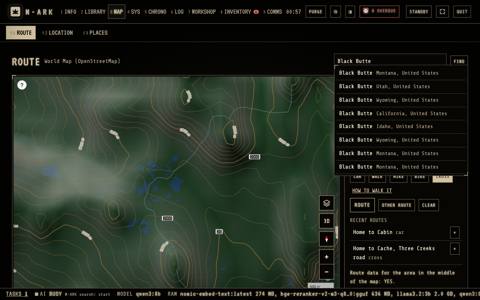
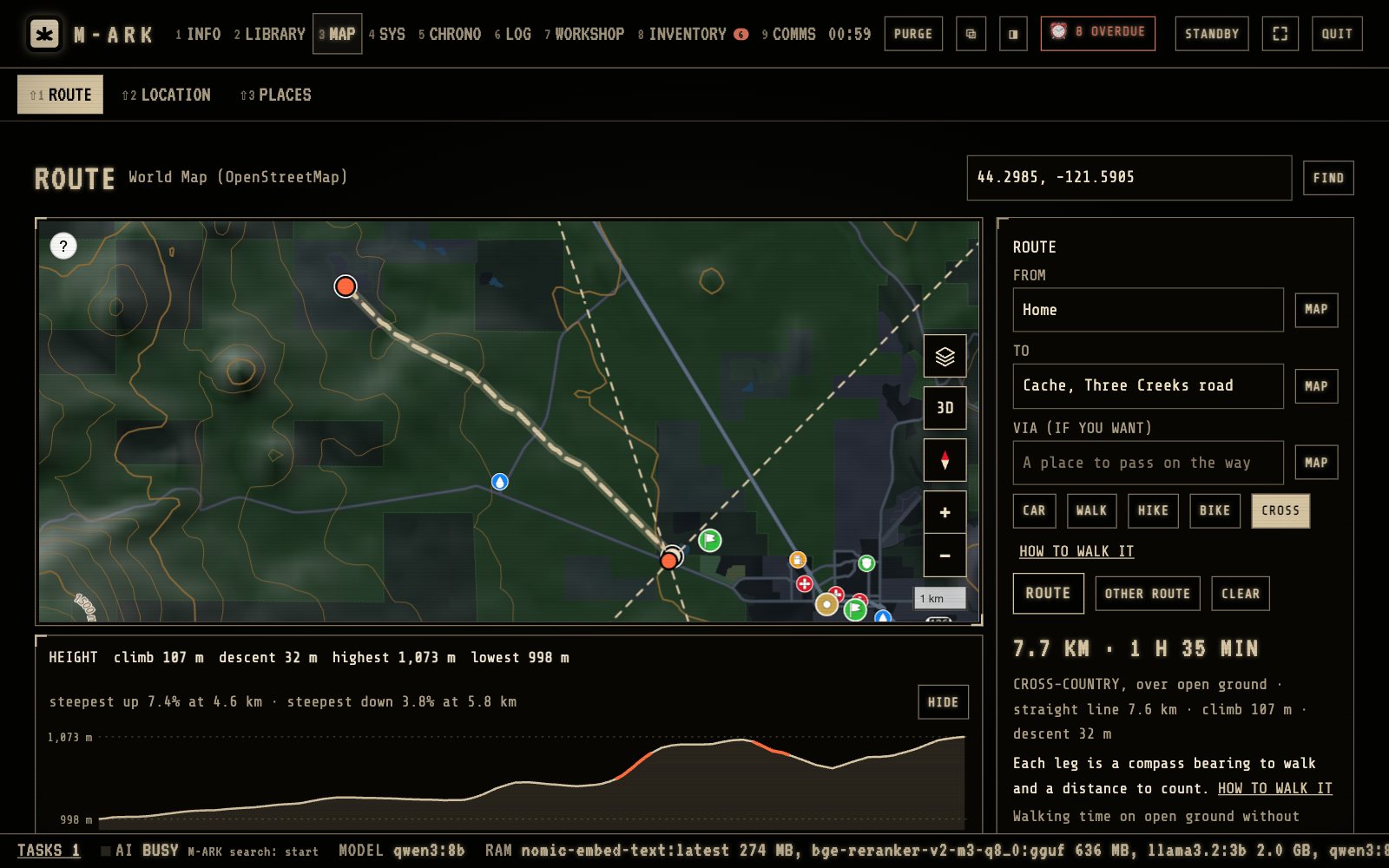
ROUTE plans a trip by car, on foot, by bike or across open ground.
1
FROM and TOType a place, home, one of your sites or saved places.
2
ModesCAR, WALK, HIKE, BIKE or CROSS.
3
Distance and timeWith the climb, the descent and each turn. Click a turn to see it on the map.
4
Danger placesEvery route goes around your danger places, and the result says which ones.
5
HEIGHTThe height along the route, with the steepest stretches in red.
04 / 05
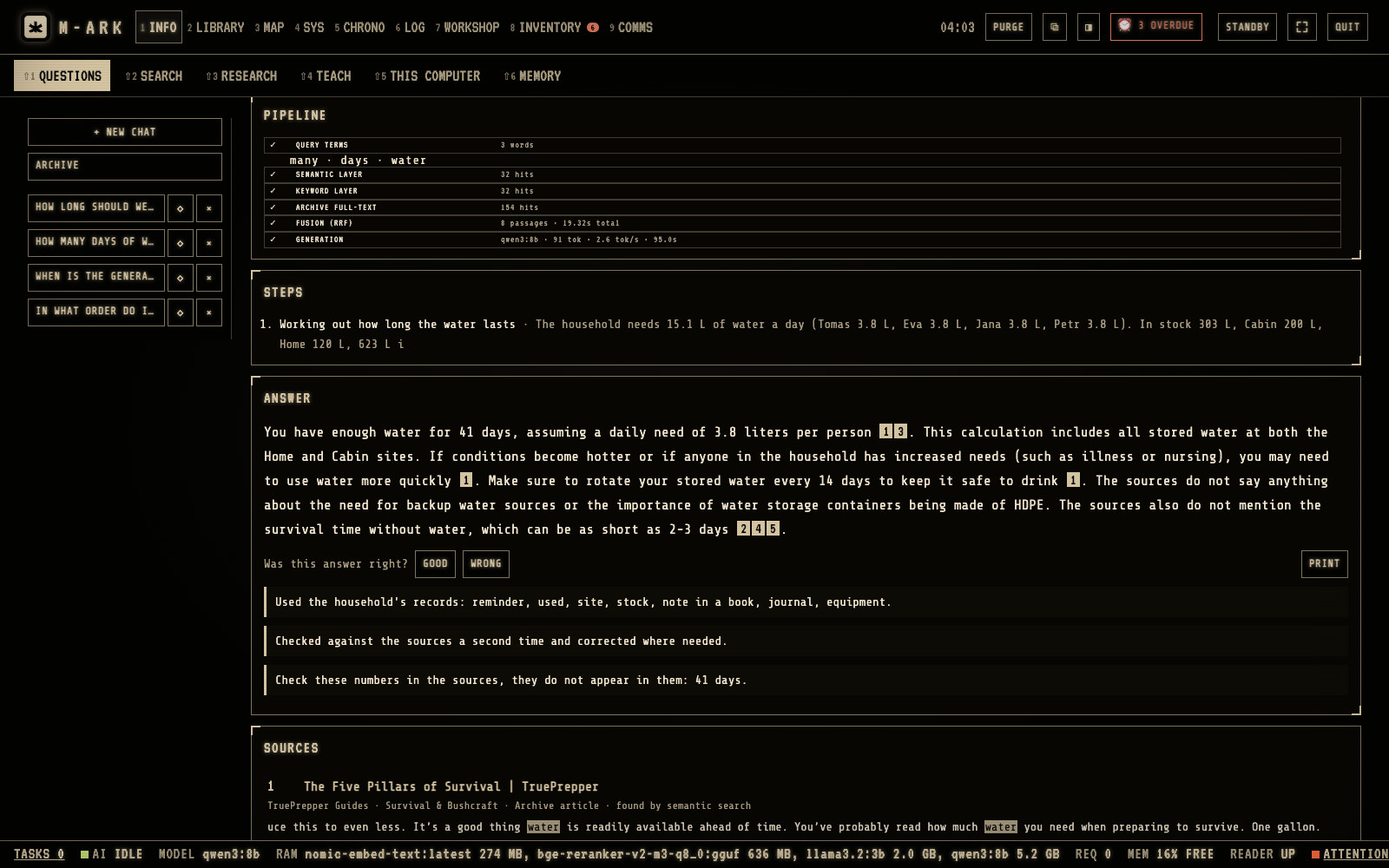
Ask the library a question. Get the page it came from.
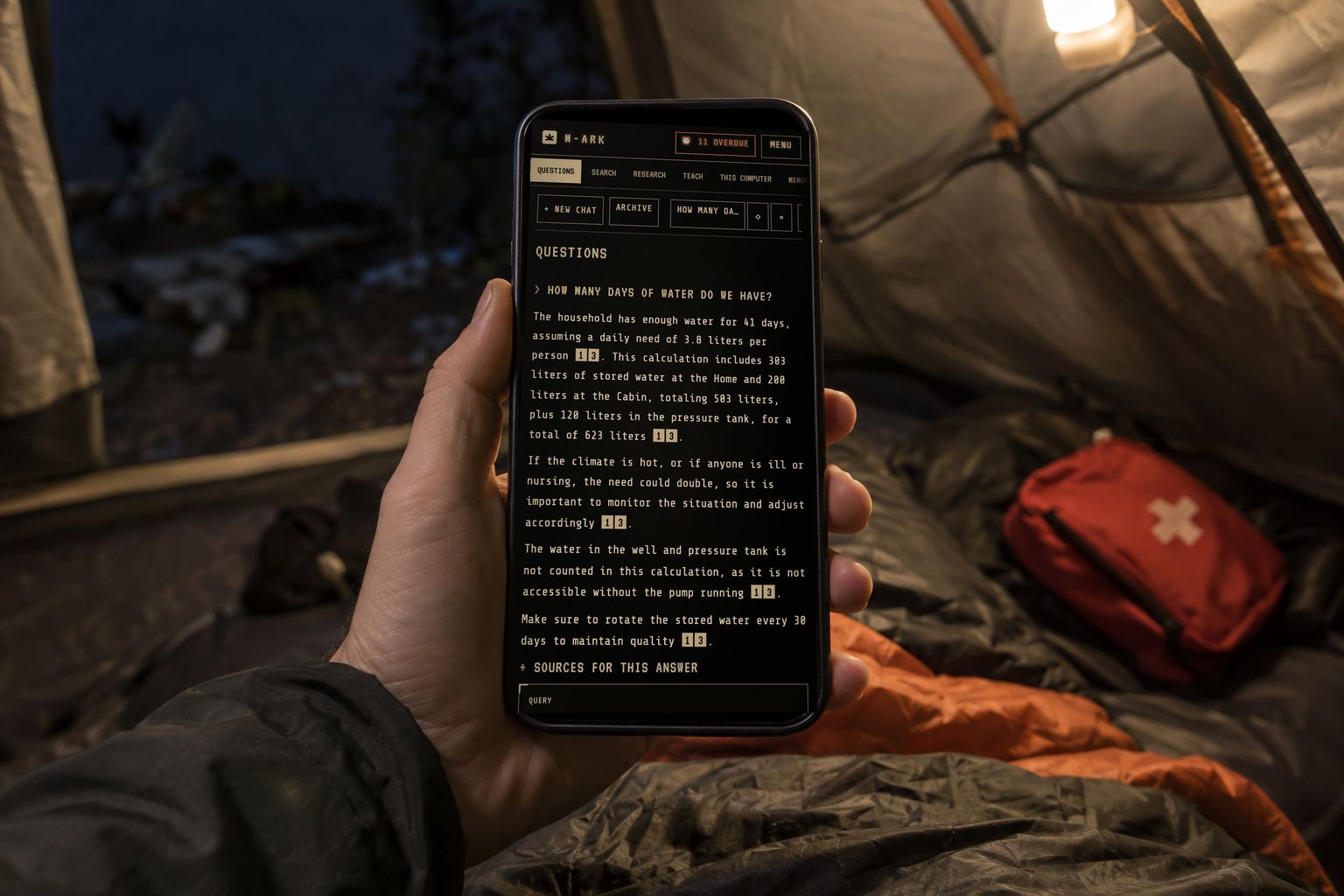
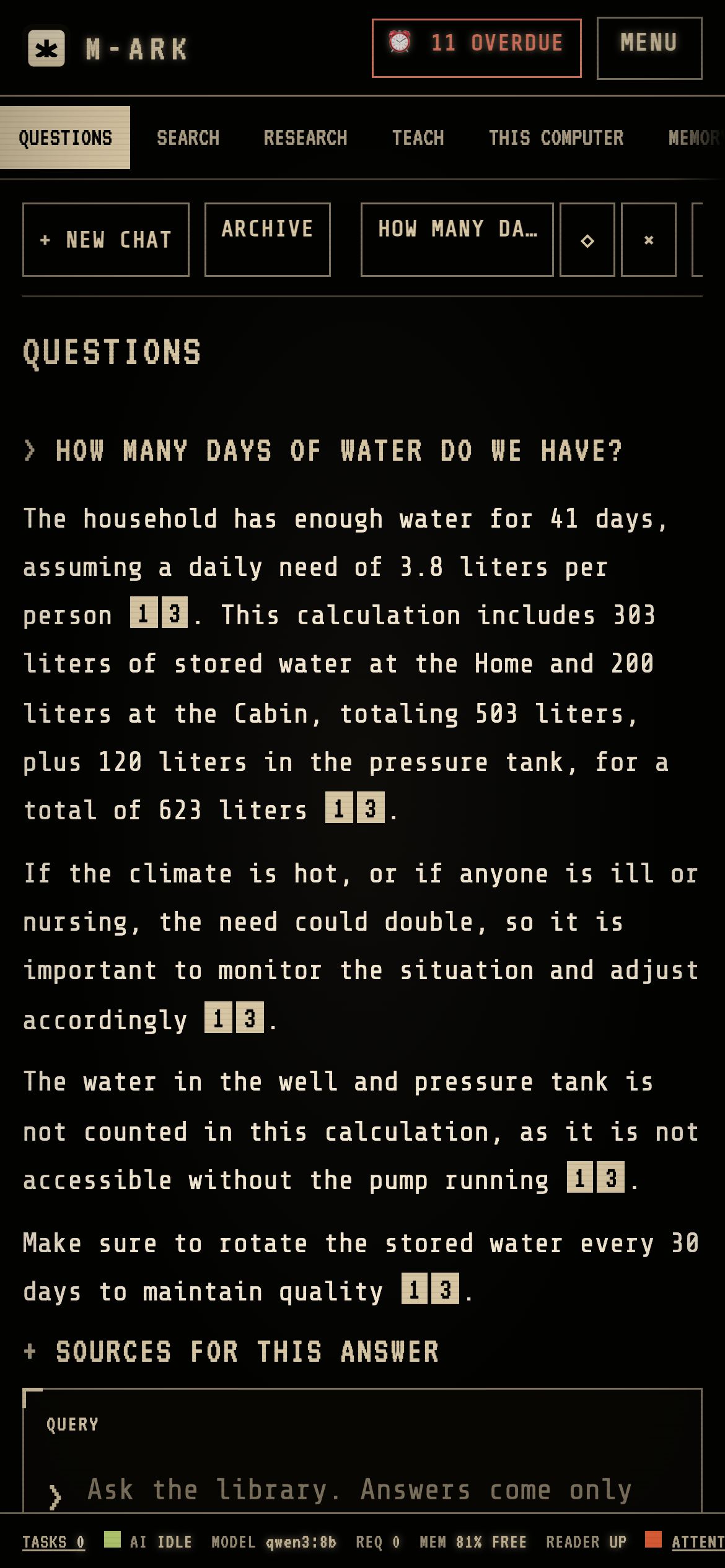
A private AI runs on your own processor and answers only from the manuals on your disk, with a number on every statement that opens the source. It knows your stock and your people, so the answer to “how many days of water do we have” is a real number. Leave it switched off and everything else still works.
Answers written from your library, never from the model’s memory alone
Health, electricity, gas and water answers checked a second time against the sources
Off in one switch, and 8 GB of memory is enough without it
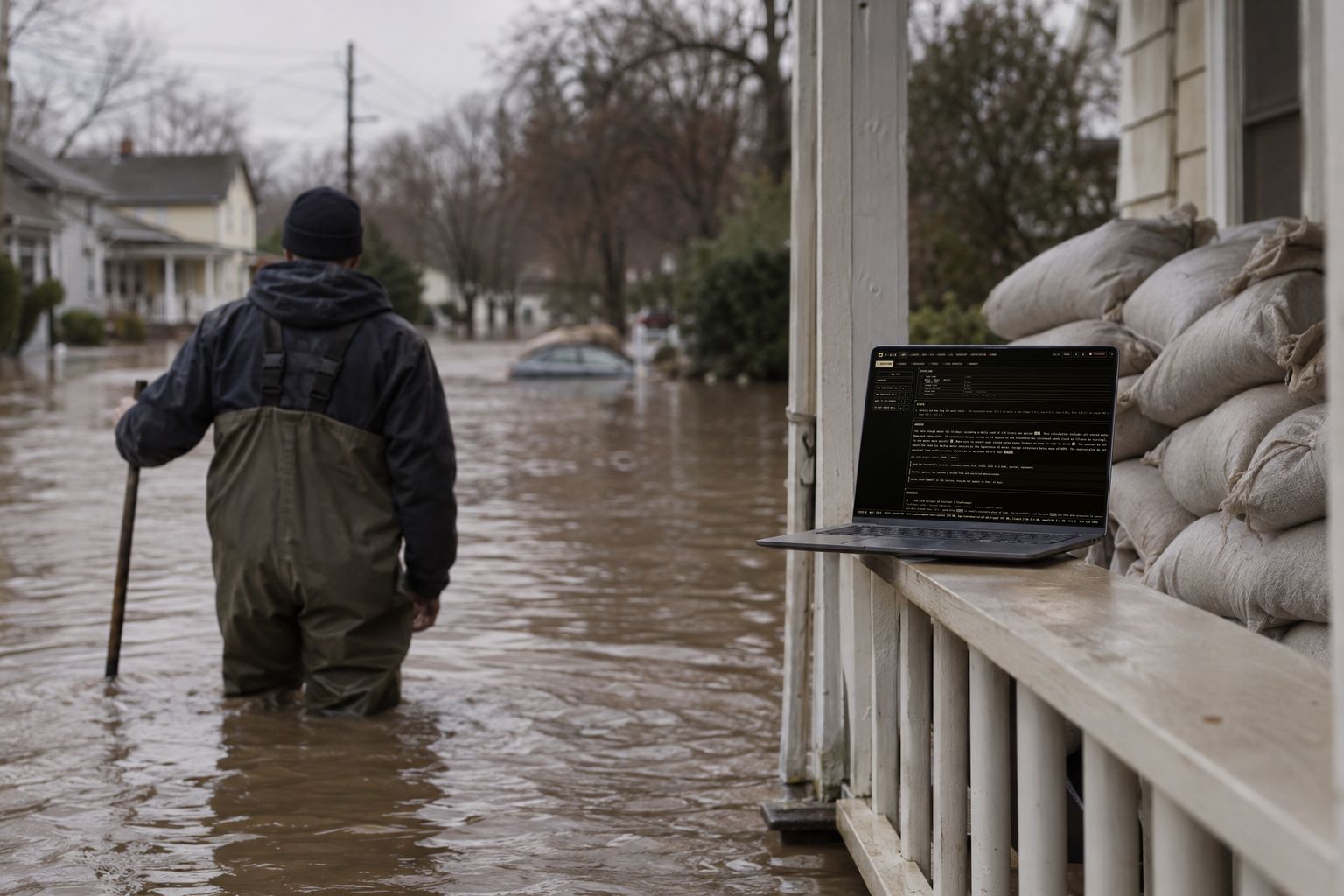
On the porch, a question answered from the library while the street is under water.
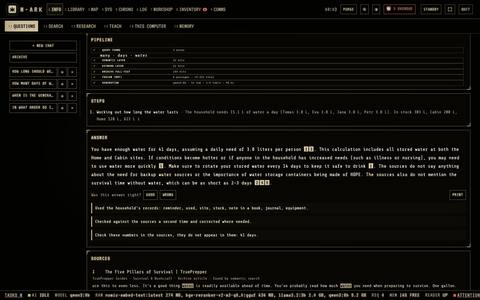
PipelineM-ARK searches the library first. Each step shows how many passages it found and how long it took.GenerationThe answer is written on this computer by the model you chose. Nothing goes to the internet.AnswerThe AI writes from the passages it found. Every statement carries the number of its source.Source numbersClick a number to open the source at the cited page.Your recordsA line under the answer names the household records that were used, here the stock, the sites and the people.
The local AI answers from the library and from your own records, and numbers every source.
1
PipelineM-ARK searches the library first. Each step shows how many passages it found and how long it took.
2
GenerationThe answer is written on this computer by the model you chose. Nothing goes to the internet.
3
AnswerThe AI writes from the passages it found. Every statement carries the number of its source.
4
Source numbersClick a number to open the source at the cited page.
5
Your recordsA line under the answer names the household records that were used, here the stock, the sites and the people.
05 / 05
Preloaded for any catastrophe. And it grows with you.
The library that comes with M-ARK is meant to carry a household through anything, from a week without power to the loss of the grid, and to start again afterwards: medicine and surgery, water and sanitation, growing and preserving food, building, electricity and engines, metalwork, chemistry, radio, navigation, and the reference works a town would need. When you need something specific to your place, RESEARCH finds it: type what you are looking for, the built-in AI searches the web, you inspect and approve each source, and it joins the library on your disk. Or hand the job to ChatGPT or Claude, which prepare a pack that M-ARK imports in one step.
Medical, water, food, power, repair, farming, building, radio and navigation references, preloaded
RESEARCH: the AI searches, you approve, the source is downloaded and indexed
ChatGPT and Claude can build your household pack and your own documents, Claude Desktop connects directly
At the cabin desk, adding the Deschutes County burn rules and the Metolius trail map to the library.
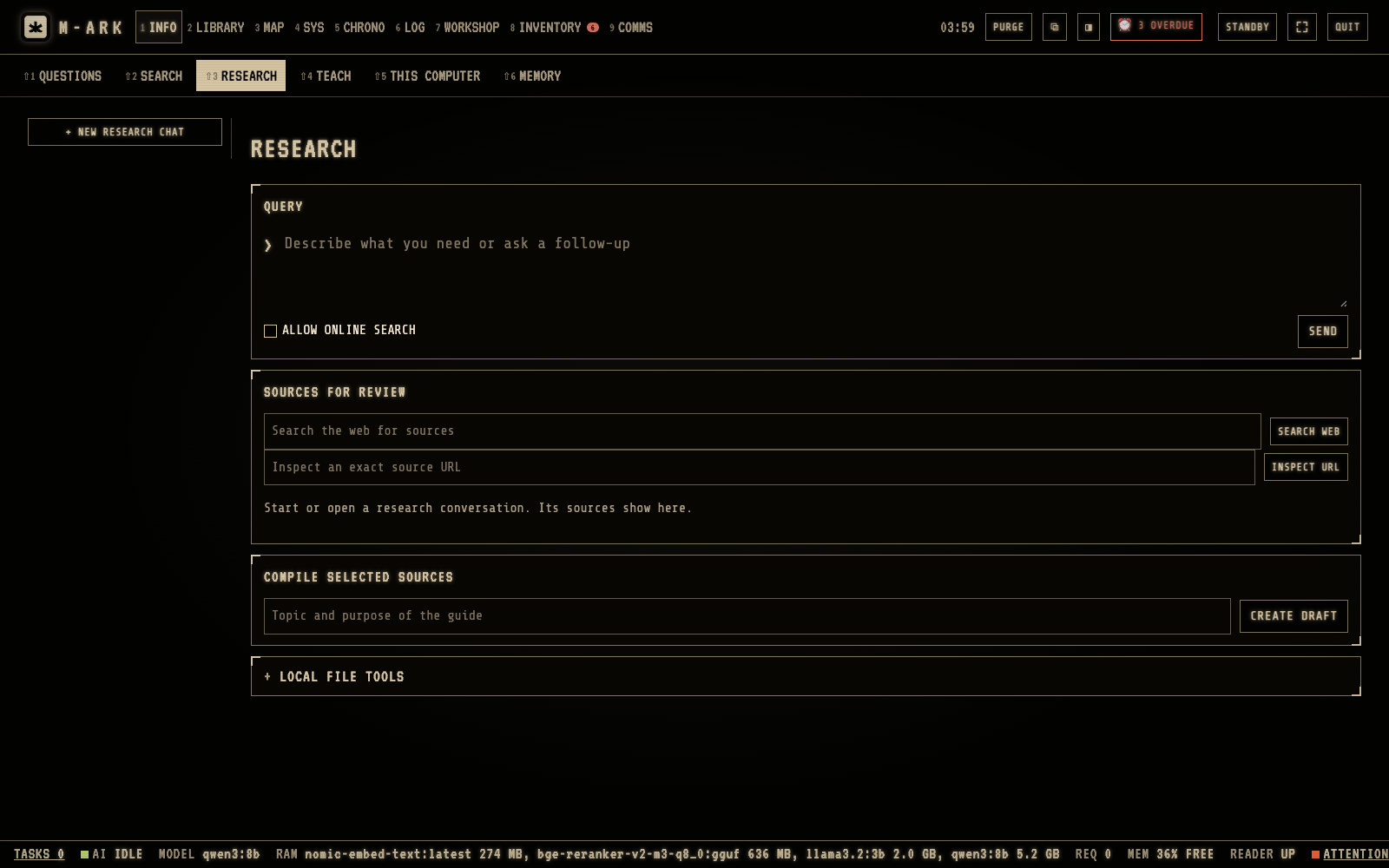
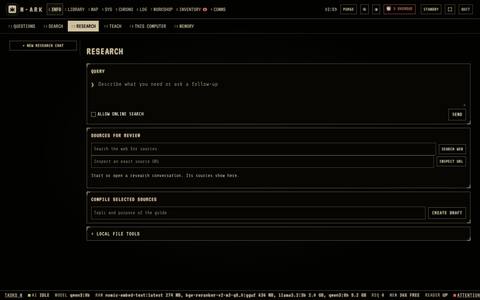
QueryType what you look for. The research chat searches the books on the drive first.ALLOW ONLINE SEARCHTick it to let the research chat search the web as well.Sources for reviewINSPECT a source, then SELECT the good ones and REJECT the bad ones. A selected PDF is downloaded only after APPROVE DOWNLOAD.CREATE DRAFTWrites a summary from the selected sources. Correct it, then APPROVE AND INDEX.
RESEARCH uses the internet to find new material for the library. You check every source first.
1
QueryType what you look for. The research chat searches the books on the drive first.
2
ALLOW ONLINE SEARCHTick it to let the research chat search the web as well.
3
Sources for reviewINSPECT a source, then SELECT the good ones and REJECT the bad ones. A selected PDF is downloaded only after APPROVE DOWNLOAD.
4
CREATE DRAFTWrites a summary from the selected sources. Correct it, then APPROVE AND INDEX.
Every phone in the house.
Turn on sharing and the family scans a QR code. Their phones open M-ARK in the browser, on your Wi-Fi or on the laptop’s own hotspot when the router is down. Nothing to install, and the AI on the main computer answers them too.
iPhone, Android, tablets and smart TVs
Works with the router off, over the laptop hotspot
Each person has their own profile and access level
From people who bought M-ARK, in their own words. We publish every review we receive, good or bad, and never write our own.
No customer reviews yet. The first batch of licenses goes out with early access, and their reviews land here.
RM
Ray M.Bend, Oregon · 2026-11-02
Used it for real the first week
We lost power for most of a night two days after I installed it. Asked how many days of water we had and it told me 38, with the page it got the numbers from. The kids read on their phones off the laptop. That alone was worth the price.
ExampleDK
Denise K.Spokane, Washington · 2026-10-29
The maintenance side is what sold me
I have a generator, a chainsaw, a pump and two trucks, and nothing kept track of any of it. Now each one has a score and the overdue jobs show up in the calendar. The manual for the generator is one click away, which I did not expect.
ExampleTB
Tom B.Fort Collins, Colorado · 2026-10-27
Good, with one thing to know
The library download is big, plan for an evening with the internet on. After that it has not touched the network once, which I checked. The AI is slower than the online ones, but it only quotes what is on my disk and shows the source, and that is the point. Four stars because the Windows installer asked me to allow it twice.
ExampleAR
Angela R.Ontario, Canada · 2026-10-24
Finally one place for the medicine dates
My husband is diabetic and my daughter has an EpiPen. M-ARK warns me a month before anything expires and knows which medicine belongs to whom. The rations calculator told me our food lasts 61 days for the four of us. I had guessed 90.
ExampleLG
Luis G.San Antonio, Texas · 2026-10-21
Maps with no signal, tested on a hunting trip
No bars for two days. Routed from the lease gate to the creek crossing on foot, took bearings off two hills and it put me within a few hundred yards. Printed the map sheet before we left. The mesh radio text worked between the trucks.
ExamplePW
Pat W.Fairbanks, Alaska · 2026-10-18
Does what it says, needs a decent laptop
On my old 8 GB machine the AI was slow until I switched to the small model, then it was fine. Everything else runs quick. No account, no subscription, and I like that purge wipes it all. I would buy it again.
Example
Ask · 6 screens · 35 functions
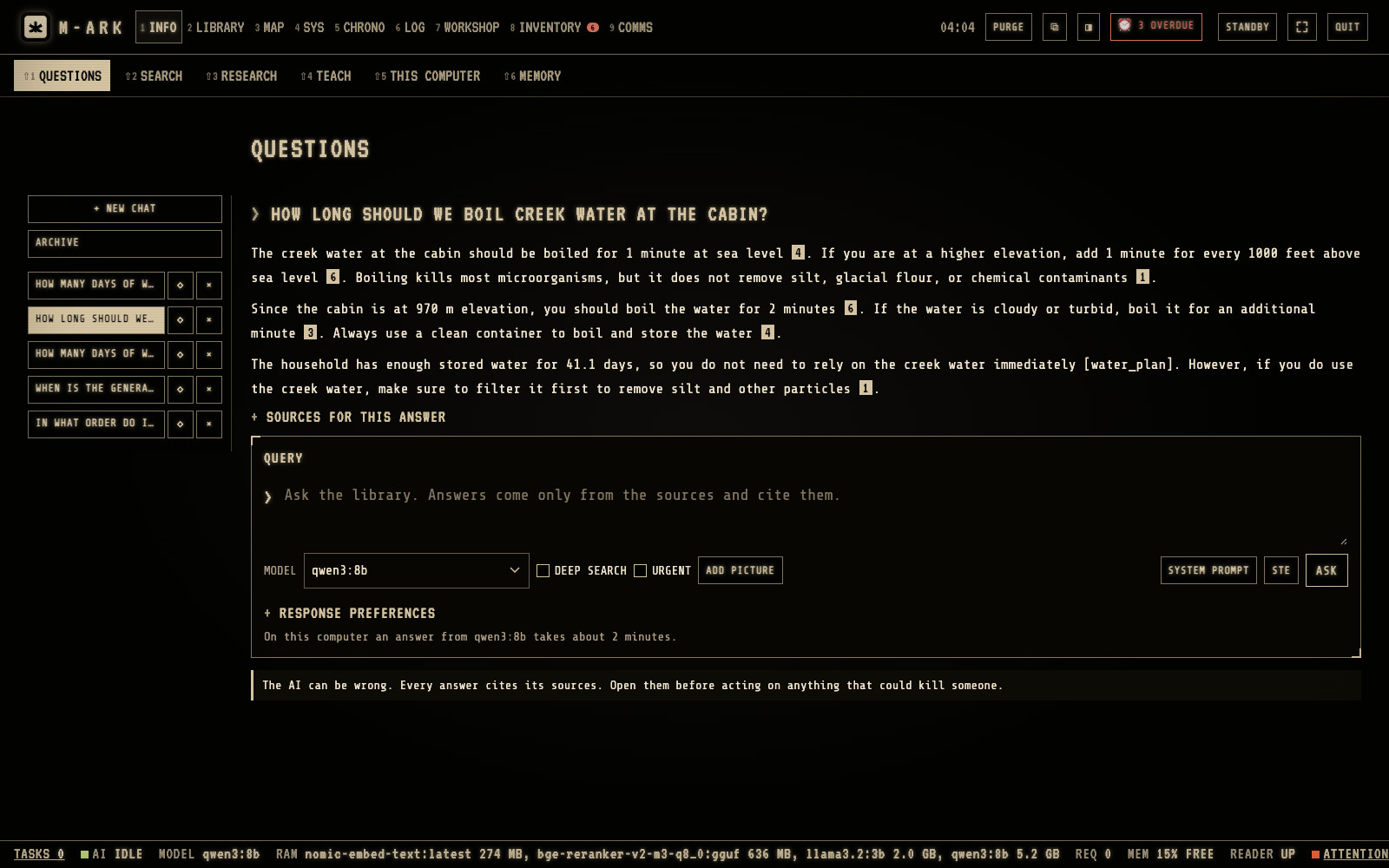
Ask anything. Get the answer with the page it came from.
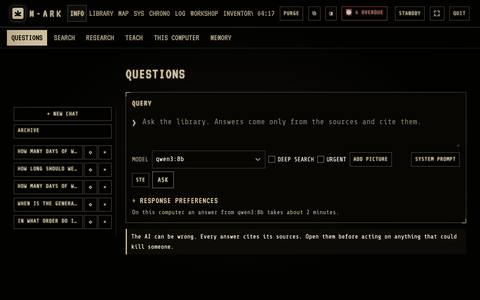
Type a question the way you would ask a well-read friend. The AI on your own computer searches the library, writes the answer only from what it found, and numbers every statement so you can open the source. It also knows your household, your stock and your equipment, so “how many days of water do we have” gets a real number.
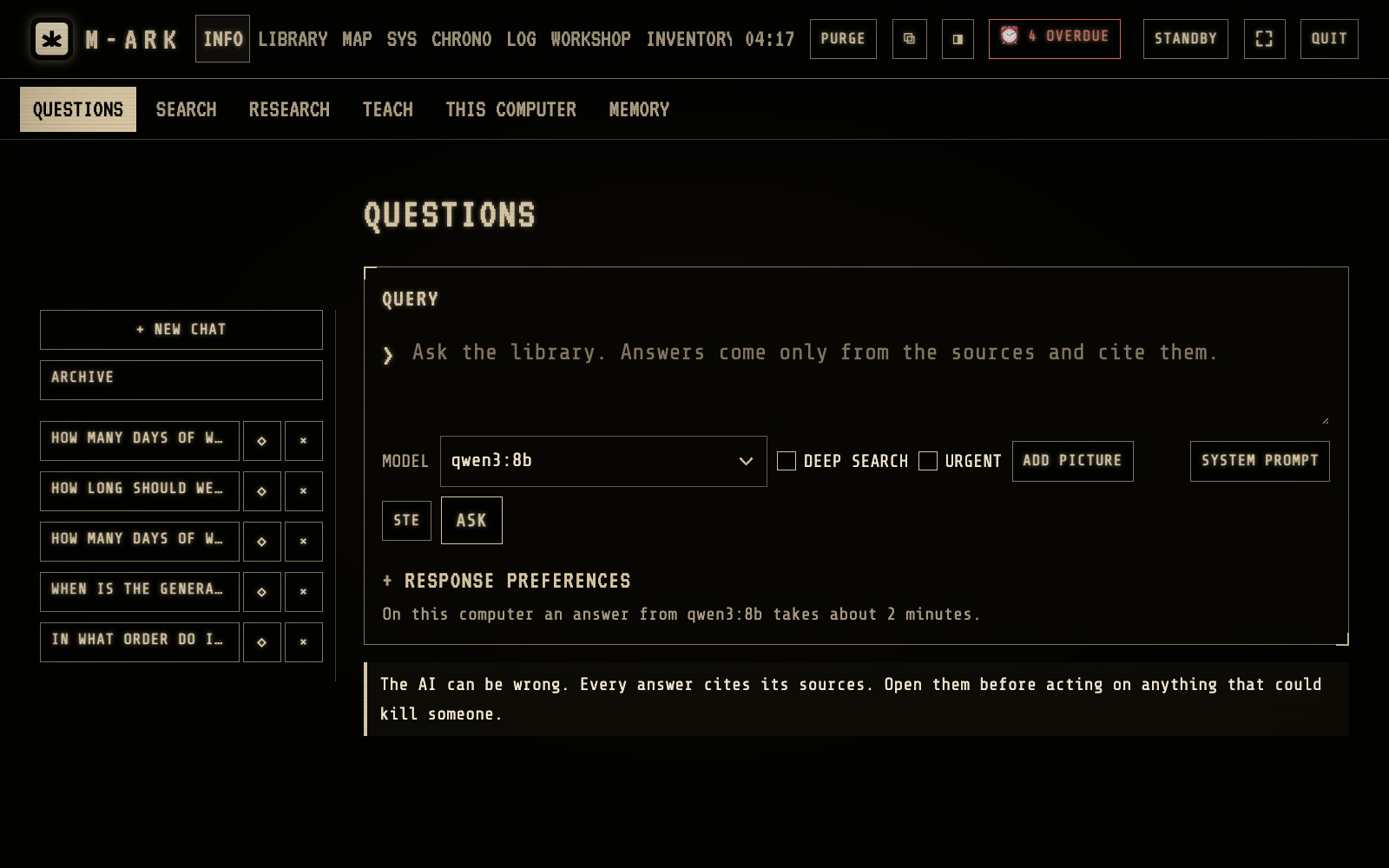
PipelineM-ARK searches the library first. Each step shows how many passages it found and how long it took.GenerationThe answer is written on this computer by the model you chose. Nothing goes to the internet.AnswerThe AI writes from the passages it found. Every statement carries the number of its source.Source numbersClick a number to open the source at the cited page.Your recordsA line under the answer names the household records that were used, here the stock, the sites and the people.
The local AI answers from the library and from your own records, and numbers every source. Hover or tap a number for its note.
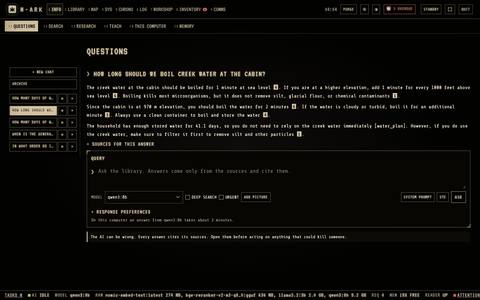
+ NEW CHATStarts a new conversation. Empty conversations are not kept.ConversationsYour earlier conversations. Pin one to the top, or delete it.ARCHIVELists all saved conversations.Sources for this answerOpen it to see the passages the answer was written from.
Every question starts or continues a conversation, kept in the side panel. Hover or tap a number for its note.
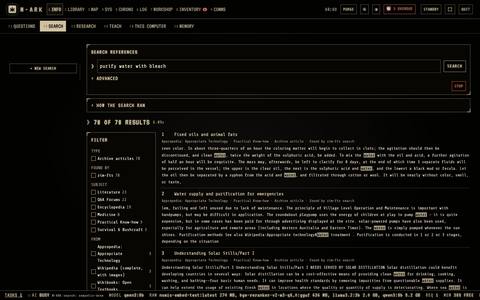
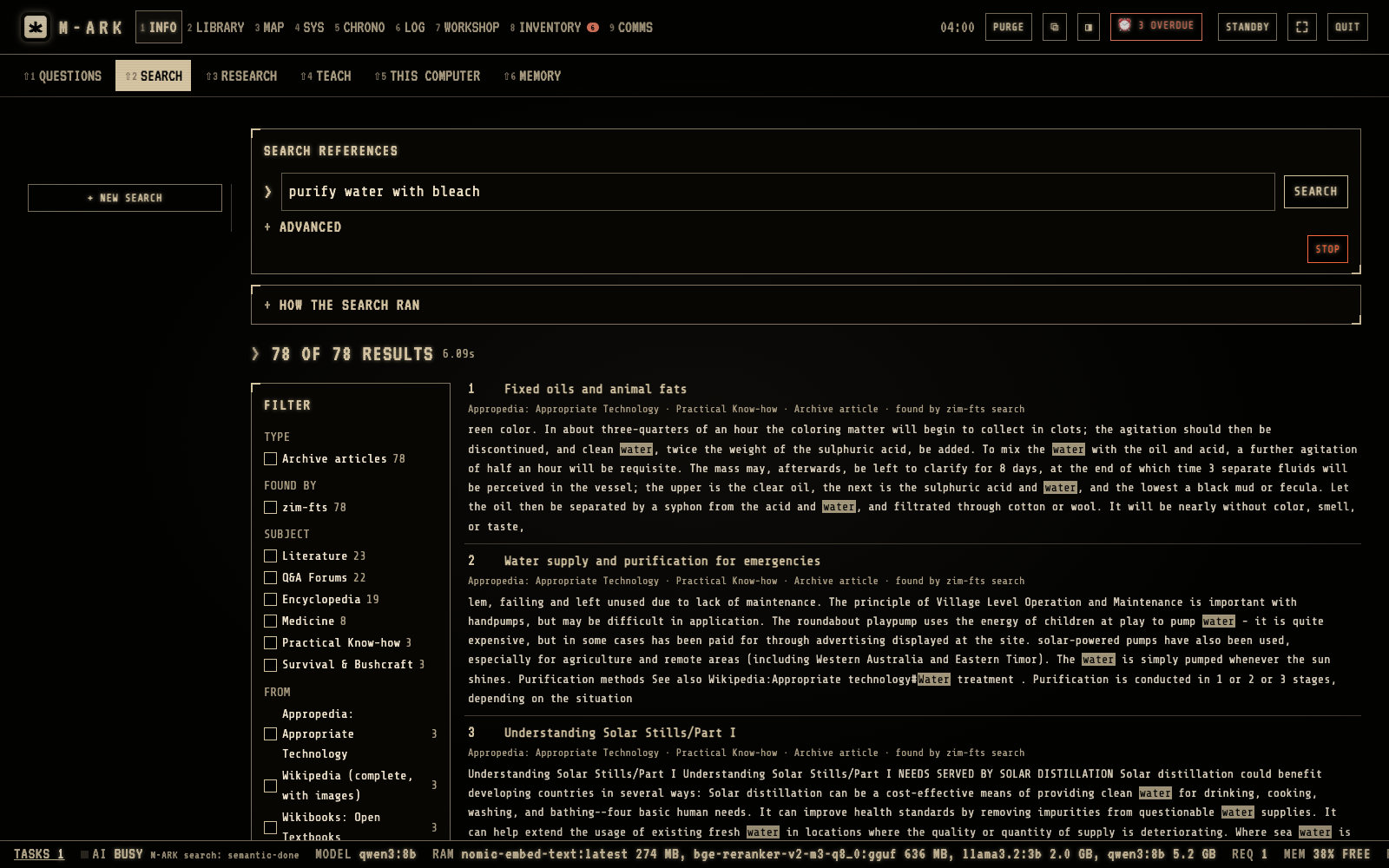
Search boxType words or a question and press Enter.ADVANCEDChoose the methods. KEYWORD finds the exact words, SEMANTIC finds the same meaning in other words, ARCHIVES searches the offline websites.FILTERShow only one type, one method, one subject or one source.+ NEW SEARCHStarts a new search. Earlier searches stay in the side panel.
SEARCH finds passages in the library without the AI. It is fast and works on every computer. Hover or tap a number for its note.
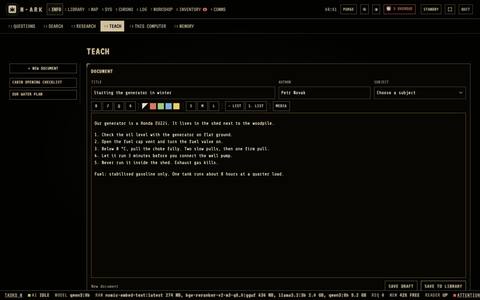
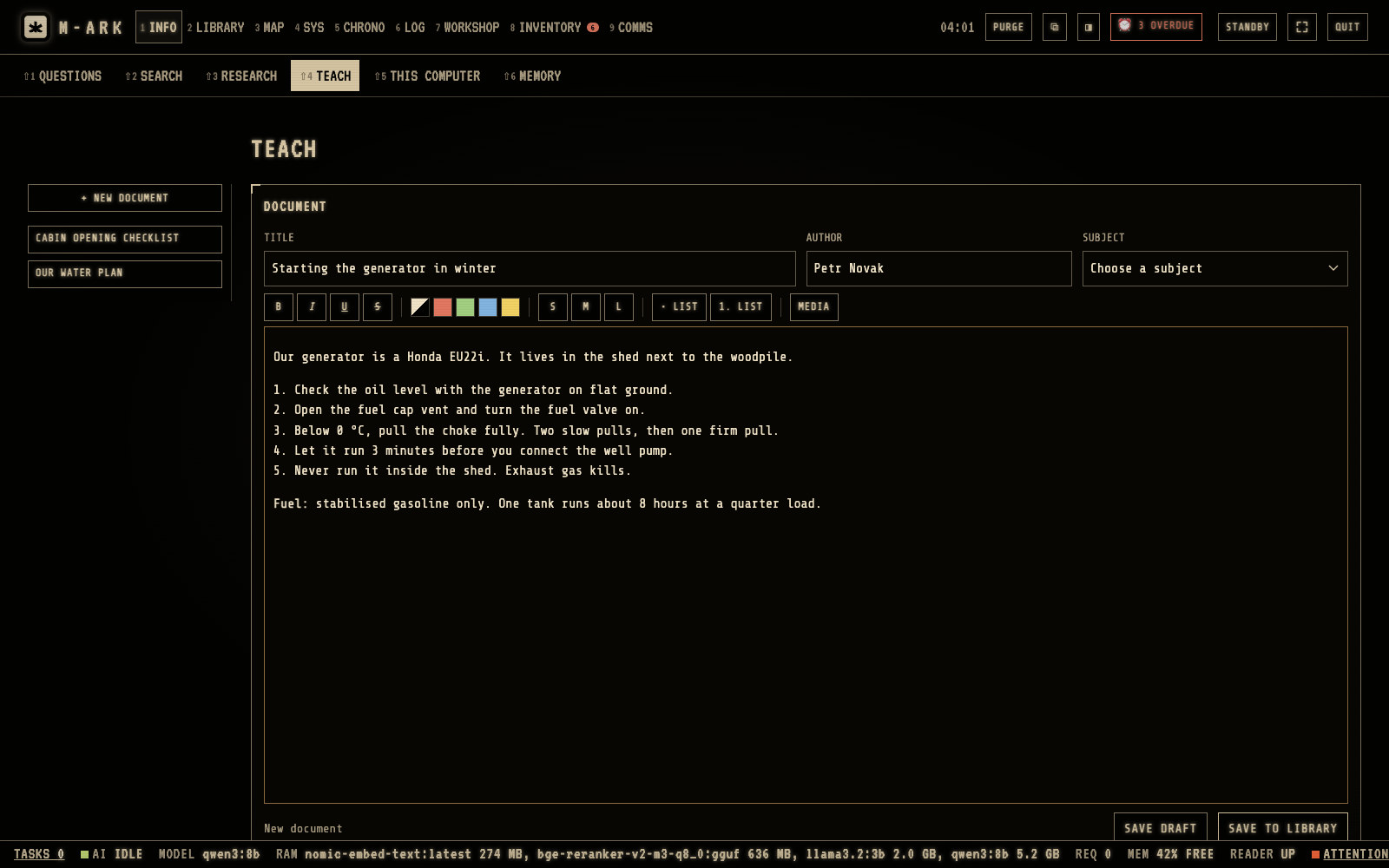
Title, author, subjectGive the document a title, an author and a subject.Text toolsBold, colors, sizes, lists, and pictures, videos or audio from the media bank.SAVE DRAFTM-ARK also saves the draft by itself after 1.5 seconds.SAVE TO LIBRARYWhen the document is complete, QUESTIONS and SEARCH can find it and cite it.Your documentsThe side panel lists them. A tick shows a document that is in the library.
TEACH lets you write your own documents and add them to the library. Hover or tap a number for its note.
QueryType what you look for. The research chat searches the books on the drive first.ALLOW ONLINE SEARCHTick it to let the research chat search the web as well.Sources for reviewINSPECT a source, then SELECT the good ones and REJECT the bad ones. A selected PDF is downloaded only after APPROVE DOWNLOAD.CREATE DRAFTWrites a summary from the selected sources. Correct it, then APPROVE AND INDEX.
RESEARCH uses the internet to find new material for the library. You check every source first. Hover or tap a number for its note.
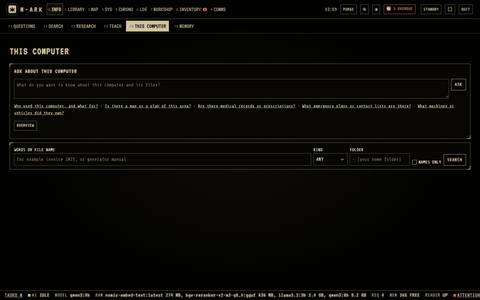
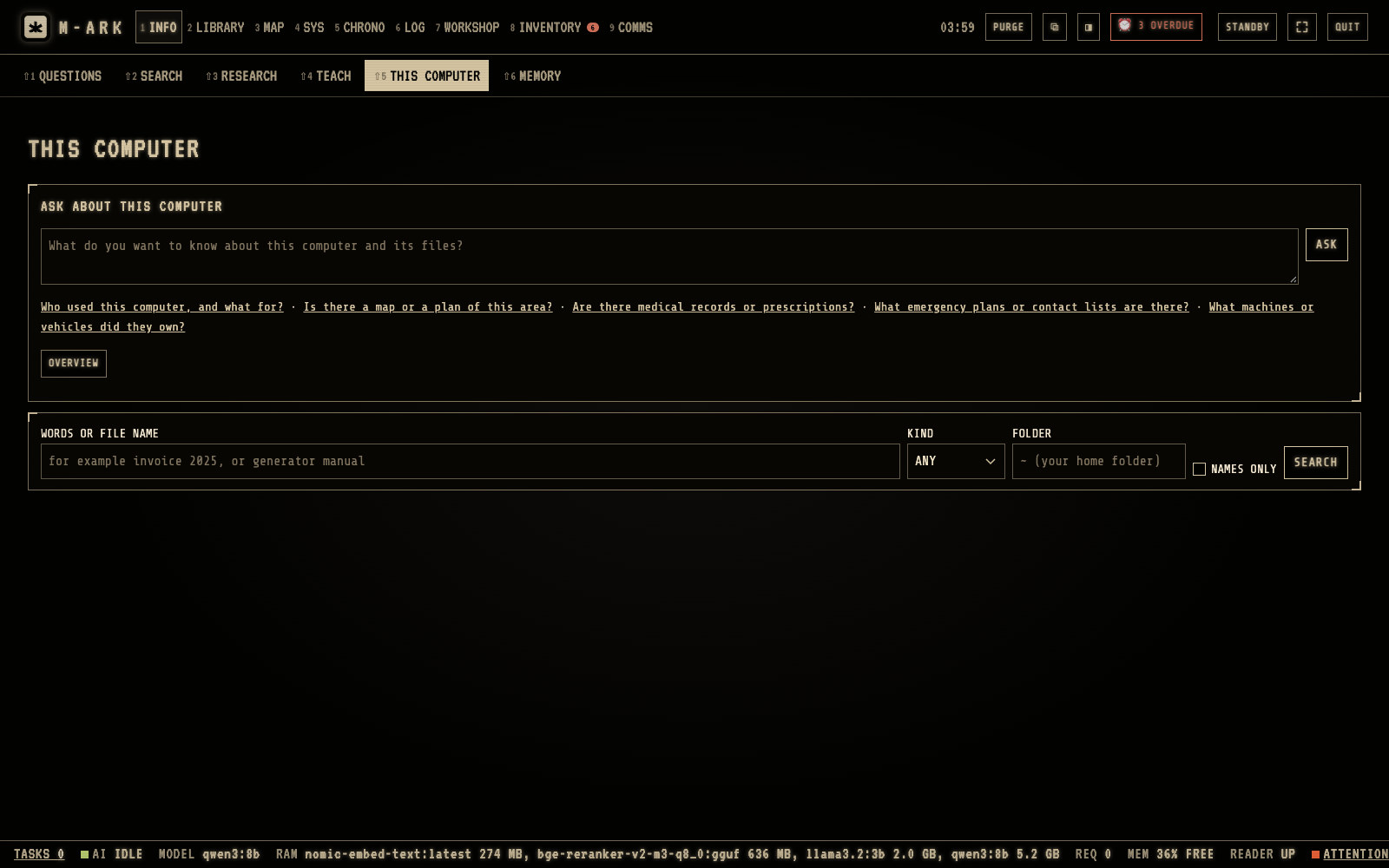
Ask about this computerType a question. M-ARK searches the files, reads the matching documents and writes an answer with the files it used.ExamplesFor example, who used this computer, and what for. Useful on a computer that you found.OVERVIEWThe account and computer name, the usual folders, the newest files and the dates of the pictures.Search the filesFind files by words or name, kind and folder. It never reads hidden folders or the places where passwords are kept.
THIS COMPUTER works with the files of the computer that M-ARK runs on. Hover or tap a number for its note.
Every function in Ask (35)
QUESTIONSUses the AIAsk in plain words and get an answer written from passages in your library. Every statement carries a source number that opens the page it came from.
Answers that know your householdUses the AIWith each question the AI gets the people, sites, stock, equipment and reminders that matter. Allergies go with questions about health or food, the rest of the medical record only with questions about health.
Checks on every answerUses the AIA missing or invented source number gives SOURCE CHECK FAILED. Amounts that appear in no source are listed under the answer, and a medicine someone is allergic to gets an ALLERGY line.
Second reading for risky topicsUses the AIAnswers about health, chemicals, electricity, gas, weapons, structures, water safety, poisoning, fallout or wild food are read again against their sources. Unsupported amounts are removed or marked and missing warnings are added.
Tools and approvalsUses the AIThe assistant can search again, work out how long food lasts, find routes, tides and nearest places, and calculate exactly. It can add a reminder, a journal entry or stock only after you click APPROVE. No answer in 2 minutes counts as NO.
MEMORYUses the AIFacts the assistant keeps between questions, such as the depth of your well. It keeps at most 60 facts of its own, and the ones you write are never pushed out.
ConversationsUses the AIEvery question starts or continues a conversation in the side panel. Pin one to the top, open the archive, and ask short follow-ups like "and for a child?".
MODEL choicesUses the AIPick the answer model for the best answers, Fast for quick short ones, Coding for program code, or No AI to see the 12 best passages from the library and nothing written by a model.
DEEP SEARCH, URGENT and STOPUses the AIDEEP SEARCH looks through more archives. URGENT puts a question first when several devices are asking, for a sick child or an injury. STOP ends an answer.
STE and response preferencesUses the AISTE writes in Simplified Technical English with one instruction per sentence and numbered steps. Preferences set the language level, the words, the length and the form for each model.
SYSTEM PROMPTUses the AIRead and change the rules the AI follows. RESTORE DEFAULT brings back the original rules.
PRINT an answerUses the AIPrints the answer exactly as shown, with its check lines and the list of sources.
Answer languageUses the AIThe AI answers in the language of the question, or in one language you set for every answer.
Web pages when onlineUses the AINeeds internetWith USE THE INTERNET WHEN ONLINE switched on, a question can add up to 3 web pages to the sources, marked WEB PAGE. Off at first. Without a search key it searches Wikipedia only.
SEARCHFinds passages in the library with no AI writing anything. It is fast and works on every computer, with filters by type, subject and source.
Search methodsMeaning search: practical subjectsKEYWORD finds the exact words and ARCHIVES searches the offline websites. SEMANTIC finds passages with the same meaning in other words, for the practical subjects only.
KNOW-HOW sheetsUses the AITurns an answer or a search into a short instruction sheet with What this is for, What you need, Steps, Warnings and Check before acting. Edit it, print it, and add it to the library.
RESEARCHUses the AINeeds internetUses the internet to find new material for the library. You inspect, select or reject each source before anything downloads, then compile a draft and add it.
TEACHWrite your own documents, up to about 250 pages each, with formatting, pictures and audio. Saved to the library, search and the AI can find and cite them.
THIS COMPUTERHost computer onlySearch the files of the computer M-ARK runs on, by words and kind. With the AI, ask about them and get an answer that cites the files. On a Mac it finds words inside documents, elsewhere file names.
How it worksUses the AIM-ARK searches by words, by meaning and in the archives at once, a rerank model puts the best of about 50 passages first, and the model writes from the best 8 and cites them.
Runs on your computerUses the AIThe AI runs with llama.cpp on the host computer and does not use the internet.
Choose the modelsUses the AIUntil you choose, M-ARK takes the best model that fits. That is qwen3:8b with 16 GB of memory or more, and llama3.2:3b with 8 GB. Separate choices for Fast, code, rerank and maintenance.
Generation and retrieval settingsUses the AITemperature (0.2 preset), context, answer length, passages per answer and per book, search layers and deep search, with RESET ALL.
ADD A MODELUses the AIAdd any model in the GGUF format from a file, or search and download from Hugging Face while online. TEST checks it answers and can call tools.
SUGGESTED MODELSUses the AINeeds internetSmaller models listed with their size, license and whether they fit, for computers with less memory.
TEST THE AIUses the AIRuns a fixed set of questions with your chosen models and checks each answer.
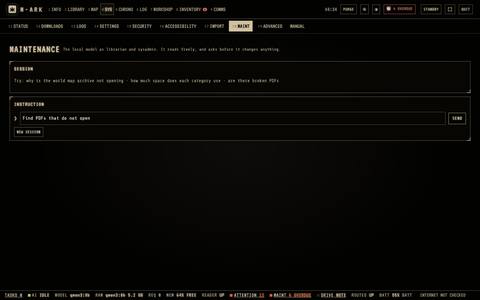
The maintenance AIUses the AISYS, then MAINT. It finds broken PDFs, checks space, and can make plugins and versions for you. It reads freely and asks before every change.
HAND TO CLAUDEUses the AINeeds internetWrites a summary of a problem the local AI cannot solve and opens Claude Code with it.
Set up by ChatGPT or GeminiNeeds internetAn assistant with internet interviews you and builds one import file with your household, stock, equipment, nearby places and guides, using the templates from SYS, then IMPORT.
Claude Desktop connectorNeeds internetClaude Desktop or Claude Code connects to M-ARK directly, reads the guide and imports after you agree. It cannot read your journal, delete anything or download.
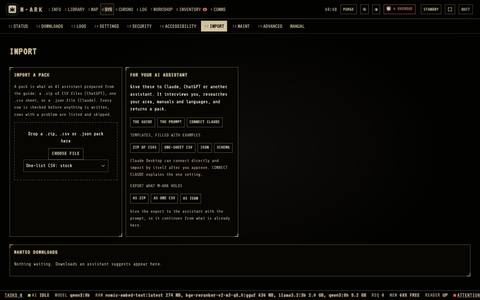
The check before importEvery row is checked for types, ranges, dates and links before anything is written. Imports add and never replace.
Export what M-ARK holdsYour profile, people, stock, sites, equipment, places and reminders as ZIP, CSV or JSON, for an assistant to continue from.
CODINGUses the AITwo coding assistants, Goose and Aider, that write and change files in a folder you choose, using the drive's code model.
Local model addressUses the AIHost computerWhile CODING is on, other programs on this computer can use the drive's models at a local address.
Library · 9 screens · 26 functions
A survival library on your disk, with readers that remember your place.
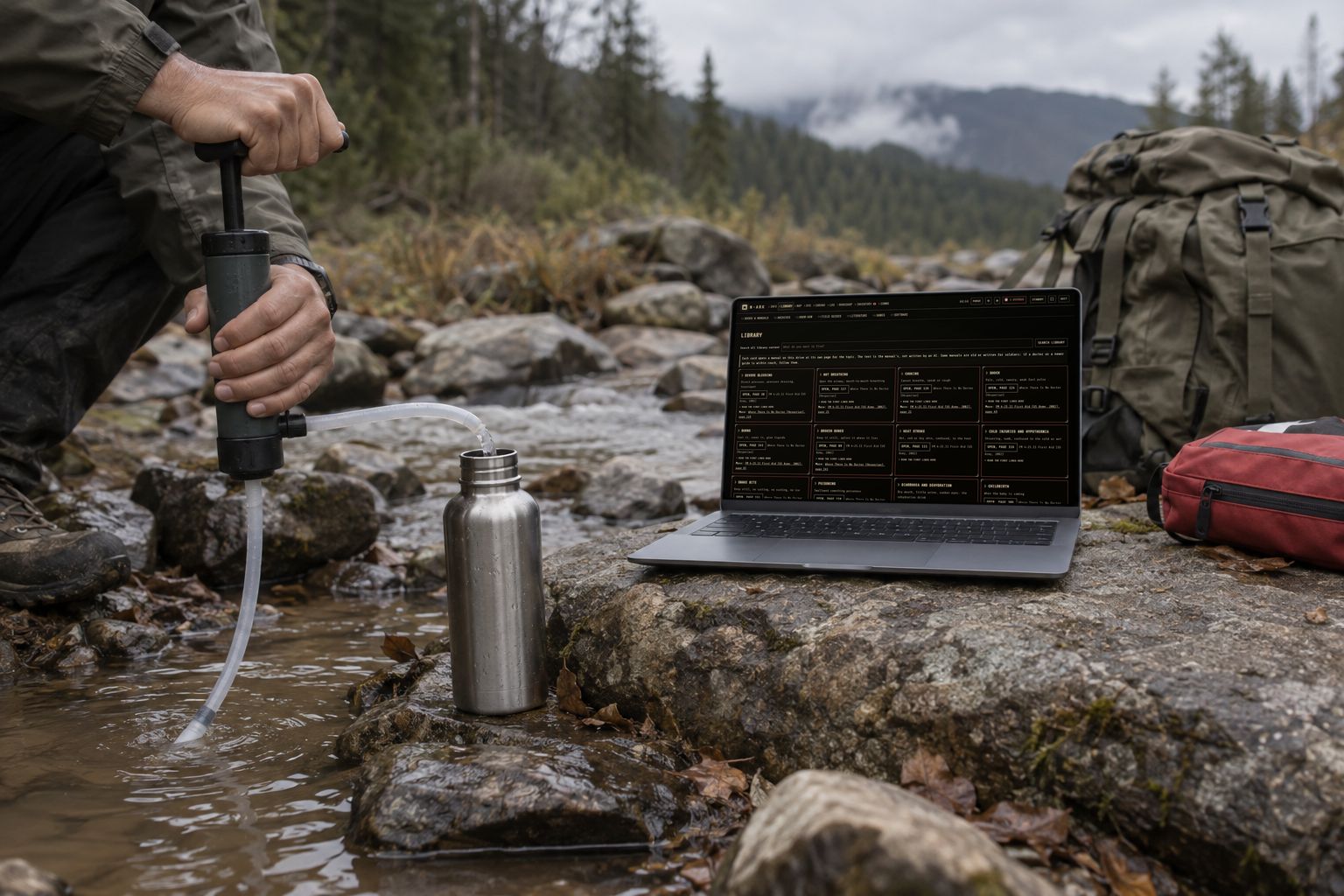
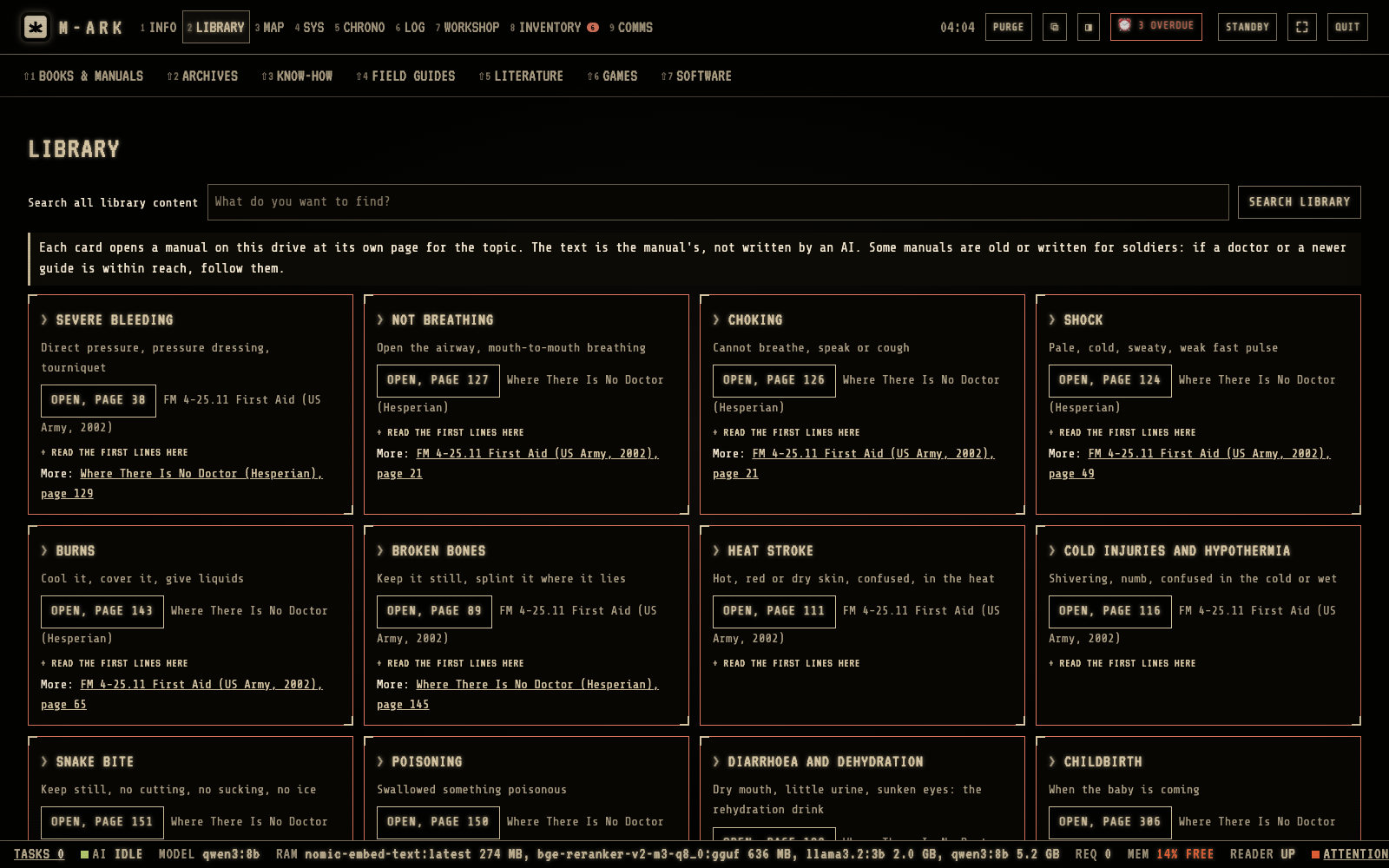
Medical, water, food, power, repair, building, navigation, radio and more, about 8,000 manuals and books in 24 subjects, 88 offline reference sites and thousands of classics. Emergency cards open the right manual at the right page, with no AI and no wait.
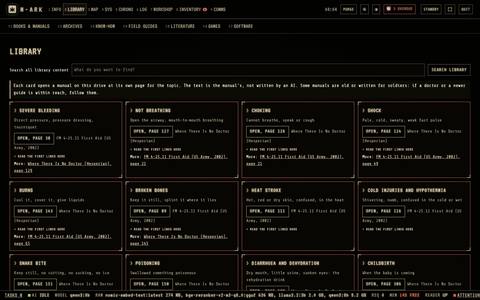
One card per emergencySevere bleeding, not breathing, choking, burns, broken bones, heat stroke, cold injuries and more.OPEN, PAGEOpens the manual at its page for that topic, for example FM 4-25.11 First Aid or Where There Is No Doctor.Read the first lines hereShows the first lines of that page, so you can start before the PDF opens.
EMERGENCY needs no AI and opens at once. Each card opens a manual at its own page. Hover or tap a number for its note.
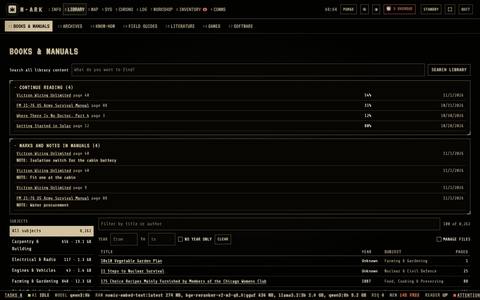
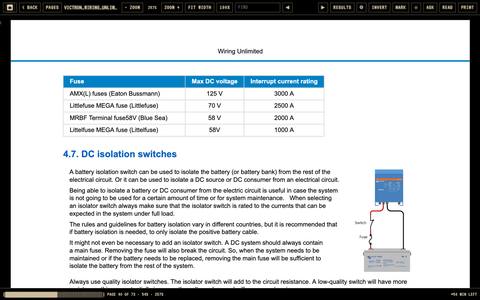
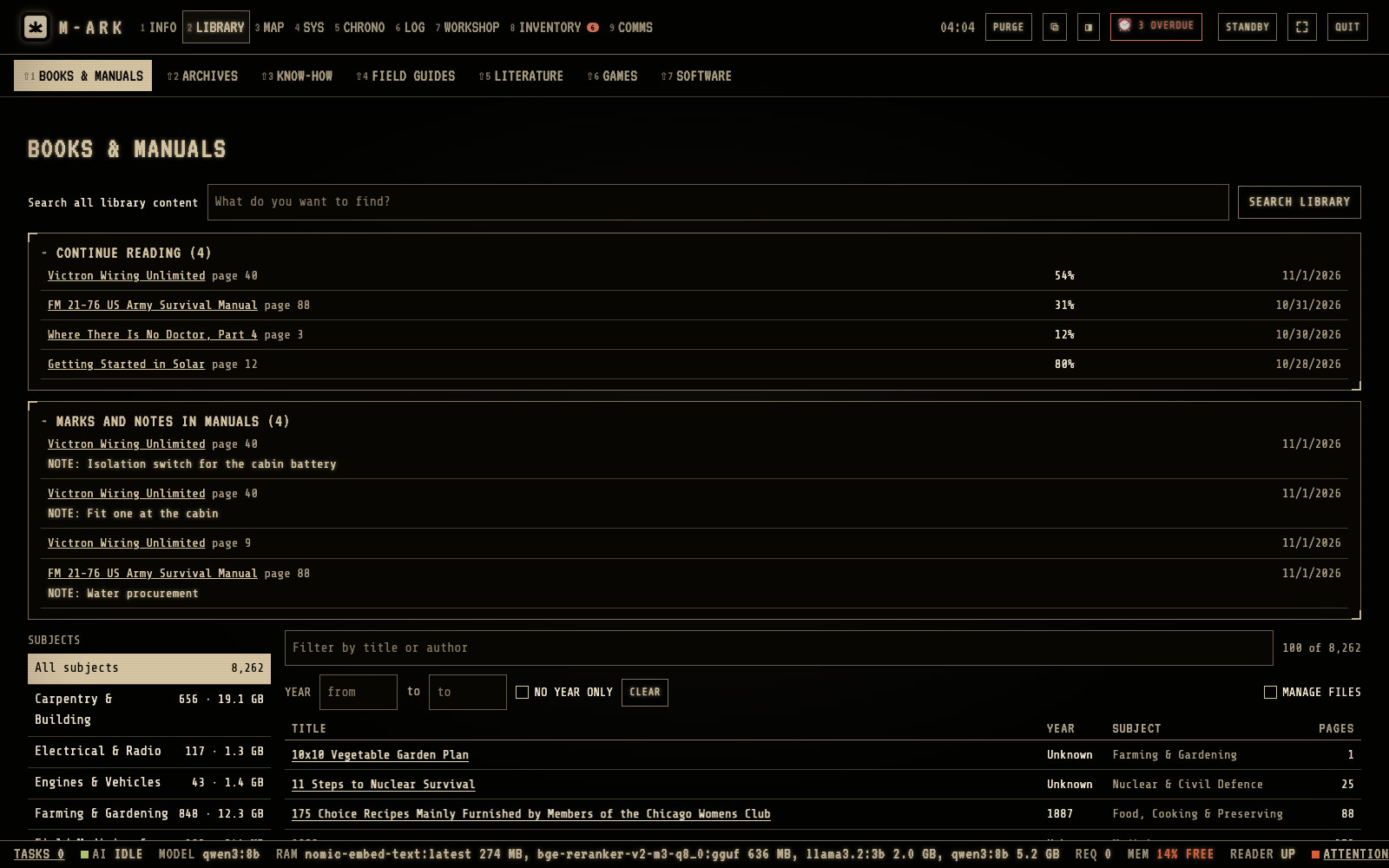
Search all library contentSearches everything on the drive, the same as INFO › SEARCH.Continue readingThe manuals you started, with the part you read.Marks and notesYour bookmarks and notes in the manuals, for example the page about the isolation switch for the cabin battery.SubjectsClick a subject on the left, or All subjects.FilterType part of a title or an author. Click a column name to sort.
BOOKS & MANUALS holds the PDF library, sorted by subject. Hover or tap a number for its note.
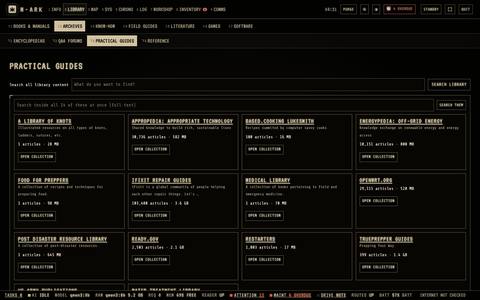
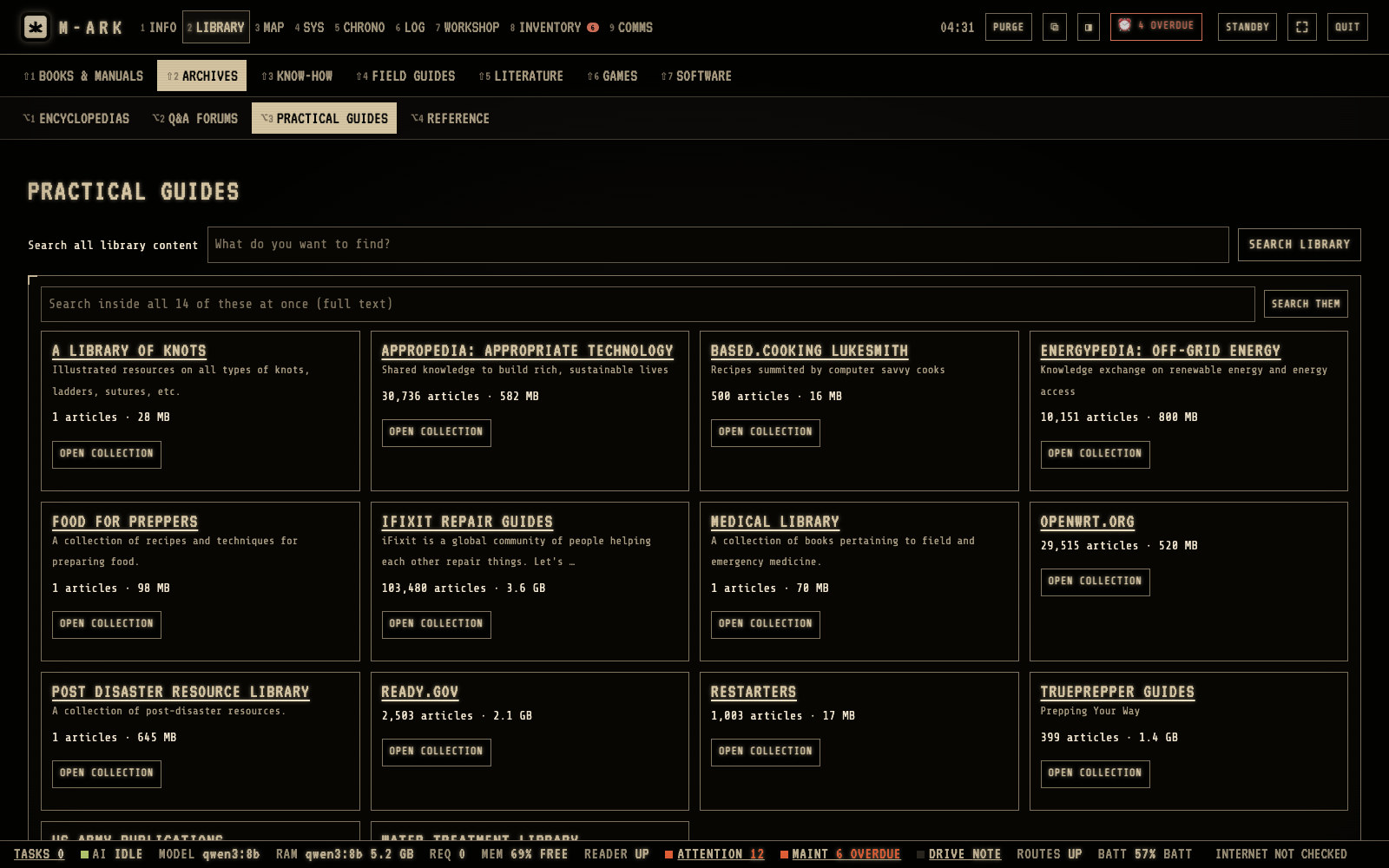
Four shelvesENCYCLOPEDIAS, Q&A FORUMS, PRACTICAL GUIDES and REFERENCE.Search themSearches the full text of all the archives on this shelf at once.iFixit Repair GuidesStep by step repairs with photos, offline.OPEN COLLECTIONSearch an archive, browse its folders and topics, or go through all articles from A to Z.
ARCHIVES holds whole websites kept offline. Hover or tap a number for its note.
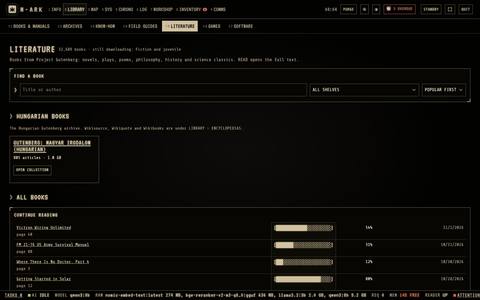
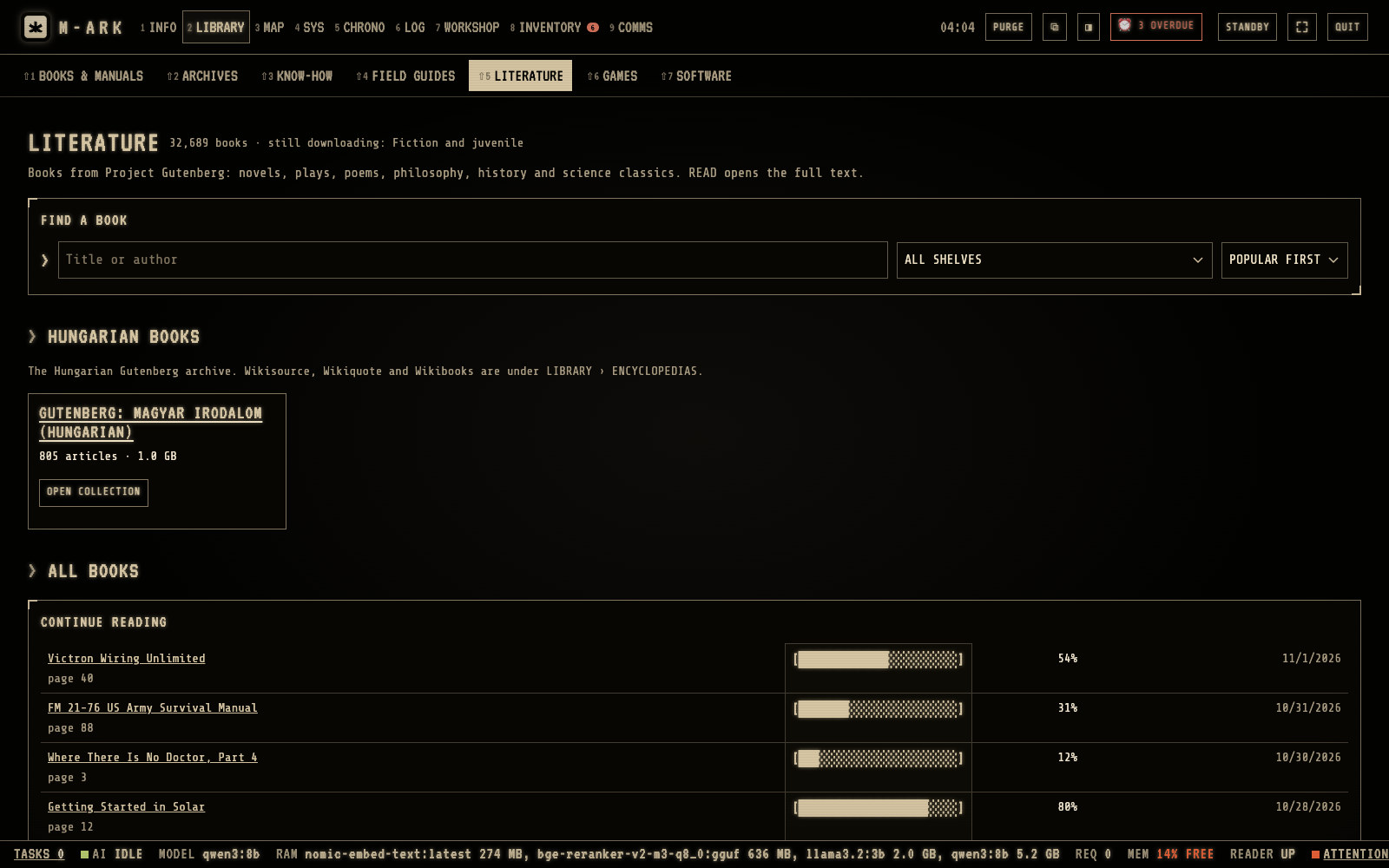
Find a bookType a title or an author.ShelvesChoose a shelf or ALL SHELVES.SortPOPULAR FIRST, TITLE A-Z or AUTHOR A-Z.Continue readingThe books you started, with the part you read.
LITERATURE holds classic books from Project Gutenberg, and your own books. Hover or tap a number for its note.
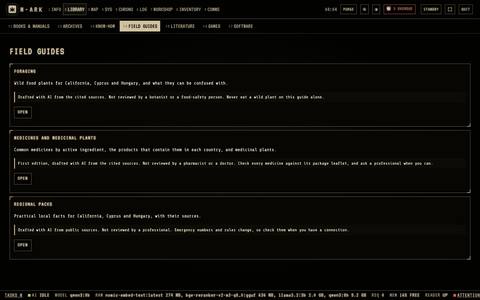
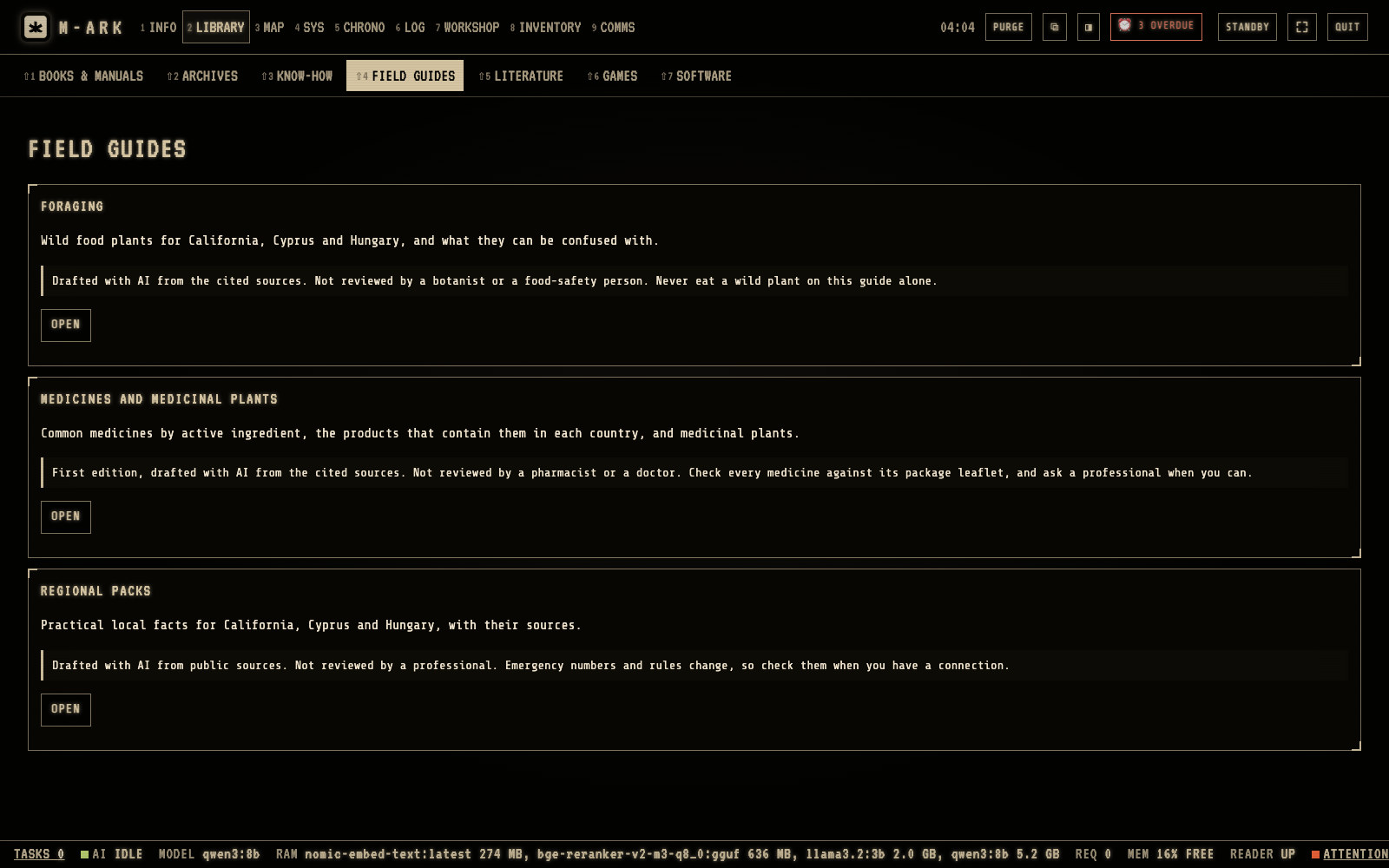
ForagingWild food plants for California, Cyprus and Hungary, and the plants that look like them.Medicines and medicinal plantsCommon medicines by active ingredient, the products that contain them in each country, and medicinal plants.Regional packsPractical local facts for California, Cyprus and Hungary, with their sources.DraftsEach guide says it was drafted with AI and not reviewed by a professional. Never eat a wild plant because of a guide alone.
FIELD GUIDES holds three sets of guides that work without internet. Hover or tap a number for its note.
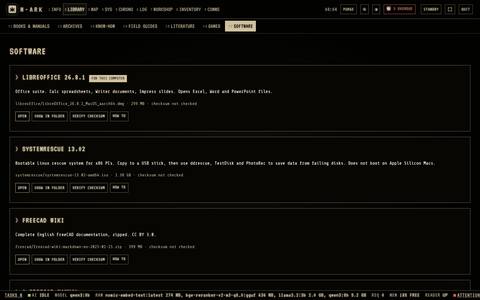
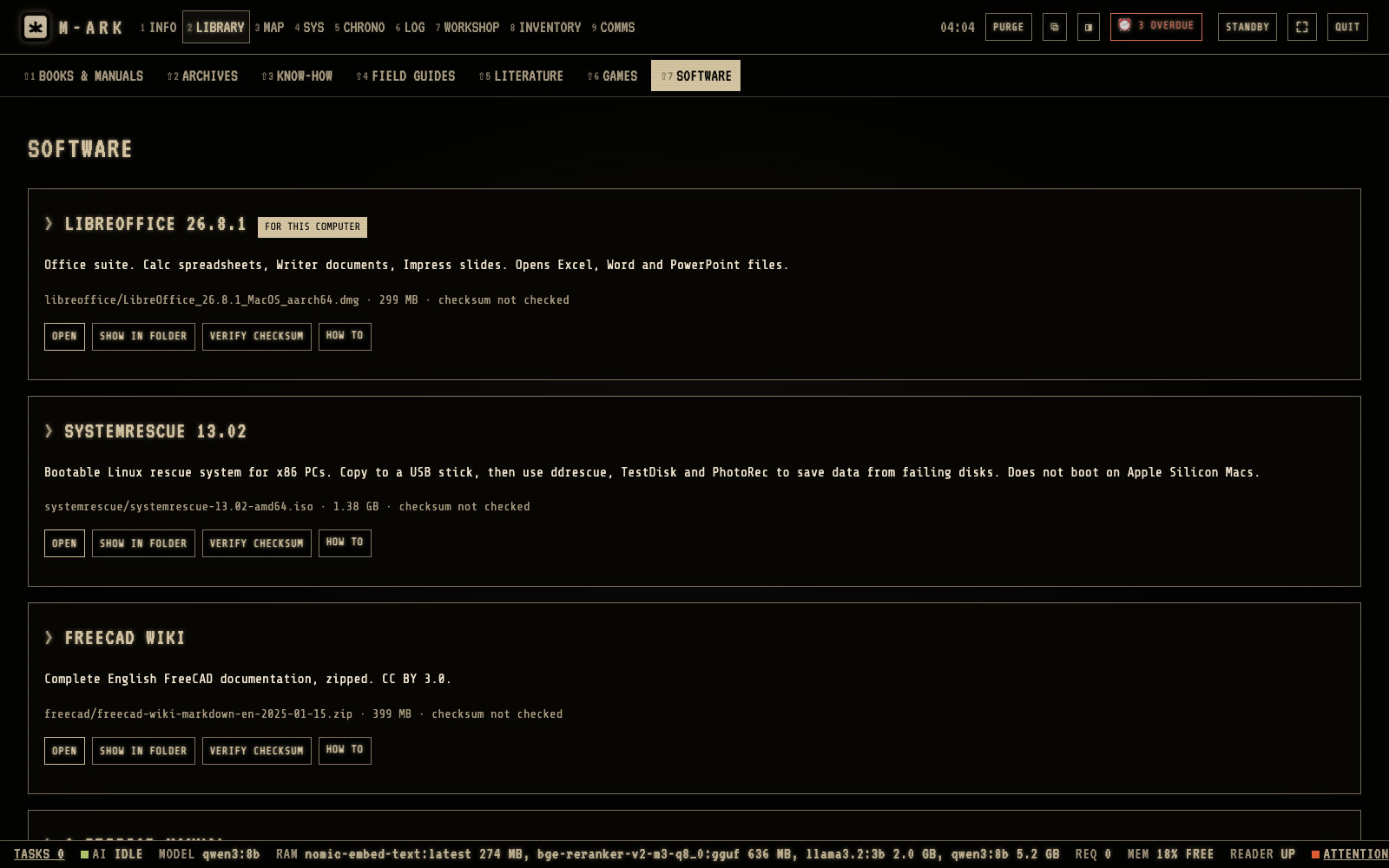
For this computerMarks the version for your computer.OPENStarts the program.VERIFY CHECKSUMChecks that the file is complete.HOW TOExplains the use.
SOFTWARE lists the programs on the drive. Hover or tap a number for its note.
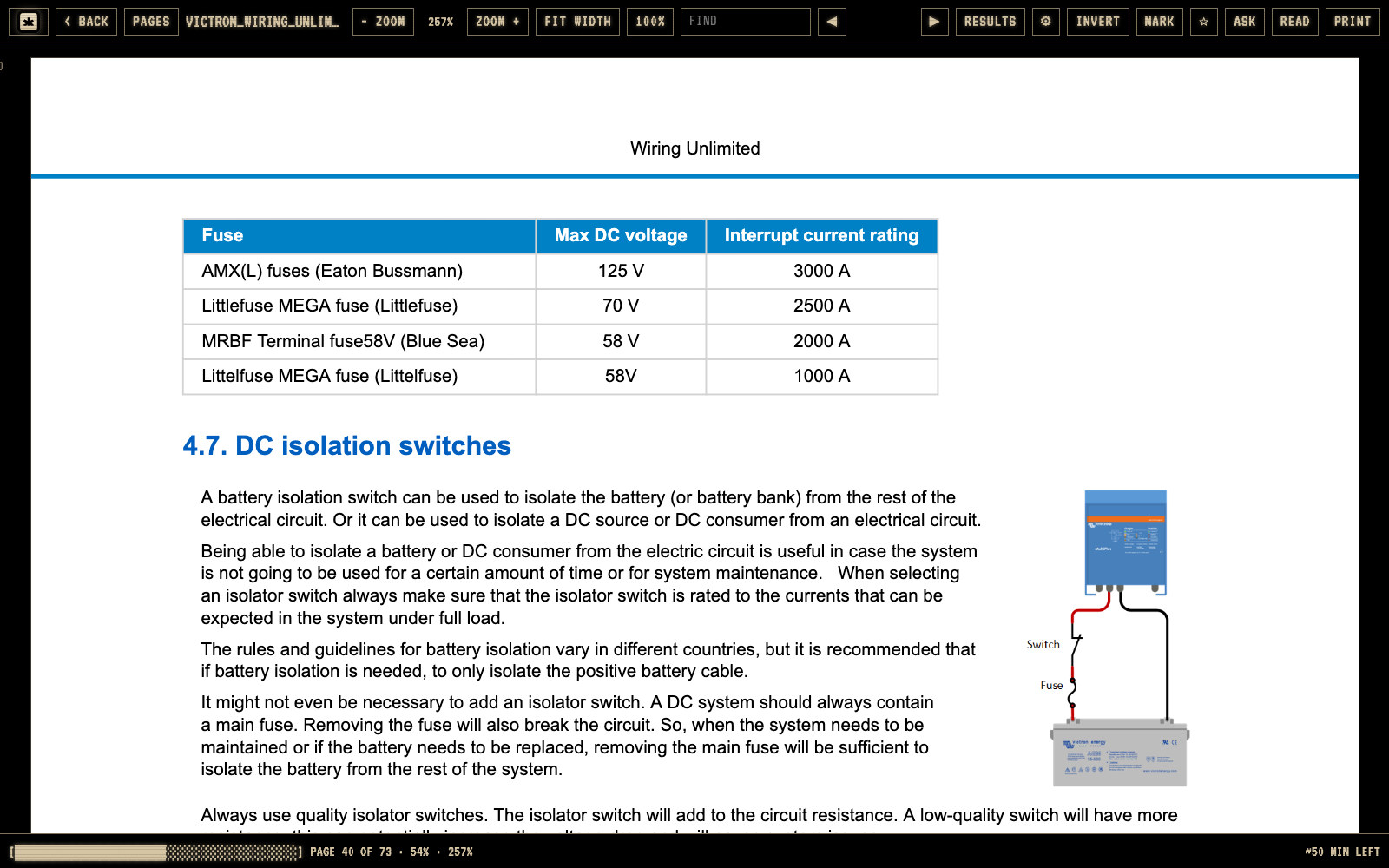
FINDFinds words in the whole document. The counter shows the hits.MARKBookmarks the page. You can type a note for it.ASKAsks the AI about this page or about the text you selected.READReads the page aloud with the voices of your computer.Your placeThe bottom bar shows the page, the part you read and the time left.
The PDF reader remembers your page and shows how much is left. Hover or tap a number for its note.
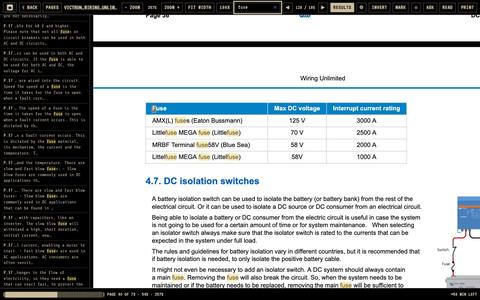
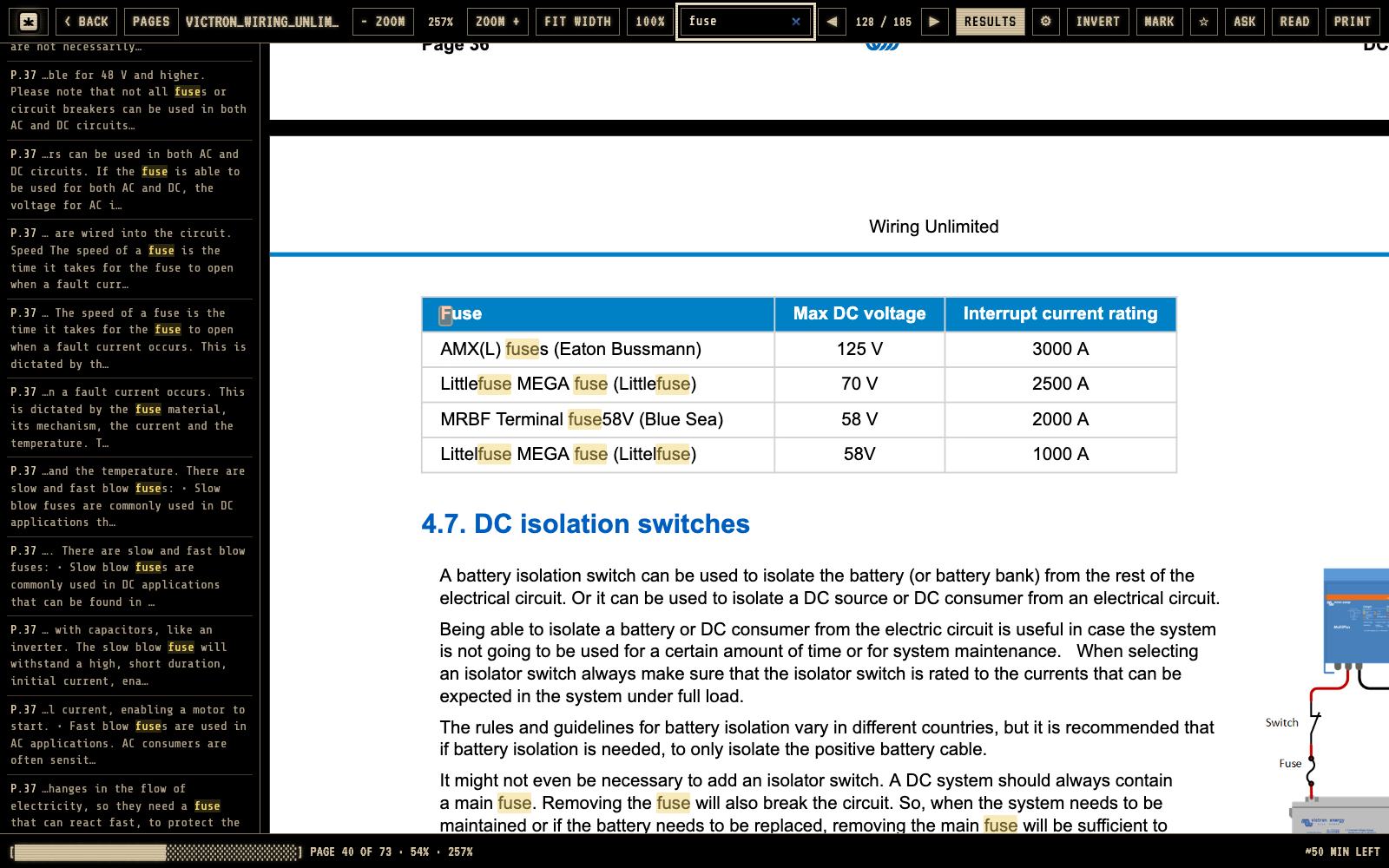
FINDType a word. The current hit is orange, the others yellow.Hit counterShows which hit you are on. Enter goes to the next one.RESULTSClick a line to go to that hit.INVERTWhite text on black, for reading at night.
RESULTS lists every hit with its page and a line of text around it. Hover or tap a number for its note.
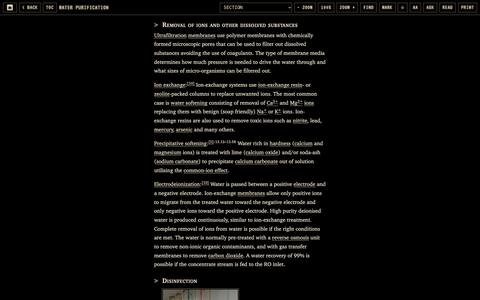
TOCThe contents and your marks.AaLayout, font, size, line width and colors.MARKBookmarks the place. Select text to highlight it or add a note.ASKAsks the AI about the article or the selected text.
Archive articles and books open in the archive and book reader. Hover or tap a number for its note.
Every function in Library (26)
EMERGENCYThe first tab, with no AI and nothing to wait for. Fifteen cards from severe bleeding and choking to childbirth, fallout and making water safe, each opening its manual at the right page.
READ THE FIRST LINES HEREShows the first lines of an emergency page so you can start reading before the PDF opens.
First 72 hours packA print pack for the first three days, plus ground-to-air signals, Morse and SOS, and the water and bleach calculator under the emergency cards.
BOOKS AND MANUALSAbout 8,000 books and manuals in 24 subjects. Filter by title or author, set a year range and sort any column.
CONTINUE READINGThe manuals you started, and your bookmarks and notes in them, at the top of the shelf.
Dated medical booksYou always know which advice is current. Every book shows its year, and older medical and pharmacy books are flagged OUT OF DATE so you compare them with the newer references.
ARCHIVES88 offline websites. Wikipedia with pictures, Wiktionary and Wikisource, 22 question-and-answer forums, practical guides such as US Army publications, Appropedia and Ready.gov, and medical references.
Open an archiveSearch titles as you type or the full text, or browse by folders, topics from the home page, every article A to Z, or the original home page.
LITERATURE11,757 classic books from Project Gutenberg on shelves, sorted by popularity, title or author. Your own DRM-free EPUB and PDF books sit beside them.
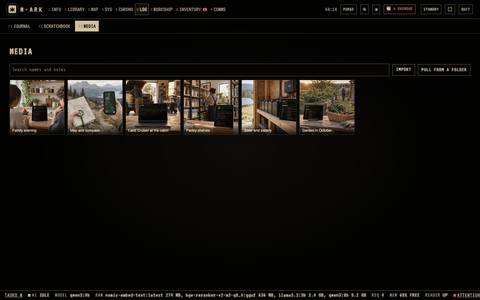
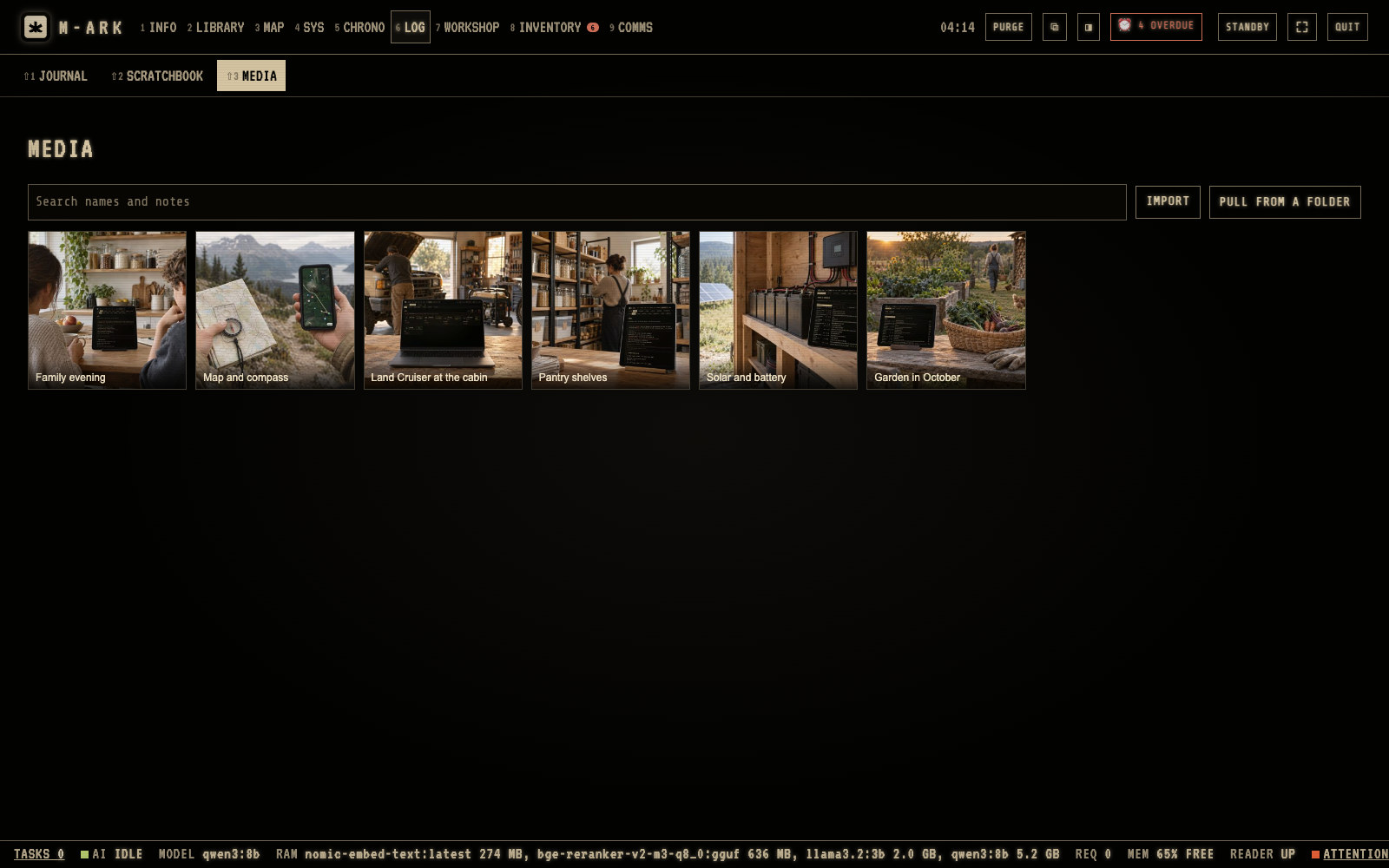
MEDIAA media bank for pictures, videos and audio, used in your journal and documents. Import files or a whole folder, play video and audio, and crop or draw on pictures. The original is always kept.
FIELD GUIDESDraftWild food plants with their lookalikes, common medicines by ingredient, and local facts for California, Cyprus and Hungary, each with its sources.
National Park MapsThe official maps of 42 of the 63 US national parks, to keep offline.
GAMES8 games that play in M-ARK, among them Chess, Solitaire, Minesweeper and 2048, plus game files with emulators to install.
SOFTWAREPrograms to install, among them LibreOffice and SystemRescue. VERIFY CHECKSUM checks a file is complete and HOW TO explains it.
Leave a book out of the AIUses the AIUntick AI USES IT to keep an outdated or misleading book out of answers and search, while it stays on the shelf. A whole subject can go out in one step.
Delete a bookMANAGE FILES shows the space it frees and the search entries it removes before you confirm.
The reading panelDocuments open in a panel next to M-ARK, so the menus stay usable. Keep many open, minimize them to a row at the bottom, or open one in its own tab.
PDF readerPage pictures, zoom, fit width, and FIND with a list of every hit and its page. MATCH CASE, WHOLE WORDS and IGNORE ACCENTS. It remembers the page and shows the time left.
INVERTWhite text on black for reading at night.
MARK with a noteBookmark a page and add a note, for example which steps to skip for your model.
PRINT pagesPrint a page range from a PDF, up to 100 pages at a time.
BACK TO MY PLACEOpening a cited page never moves your reading place. One button takes you back to where you were.
Archive and book readerContents, sections, zoom, find, marks and print for archives and EPUB books. Aa sets scroll or paged layout, the font, the size, the line width and spacing, and warm white or amber text.
Highlights and notesSelect text to highlight it or add a note. Marks stay in place after a reload and carry over to a new edition of an archive.
ASK about a pageUses the AIAsks the AI about the page you see or the text you selected. With a selection, the question starts as "Explain this passage."
READ aloudReads the page with your computer's own voices, offline, at 0.6 to 1.8 times the speed.
Maps · 5 screens · 14 functions
Find your way with no signal.
The world map lives on your computer. Plan routes by car, on foot, by bike or straight across country, around the places you mark as dangerous. Fix your position with a compass, print a map sheet with a grid, and keep four million water points, pharmacies, shelters and fuel stops at hand.
Place or latitude, longitudeType a place name or a position and click FIND.LandmarksFIND also knows about two million landmarks, with their kind and height.
Find a place, a landmark or a position. Nothing is looked up online. Hover or tap a number for its note.
FROM and TOType a place, home, one of your sites or saved places.ModesCAR, WALK, HIKE, BIKE or CROSS.Distance and timeWith the climb, the descent and each turn. Click a turn to see it on the map.Danger placesEvery route goes around your danger places, and the result says which ones.HEIGHTThe height along the route, with the steepest stretches in red.
ROUTE plans a trip by car, on foot, by bike or across open ground. Hover or tap a number for its note.
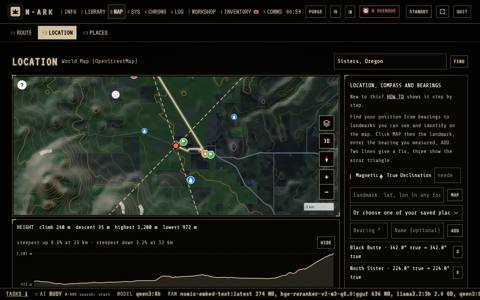
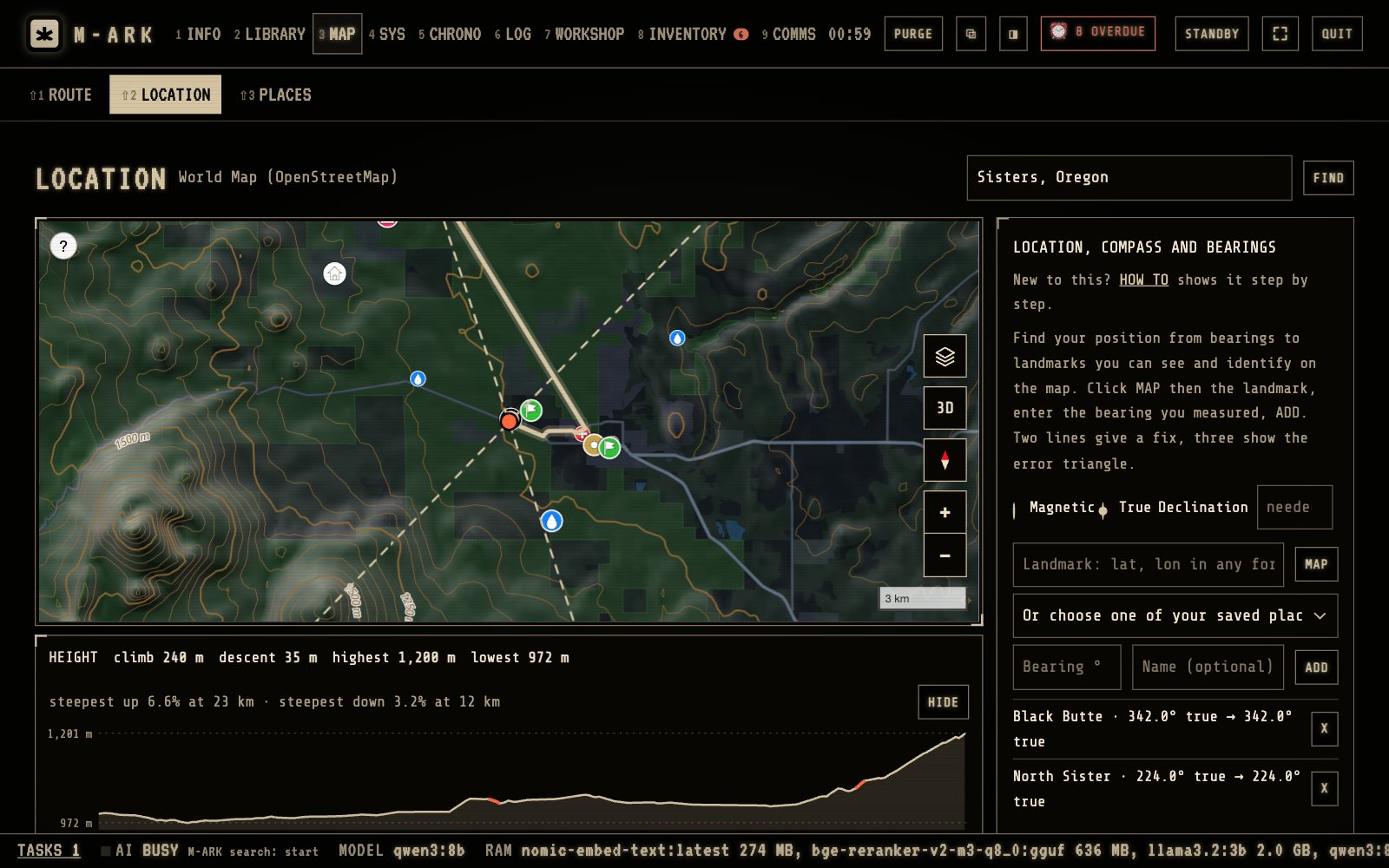
Magnetic or TrueIn Magnetic mode M-ARK fills in the declination for the place.Landmark and bearingType the landmark or pick it on the map, then the bearing you read, and click ADD.The fixWhere the lines cross is your position, also in UTM and MGRS.SAVE AS PLACEKeeps the position in PLACES with the bearings it came from.
COMPASS finds your position from compass bearings to landmarks you can see. Hover or tap a number for its note.
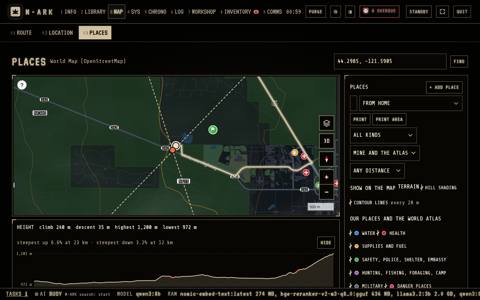
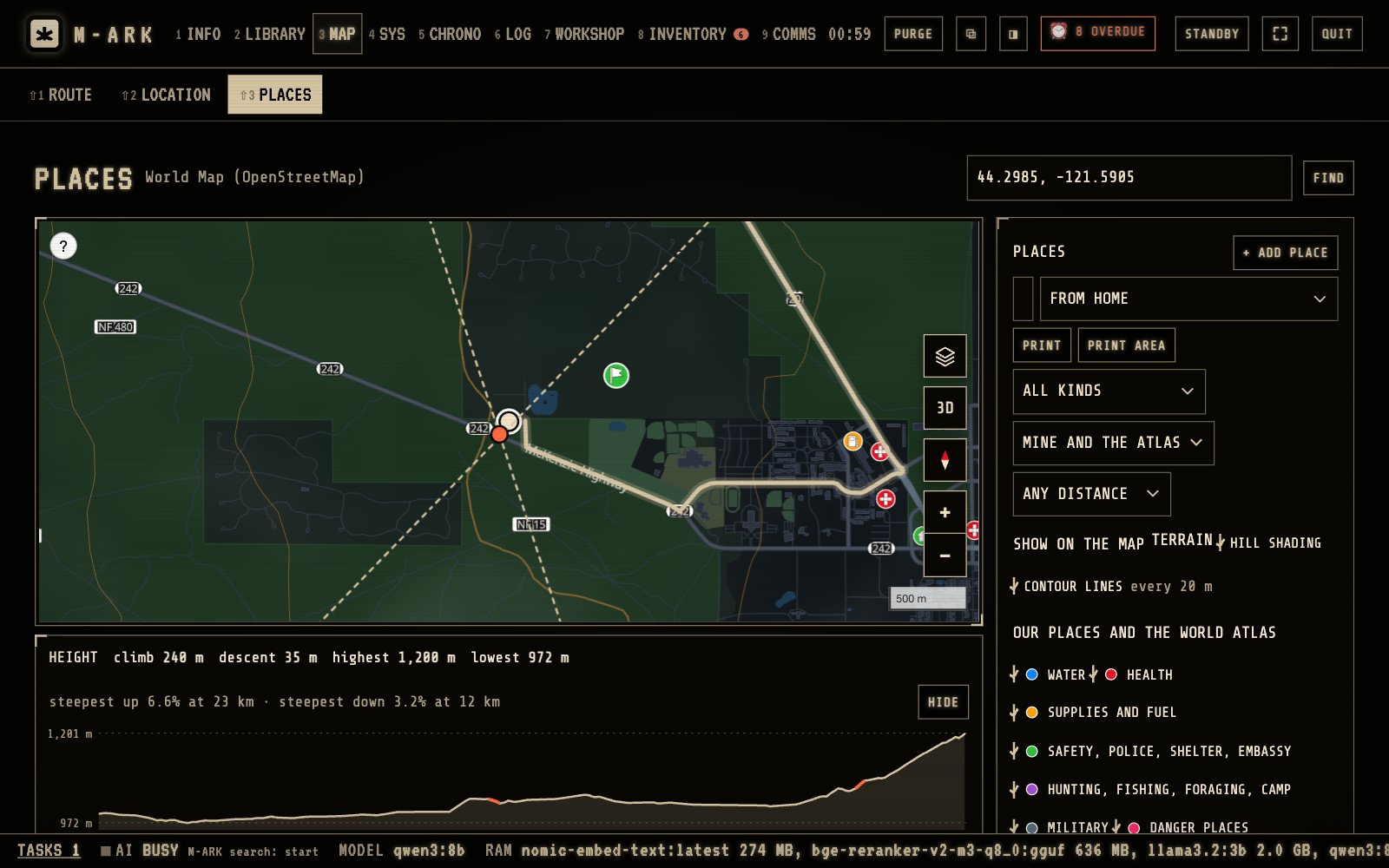
+ ADD PLACEAdd a well, a spring, a meeting point or any place you know.GroupsSwitch the groups on and off, for example WATER, HEALTH or DANGER.Our sites and homeYour sites from INVENTORY show on the map.PRINT AREAPrints the map with a grid, a scale and the places, for a paper copy.Nearest firstThe list shows the places nearest to home, or to a site.
PLACES shows your own points and about four million public places from OpenStreetMap. Hover or tap a number for its note.
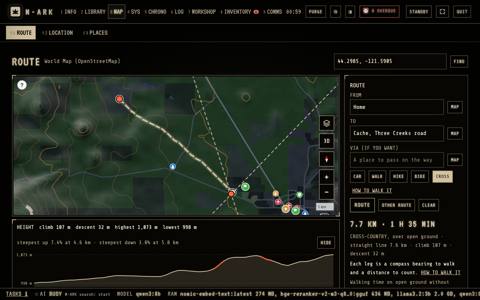
CROSSThe line avoids steep slopes, the sea and your danger places. It shows dashed, because it is not a path.Distance and timeFor open ground without rests. In scrub, sand, deep snow or a bog count half as much again, or double.LegsEach leg is a bearing to walk, true and on the compass, and a distance to count.HOW TO WALK ITA lesson in nine steps on walking a cross-country line.Dashed lineNot a path. Look along the line with TERRAIN on and add VIA points to steer round what you see.
CROSS plans a walking line over open ground from the shape of the land. Hover or tap a number for its note.
Every function in Maps (14)
Find a placeSearch towns, regions and coordinates in many forms, plus about two million landmarks with their kind and height, such as peaks, springs, bridges and towers.
TERRAINHill shading and contour lines every 100 m, 50 m or 20 m depending on zoom, from elevation data with about 200 m detail in Europe and the US.
ROUTE746 of 1,142 squaresRoutes by CAR, WALK, HIKE or BIKE, with VIA points, distance, time, climb, descent and every turn, plus up to 3 other routes. Route data covers 746 of 1,142 world squares of 5 by 5 degrees.
HEIGHT chartThe height along a route with the highest and lowest points and the steepest stretches marked red.
SAVE ROUTE, GPX and PRINTKeep good routes, send them to a phone app or GPS as GPX, or print the steps in large type with the coordinates of every turn.
CROSSA walking line over open ground from the shape of the land, avoiding slopes over 30°, the sea and your danger places. Legs of 3 km or less, each with a true and a magnetic bearing, a distance and a checkpoint.
HOW TO WALK ITA nine-step lesson with pictures on walking a cross-country line, from setting the compass to counting double paces.
Danger placesMark an area to avoid with a distance. Every route goes around it, 300 m unless you set another figure, and says which ones it avoided.
COMPASSFind your position from bearings to two or three landmarks you can see. Declination is filled in from the World Magnetic Model 2025, valid to 2029, and the fix is given in degrees, UTM and MGRS.
PICK TWO POINTSThe distance and the bearing between any two points on the map.
HOW TO use a compassA seven-step lesson with pictures, ending with the common mistakes.
PLACESYour own points on the map in color groups for water, health, supplies, safety, land and danger. A well can carry its depth, flow and whether it is drinkable, and an old check asks to be repeated.
World places atlasAbout four million public places from OpenStreetMap, from water points and pharmacies to defibrillators, fuel, shelters and embassies. NEAREST and the AI use them too.
PRINT AREAThe map on one sheet with a coordinate grid, scale bar, north arrow, declination and numbered places with a coordinates table.
Supplies · 7 screens · 16 functions
Know exactly how long you can last.
Log what you store and who you are feeding. M-ARK counts the days of food and water, plans rations by each person’s needs, links medicines to the people who take them, and warns you before anything expires or runs low.
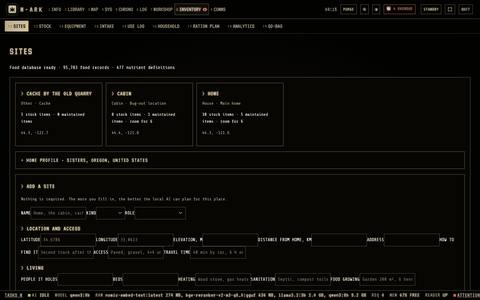
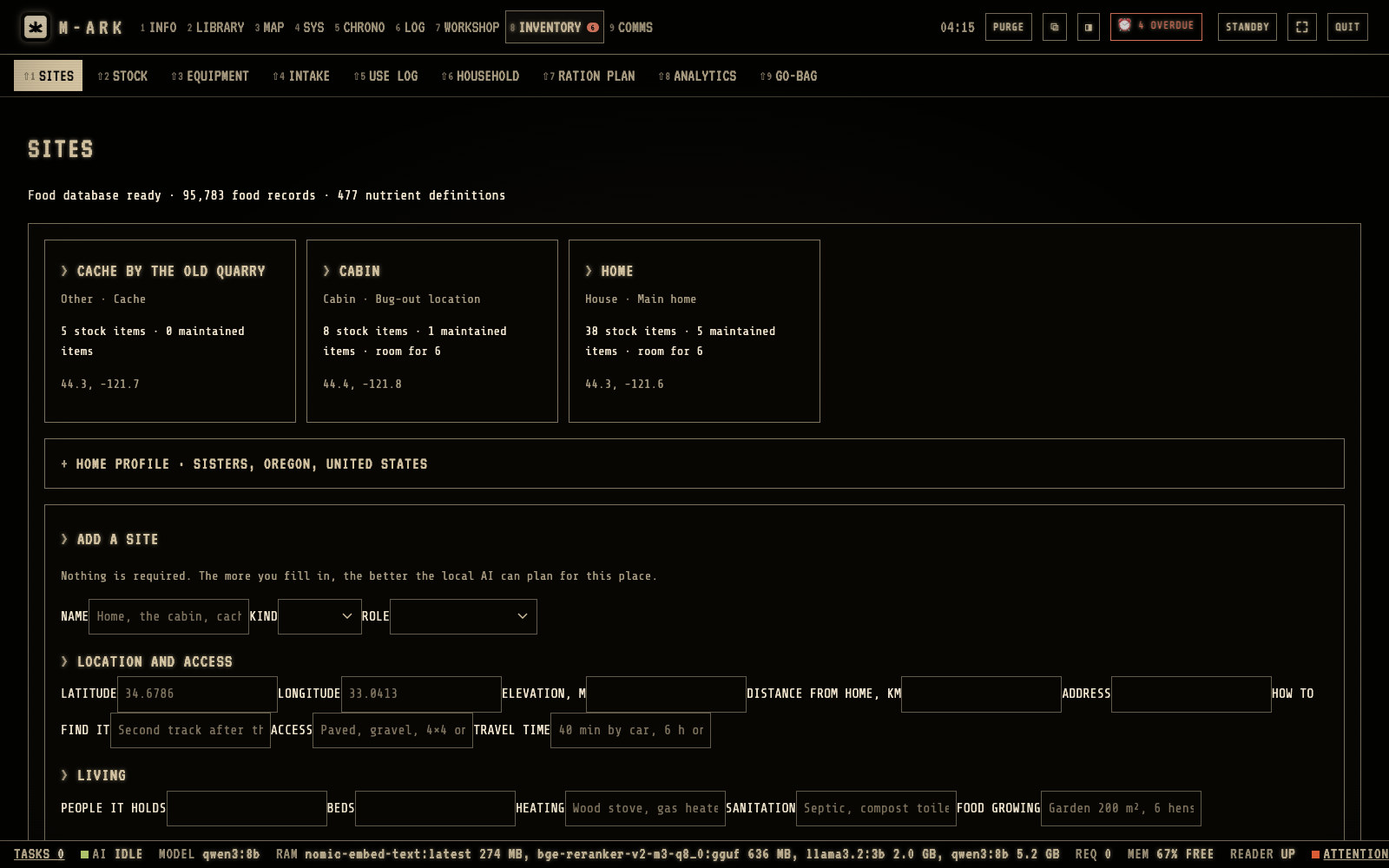
Main homeThe AI and the map take it as home.Other sitesA cabin, a camp, a cache or a meeting point, each with what is kept there.Home profileThe place, climate, water source, likely threats and languages. The AI reads it with every question.Add a siteAll fields are optional.
A site is a place where the household lives, stores goods or can go. Hover or tap a number for its note.
Expires nextHow many items have expired, then the five with the nearest dates.Needs doingPast its date, expiring within 30 days, low stock, medicine and water running out. Each is also a reminder.USERecords what you used. ADD TO STOCK, ADJUST and MOVE sit next to it.
STOCK lists what you have, at every site. Hover or tap a number for its note.
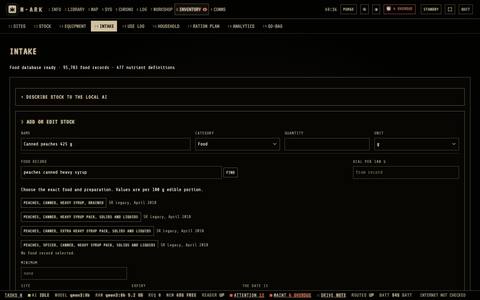
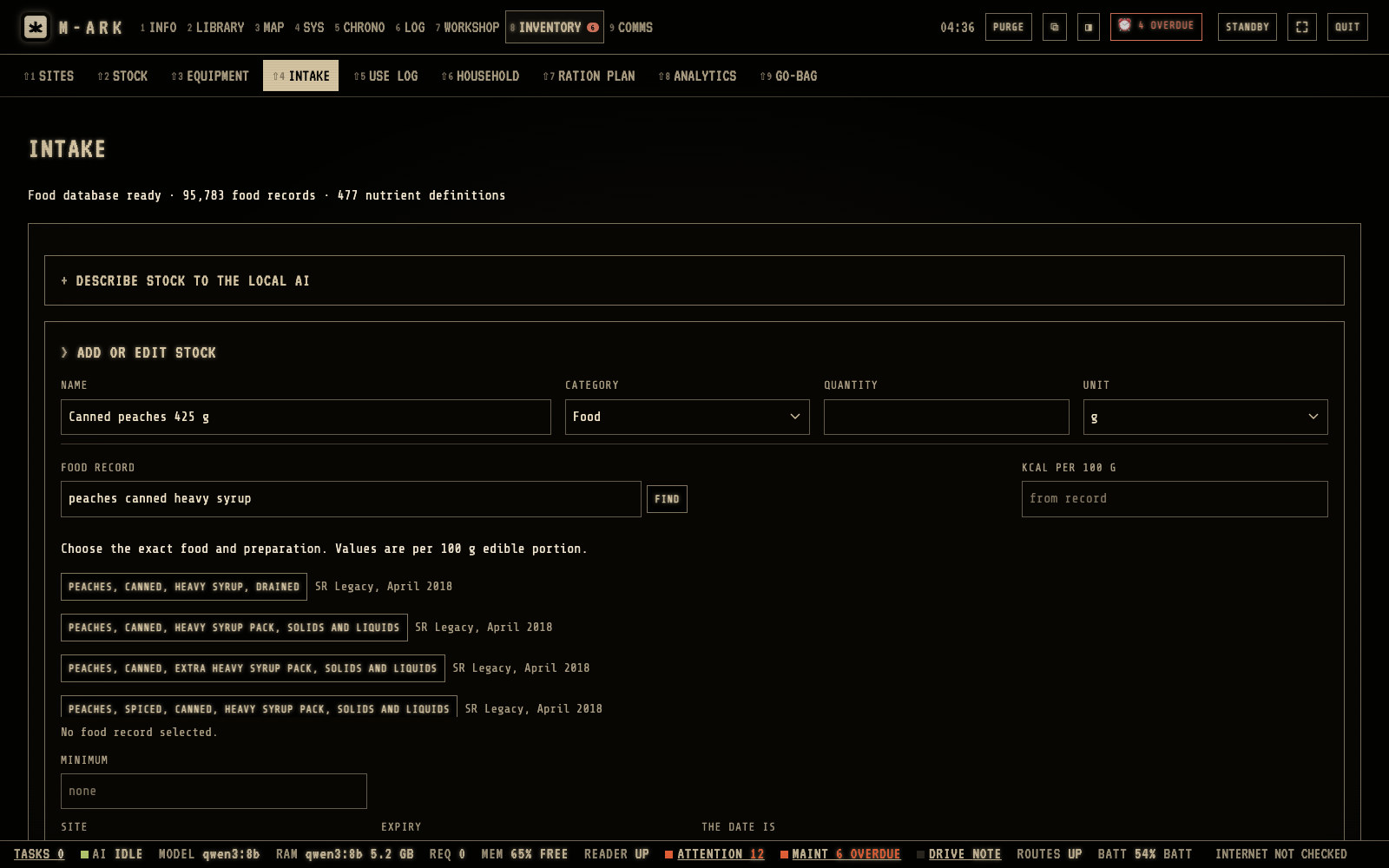
Describe stock to the local AIPaste a description, for example 3 bags of rice 5 kg, and check the proposal.By handType the name, the category, the quantity and the unit.FINDChoose the food in the database of 95,783 foods. M-ARK then knows the nutrients.The exact foodValues are per 100 g of the edible part.
INTAKE adds new stock, by hand or with the AI. Hover or tap a number for its note.
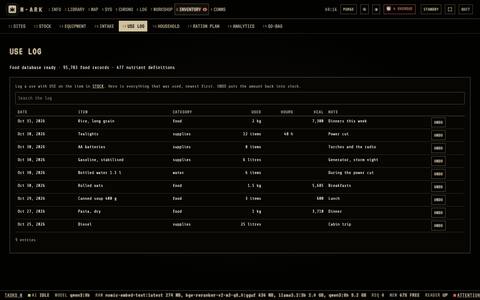
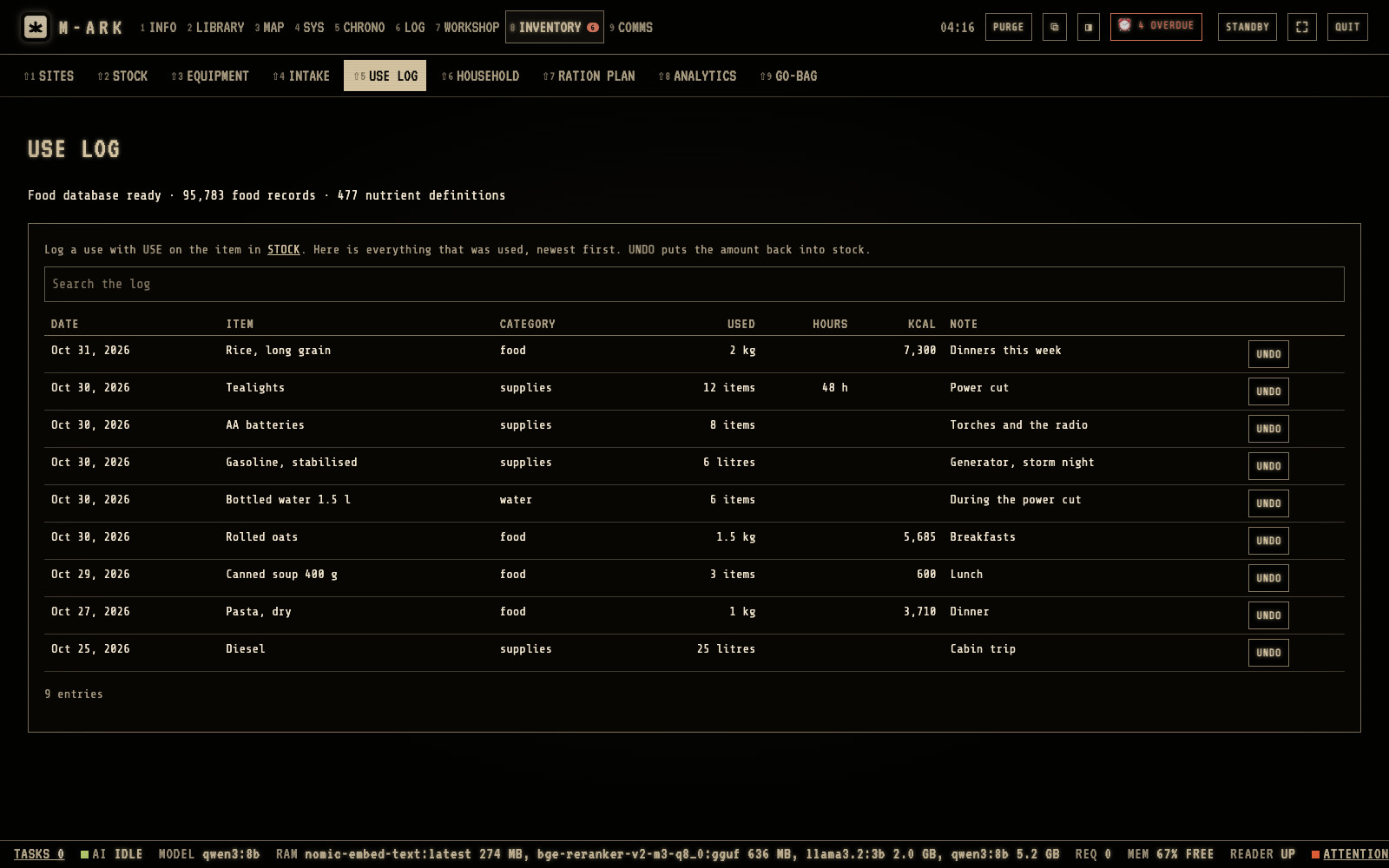
SearchFind a use by item or note.CaloriesFood shows the calories that were eaten.UNDOPuts the amount back into stock.
USE LOG lists every use, newest first. Hover or tap a number for its note.
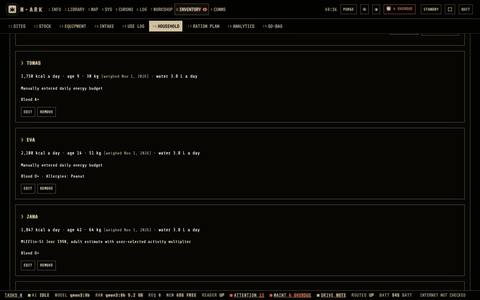
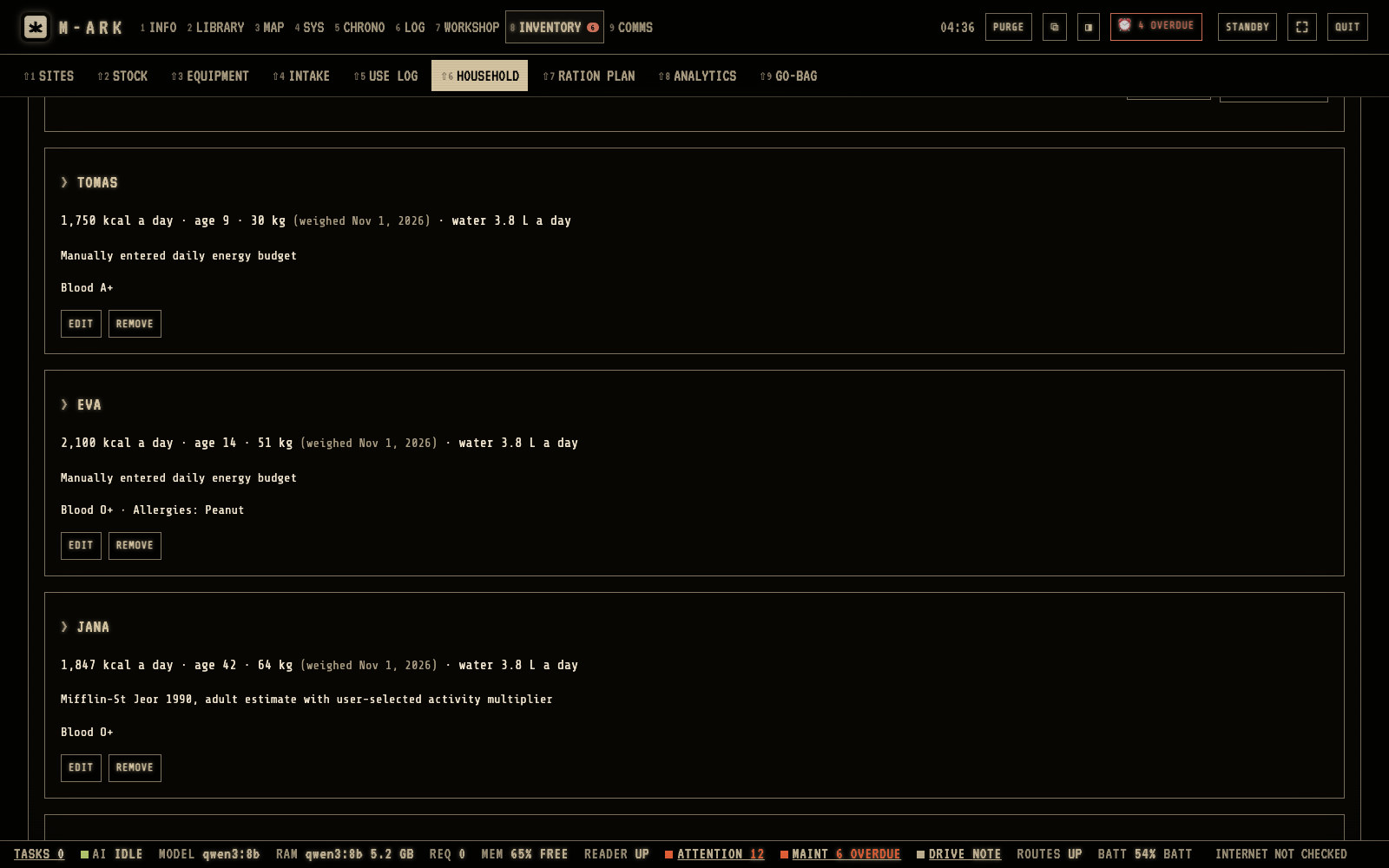
One card per personEnergy, age, weight and water a day. The age goes up by itself.AllergiesAllergies go with every question about health, food or cooking. An answer that names a matching medicine or food gets a warning.EDITOpens the profile with the medical record, which stays on the host computer.
Each person has an energy profile, an age, a weight, a water need and a medical record. Hover or tap a number for its note.
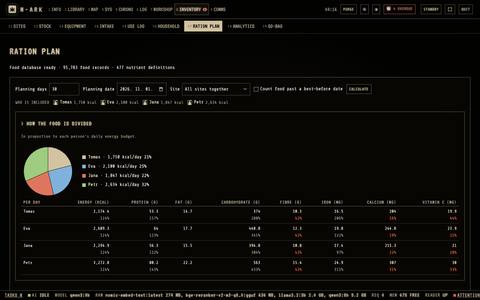
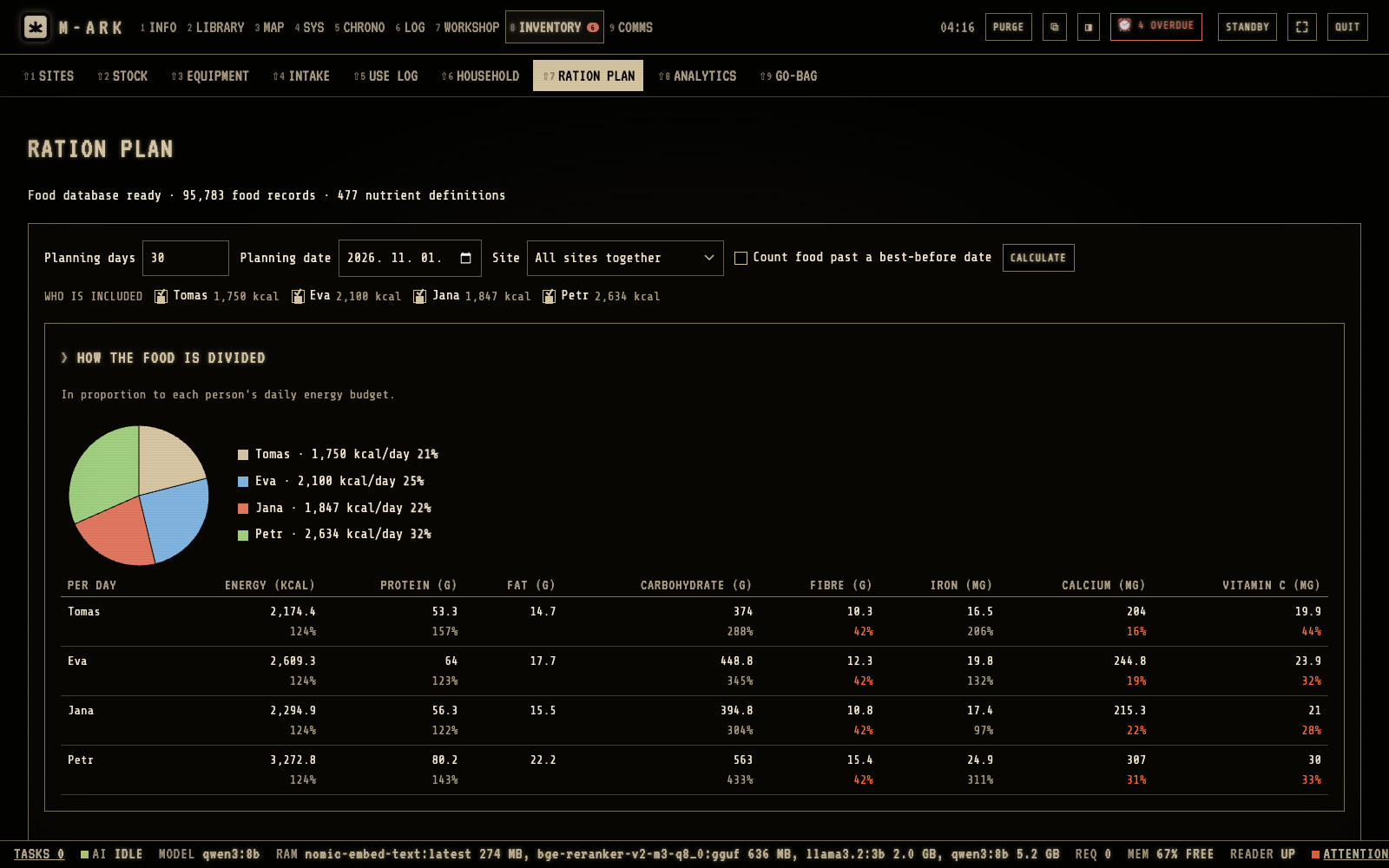
Planning daysType the number of days to plan for.Who is includedTick the people. The share of each follows their energy needs.How the food is dividedEach person with energy, protein, fiber, iron, calcium and vitamin C, and the percent of their need.CALCULATEFood past a use-by date is never counted.
RATION PLAN shows how long the food lasts and how it divides between the people. Hover or tap a number for its note.
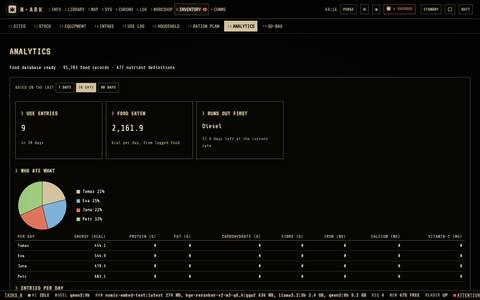
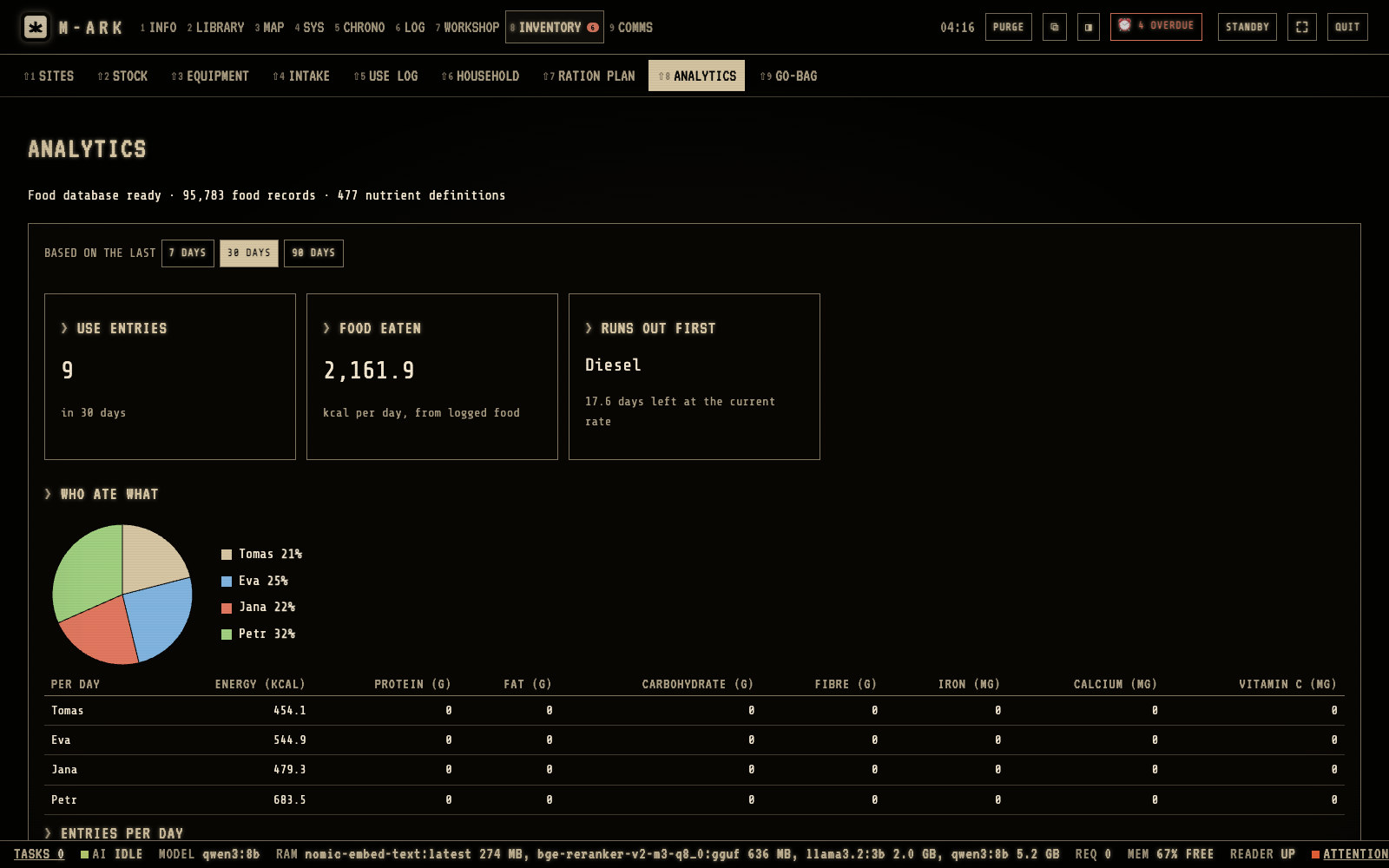
Based on the lastChoose 7, 30 or 90 days.Food eatenThe calories used each day.Runs out firstFrom the speed of use.Who ate whatA pie chart of the logged meals.
ANALYTICS shows how fast things are used and what runs out first. Hover or tap a number for its note.
Every function in Supplies (16)
SITESHome, cabin, camp, bunker, boat, vehicle or cache, with roles such as Main home, Bug-out location, Fallback, Cache and Meeting point, and over 25 optional fields. VISIT EVERY reminds you to check one.
HOME PROFILEPlace, climate, water source, likely threats and languages of the household, read by the AI with every question.
STOCKFood, water, medicine, tools, ammunition, parts and supplies in real units, in batches with their own dates. USE, ADD TO STOCK, ADJUST, MOVE between sites, EDIT and REMOVE.
NEEDS DOINGOne list of everything expired, expiring within 30 days, low, a regular medicine under 30 days or water under 14 days, each with its own reminder.
EXPIRES NEXTHow many items have expired and the five nearest expiry dates at a glance.
INTAKE by handName, category, quantity and unit. Pick food from 95,783 foods in the USDA database, mark best before or use by, set a minimum and pair ammunition or parts with what they fit.
INTAKE with the AIUses the AIDescribe what you have in up to 10,000 characters and the AI proposes the items for you to check and save.
EQUIPMENTEverything that needs maintenance by site, with its reading in kilometers, hours or rounds, its score and what is due.
USE LOGEvery use, newest first, with UNDO. Food use records who ate it and asks first when someone is allergic.
HOUSEHOLDEach person's age, weight, energy need and water a day, the site they are based at, and whether they are in the plan.
Medical recordBlood type, allergies, conditions, medicines, devices, vaccinations and notes for whoever treats them. Shown on the host computer only.
Medicines linked to peopleA person's medicine from stock with the number a day shows the days it lasts, red and reminded under 30 days.
RATION PLANDays of food for the people you tick, by site if you want, with each person's share, vitamins and minerals against US reference intakes, and food eaten in order of its dates.
Water planStored water and each site's storage against each person's daily need, with the days left and the date it runs out.
ANALYTICSOver 7, 30 or 90 days. Calories per day, what runs out first, who ate what, how long items last, and waste kept apart from use.
GO-BAGA checklist for each go-bag that shows whether each line is in stock. Comes with M-ARK as an example plugin.
Workshop · 7 screens · 12 functions
Keep every machine running.
Trucks, generators, pumps, solar banks, firearms, health devices. 106 kinds of equipment with 611 preset maintenance tasks, a score for each item, parts taken from stock, and calculators for water, power, food, building and radio.
Overall and worstWORST shows the lowest score, so one failed machine is not hidden by the average.DUE NOWThe red line counts the overdue tasks.One card per itemThe reading, the score and what is due. Click it to open the item.+ REGISTERRegister equipment. The catalog knows 106 kinds with 611 preset tasks.
Each item gets a maintenance score out of 100, and due tasks go to the calendar. Hover or tap a number for its note.
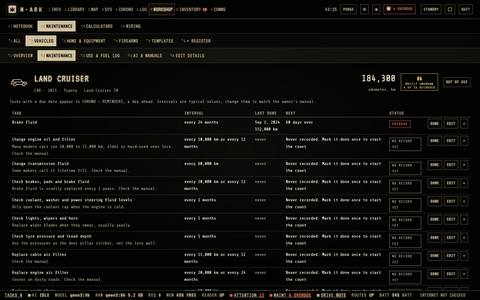
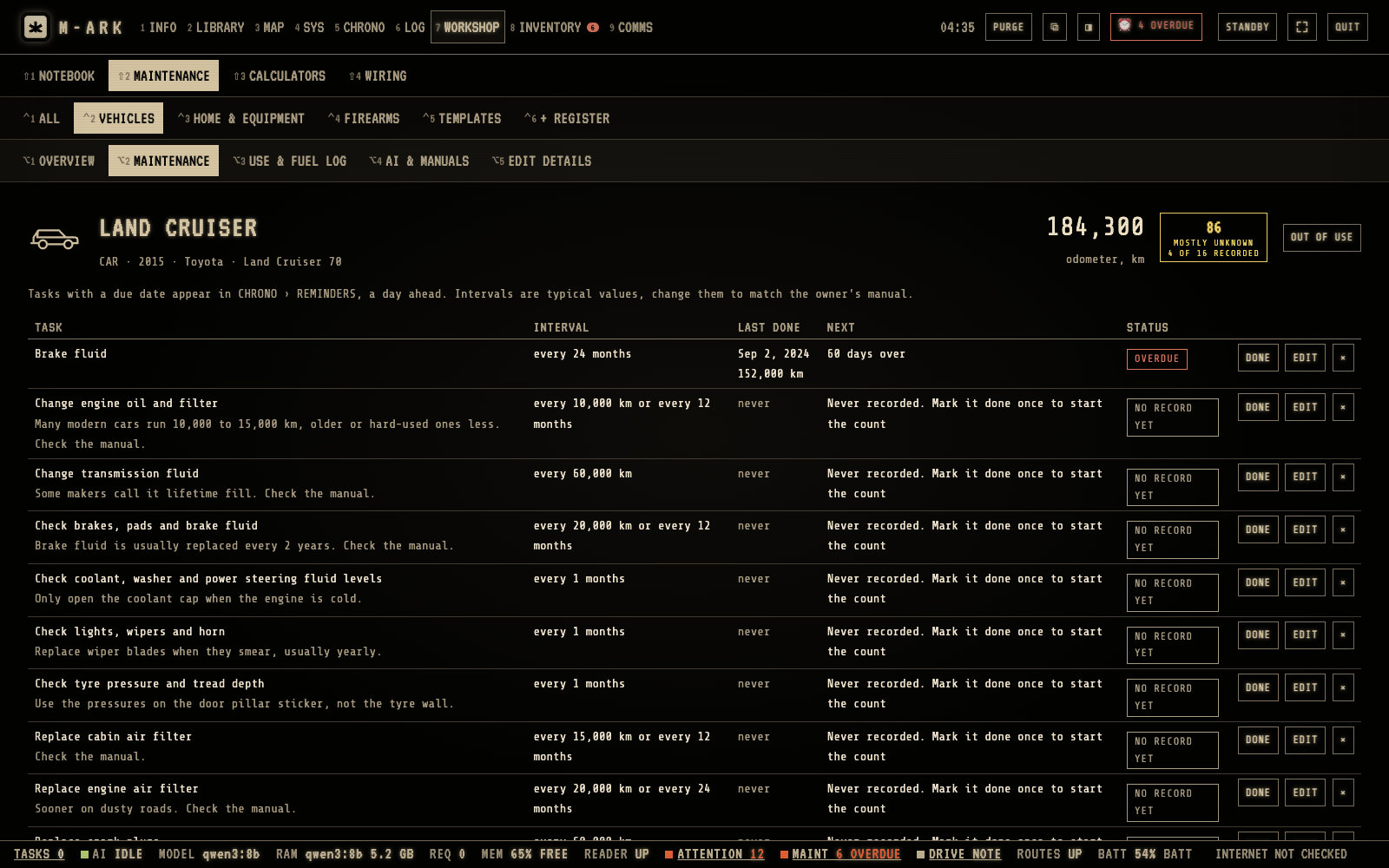
Task stateA task is due soon within 30 days or within a part of its interval.DONECheck the date and the reading, type the cost and a note, and click MARK DONE.Use & fuel logRecords trips, fuel, repairs and notes for the item.AI & manualsThe books in the library that fit this kind of equipment.
Each item lists its tasks with their state, OVERDUE, DUE SOON or OK. Hover or tap a number for its note.
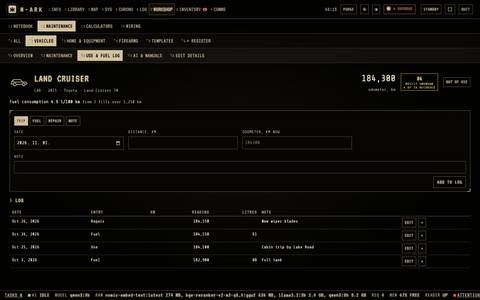
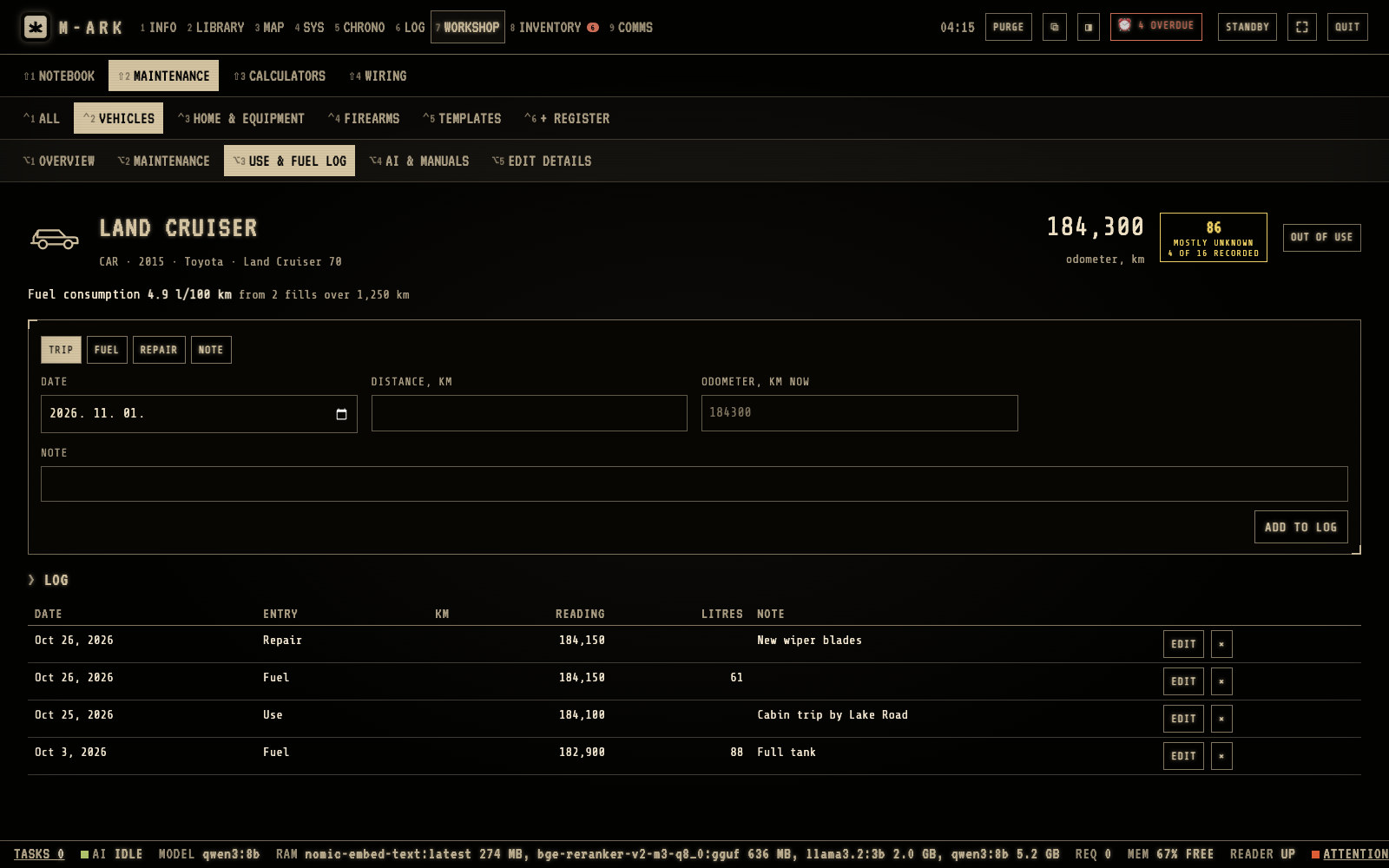
Use & fuel logLog a trip, a fill, a repair or a note.HistoryEach entry with its date, reading and liters. After two fills M-ARK shows the fuel use.
The use and fuel log keeps the history of each item. Hover or tap a number for its note.
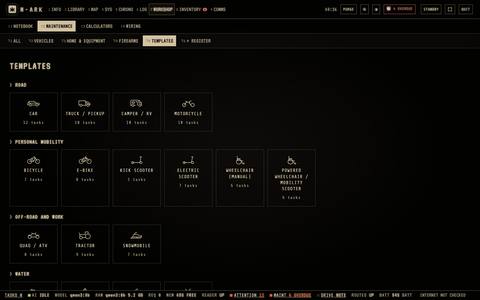
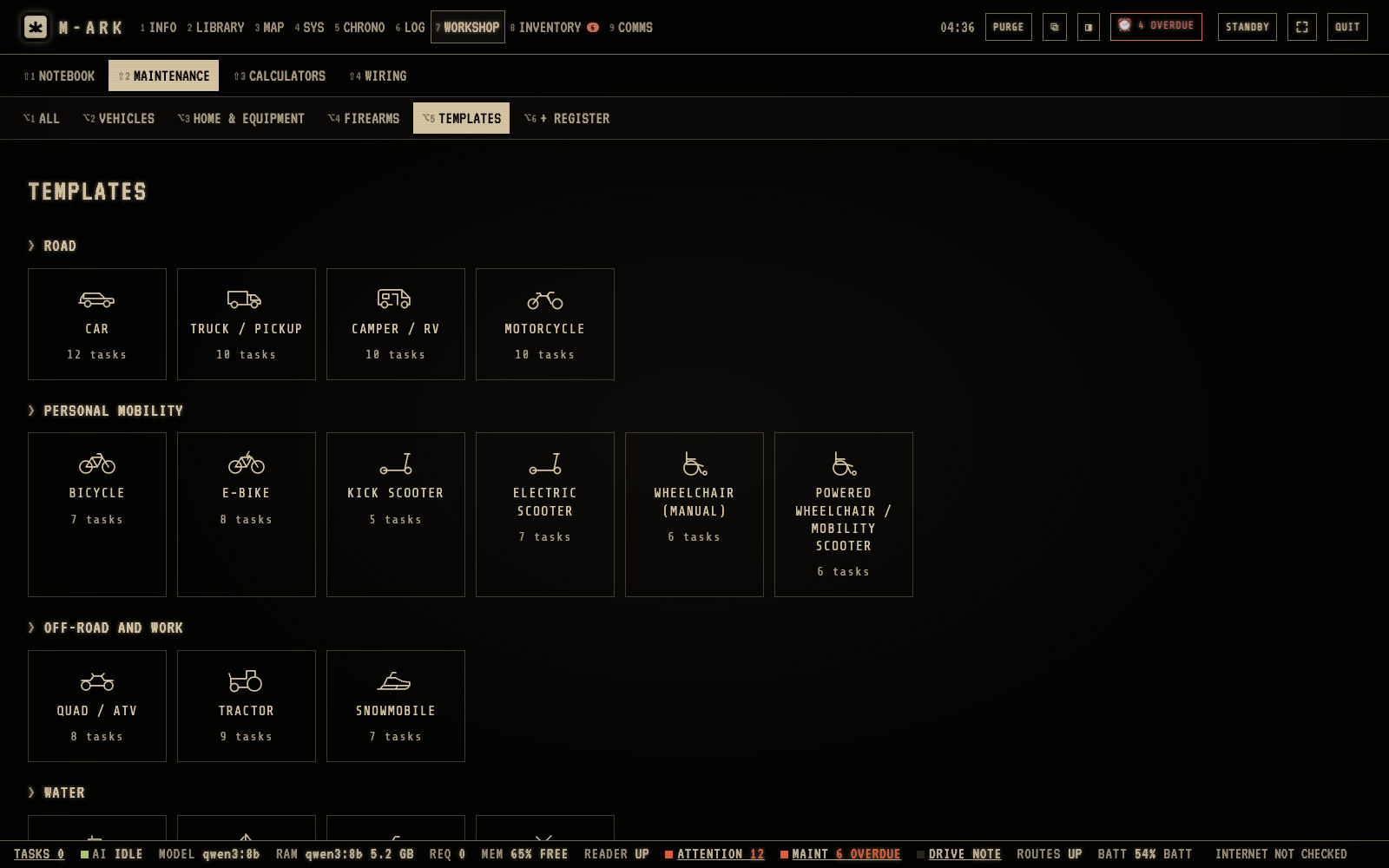
TemplatesChange them to fit your household. Changes apply to equipment you register after the change.One kindClick a kind, for example CAR, to see its tasks. + ADD TASK adds your own, RESET TO DEFAULT brings back the original list.
TEMPLATES holds the preset tasks for each kind of equipment. Hover or tap a number for its note.
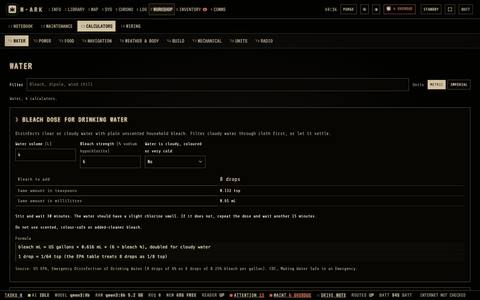
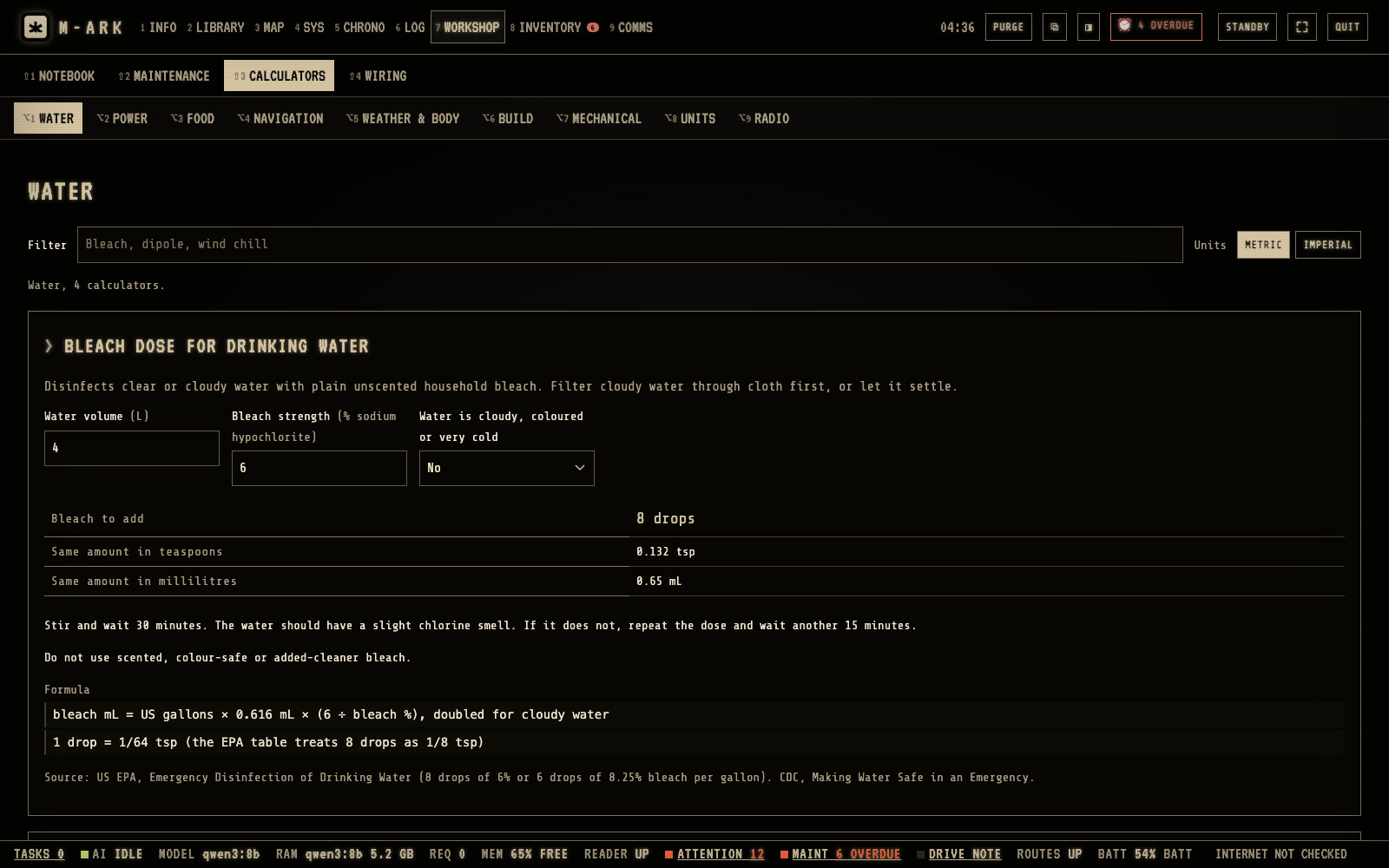
Nine groupsWATER, POWER, FOOD, NAVIGATION, WEATHER & BODY, BUILD, MECHANICAL, UNITS and RADIO.Bleach doseCheck a result that matters for safety with a second method.Metric or imperialChanges the units of every calculator.
The calculators have nine groups, from water and power to radio. Hover or tap a number for its note.
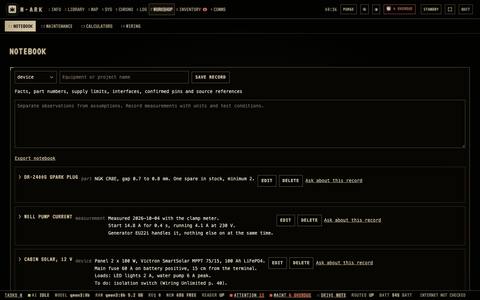
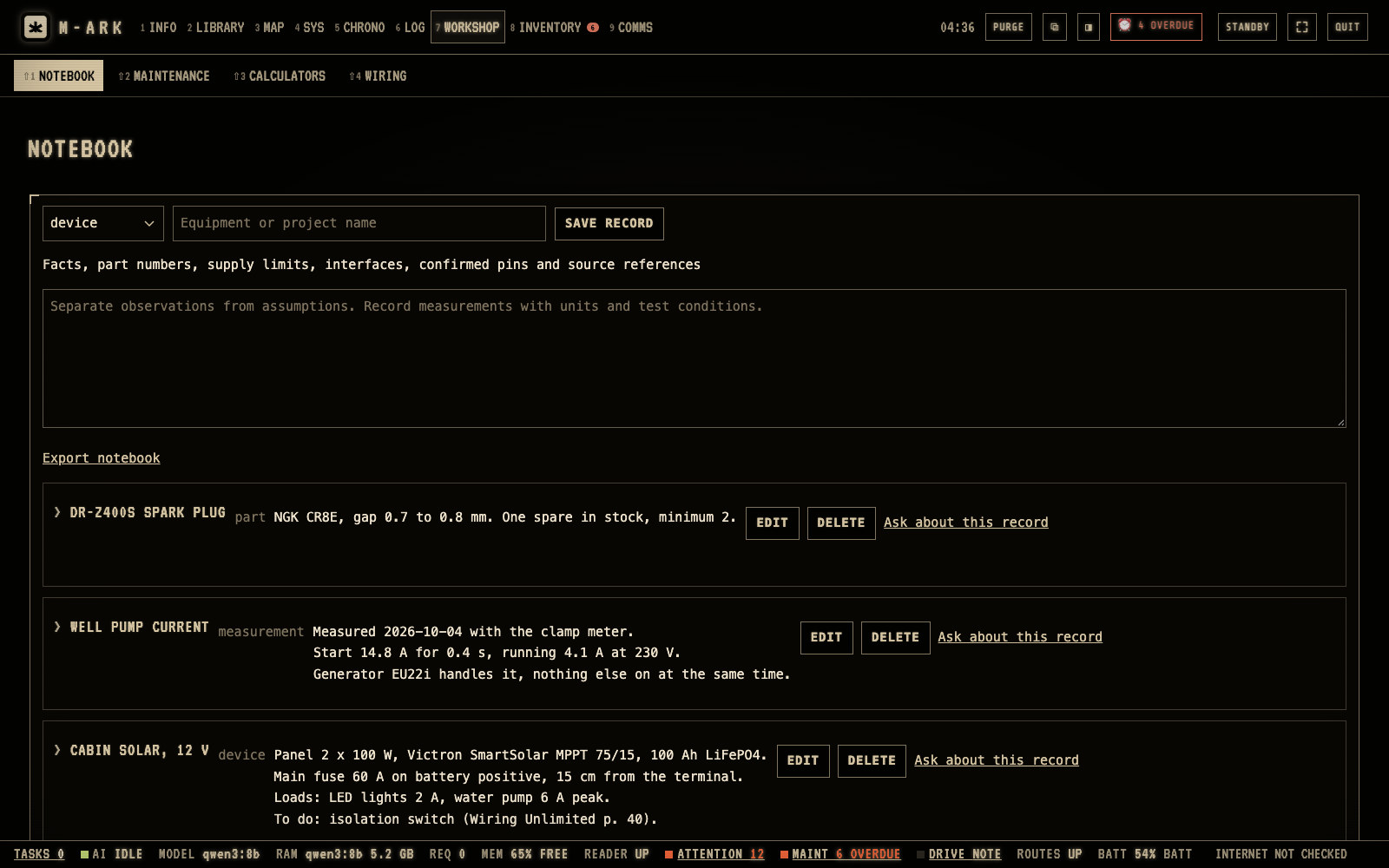
KindDevice, part, project, measurement, firmware or note.RecordsFacts, part numbers and measurements in one place.Ask about this recordSends the record to INFO › QUESTIONS.Export notebookSaves the records as a file.
NOTEBOOK keeps records of devices, parts, projects, measurements and firmware. Hover or tap a number for its note.
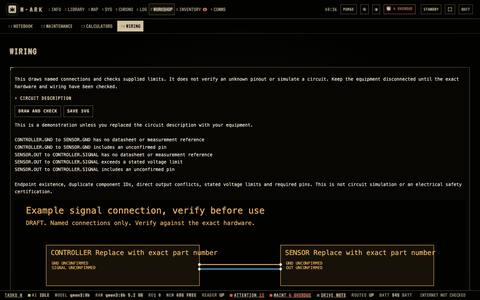
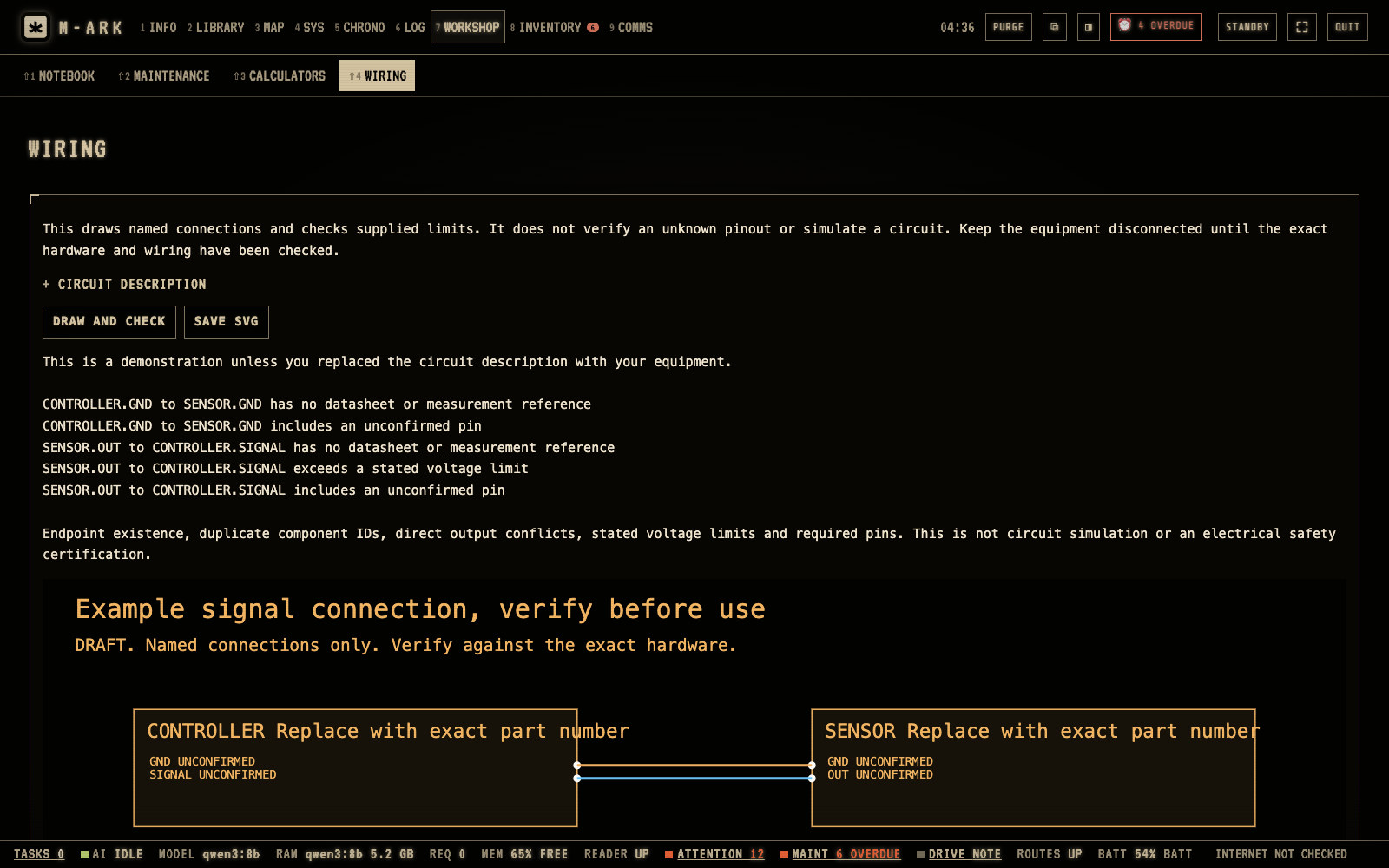
DRAW AND CHECKChecks open ends, duplicate names, outputs in conflict, voltage limits and required pins.SAVE SVGSaves the drawing. It is not a circuit simulation.
WIRING draws a circuit from a text description and checks it. Hover or tap a number for its note.
Every function in Workshop (12)
MAINTENANCE106 kinds of equipment in 17 groups with 611 preset tasks, from cars and generators to wells, solar systems, health devices and firearms. Due tasks go to the calendar.
Task kindsOn a schedule by kilometers, hours, rounds or months, whichever comes first, after every use, before every use, or as needed.
Maintenance scoreA score out of 100 for each item, GOOD, FAIR or POOR, with the worst item shown next to the average.
Parts a task takesA task lists the parts it uses from stock and takes them when you mark it done. Missing parts for a due task go on NEEDS DOING.
USE AND FUEL LOGTrips, run hours, fuel, repairs and range sessions. Fuel use from full tanks, fuel and ammunition taken from stock, and a check before a reading that looks like a typing mistake.
OUT OF USEPauses an item that is stored or broken, so its intervals stop.
AI AND MANUALSThe library books that fit the kind of equipment, your saved manual links, and buttons to ask the AI or suggest tasks for your exact model.
Maintenance guides41 guides for kinds of equipment with no free manual, such as RVs, sailboats, wheelchairs and lithium battery banks. Written by an AI and marked as such.
TEMPLATESChange the preset tasks for each kind of equipment to fit your household.
CALCULATORSNine groups. Water, power, food, navigation, weather and body, building, mechanical, units and radio, in metric or imperial.
NOTEBOOKRecords of devices, parts, projects, measurements and firmware, with export.
WIRINGDraws a circuit from a text description and checks open ends, duplicate names, outputs in conflict, voltage limits and required pins. Save as SVG.
Time · 5 screens · 10 functions
Sun, tides and everything that is due.
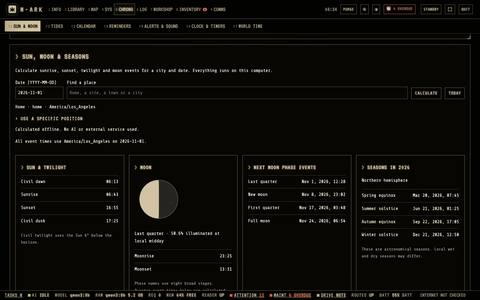
Sunrise and moon phases for any place, tides for 3,852 stations, a calendar with every reminder, critical alerts that repeat until done, timers and world time. All worked out on your computer.
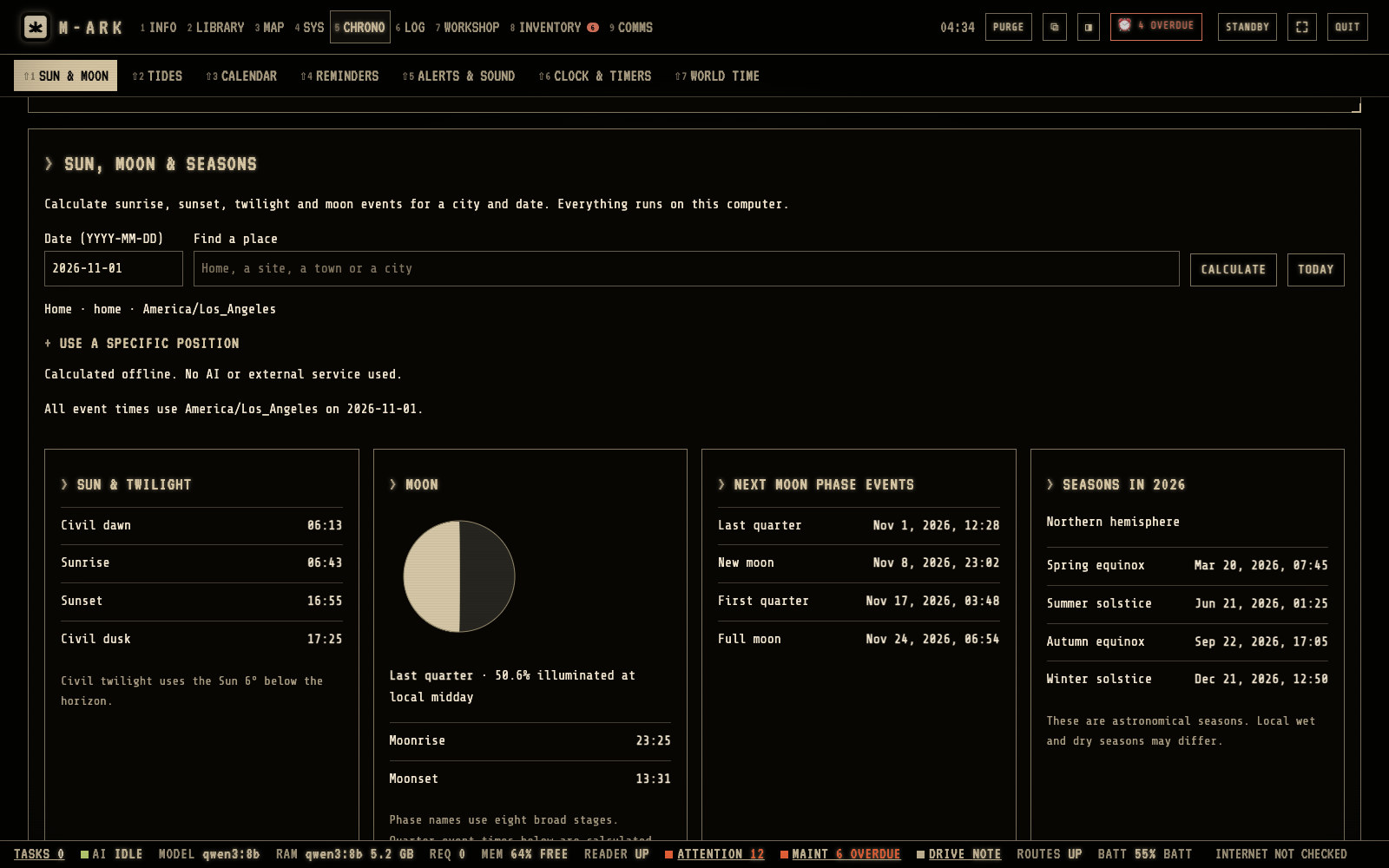
CALCULATEFind a place or use home, choose a date and click CALCULATE. TODAY uses today.Sun and twilightCivil dawn, sunrise, sunset and civil dusk at the place, in its own time zone.MoonThe moon tonight, how much is lit, moonrise and moonset.Next moon phasesThe next quarter, new and full moon.SeasonsThe equinoxes and solstices of the year.
Sunrise, sunset, twilight, the moon and the seasons for any place. Hover or tap a number for its note.
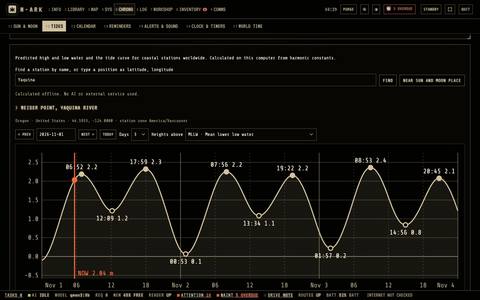
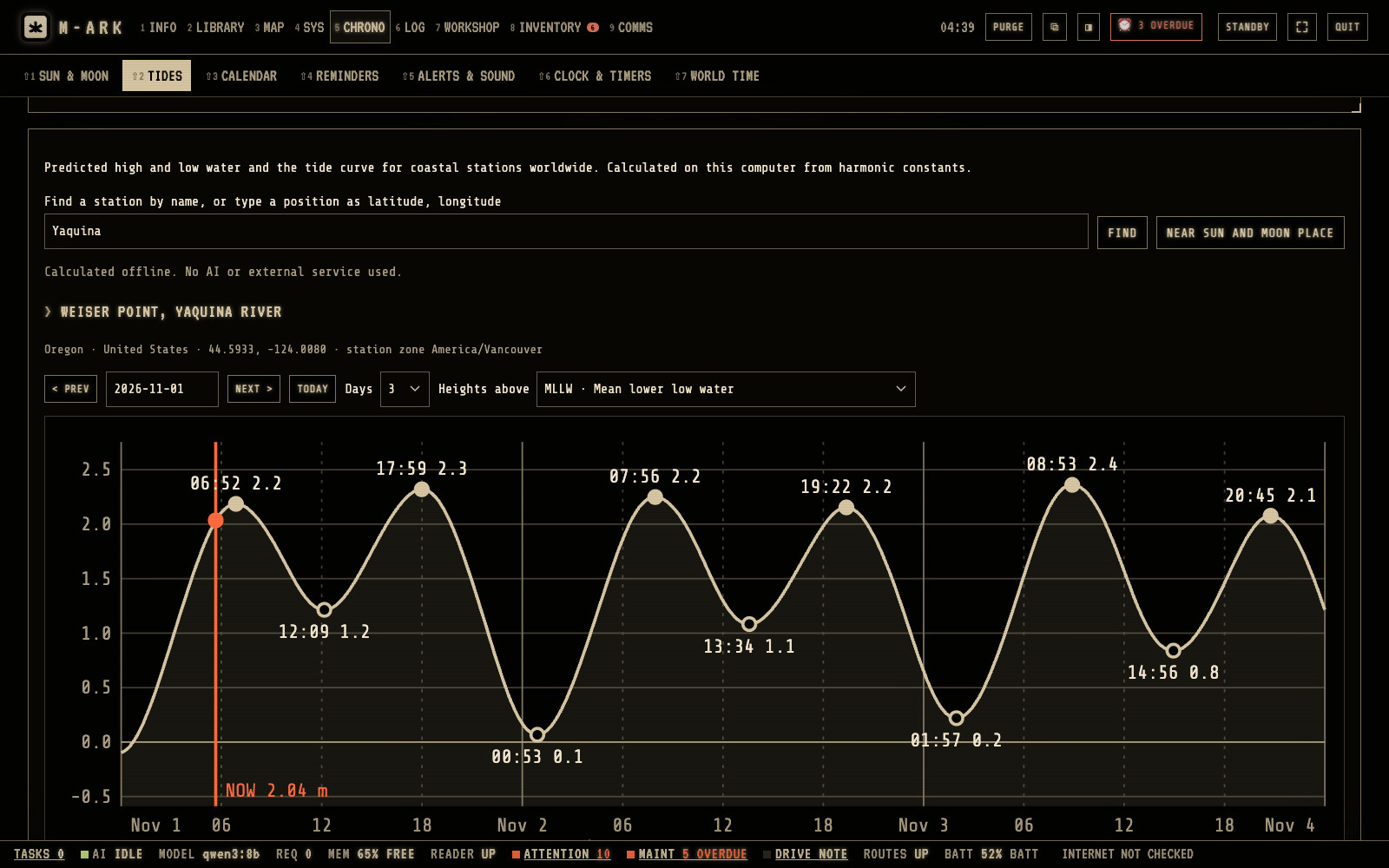
Find a stationType a station name, a place or a position. M-ARK lists the stations nearest to it.DaysShow 1, 2, 3, 7 or 14 days.High and low waterThe curve and the times of high and low water. Calculated from astronomy only, so do not use them for navigation.
The drive has 3,852 tide stations. Hover or tap a number for its note.
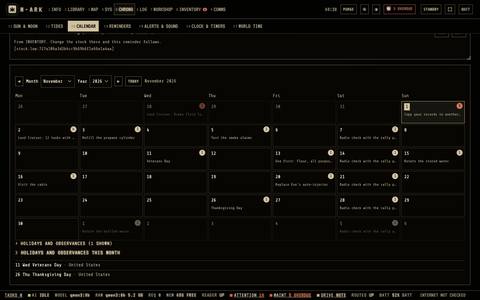
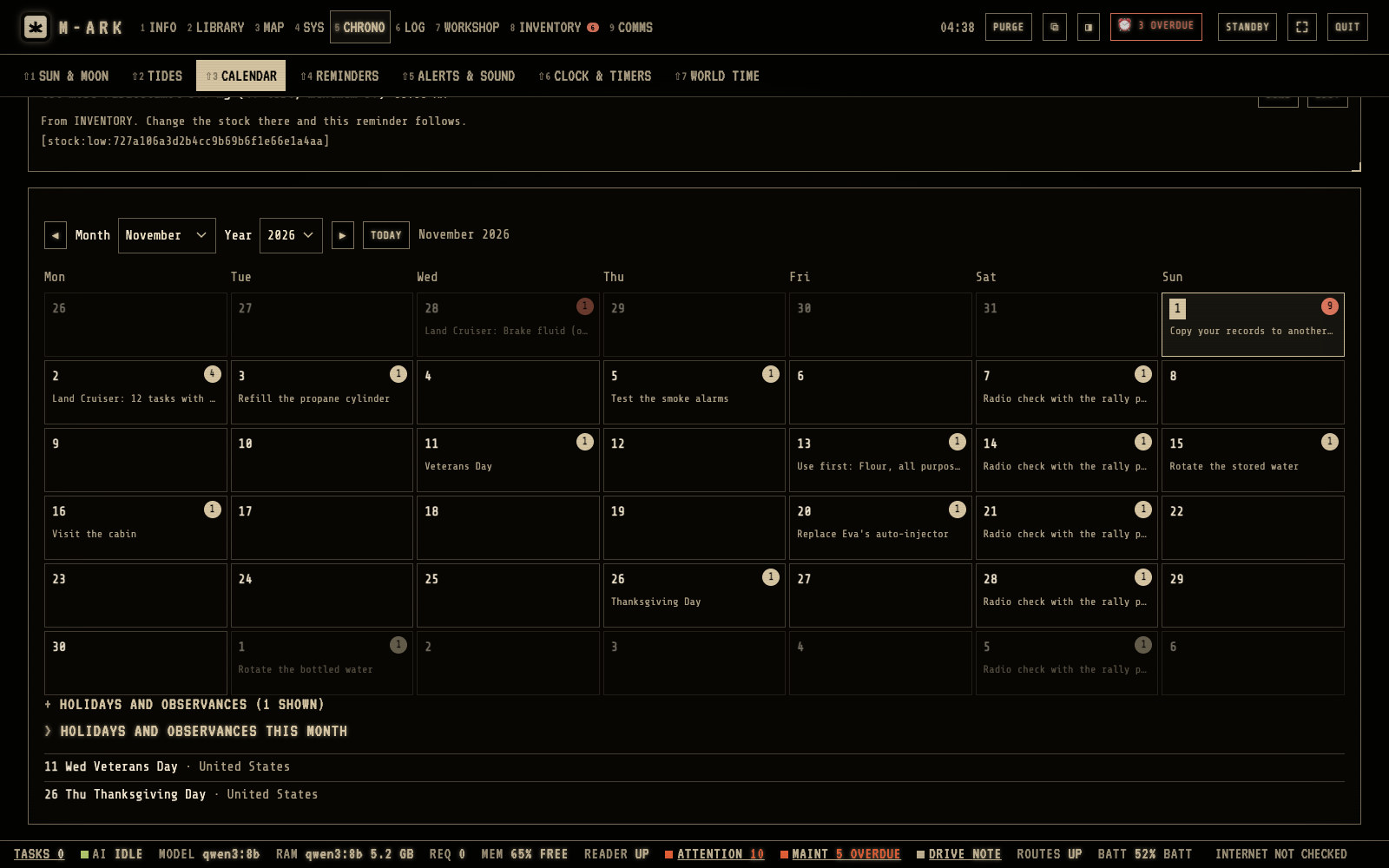
TODAYThe arrows change the month. TODAY goes back to this month.Red numberAn item on that day is overdue.Click a dayIts list shows above the calendar, with DONE, EDIT and SNOOZE.HolidaysHolidays of 250 countries and religious traditions.
CALENDAR shows each day with its reminders. A red number is overdue. Hover or tap a number for its note.
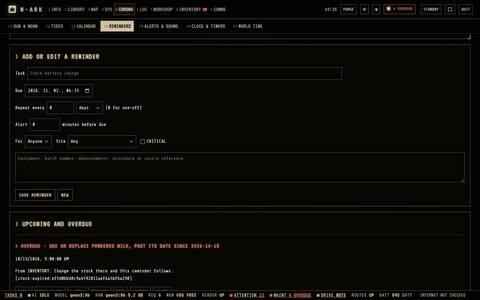
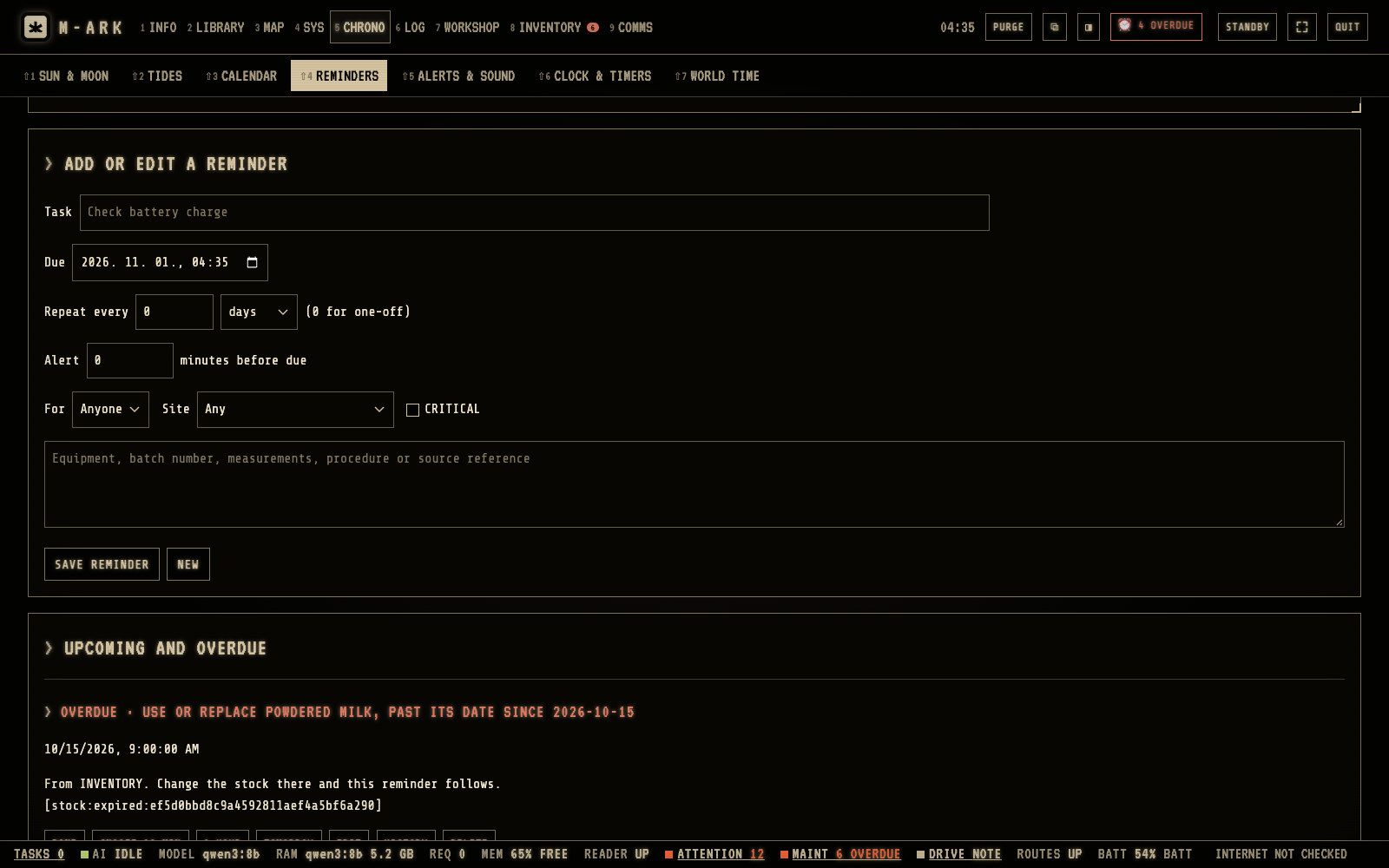
Task and due dateType the task and choose when it is due.Repeat everyHours, days, weeks, months or years. 0 means one time.CRITICALFor a reminder that must not be missed, such as a medicine. Its alert comes every 15 minutes until it is done.SAVE REMINDERMaintenance tasks and stock make their own reminders too.Upcoming and overdueAll reminders, with HISTORY of when each was done.
Reminders for seasonal work, medicines and checks. Hover or tap a number for its note.
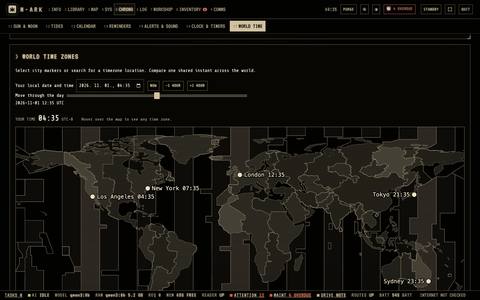
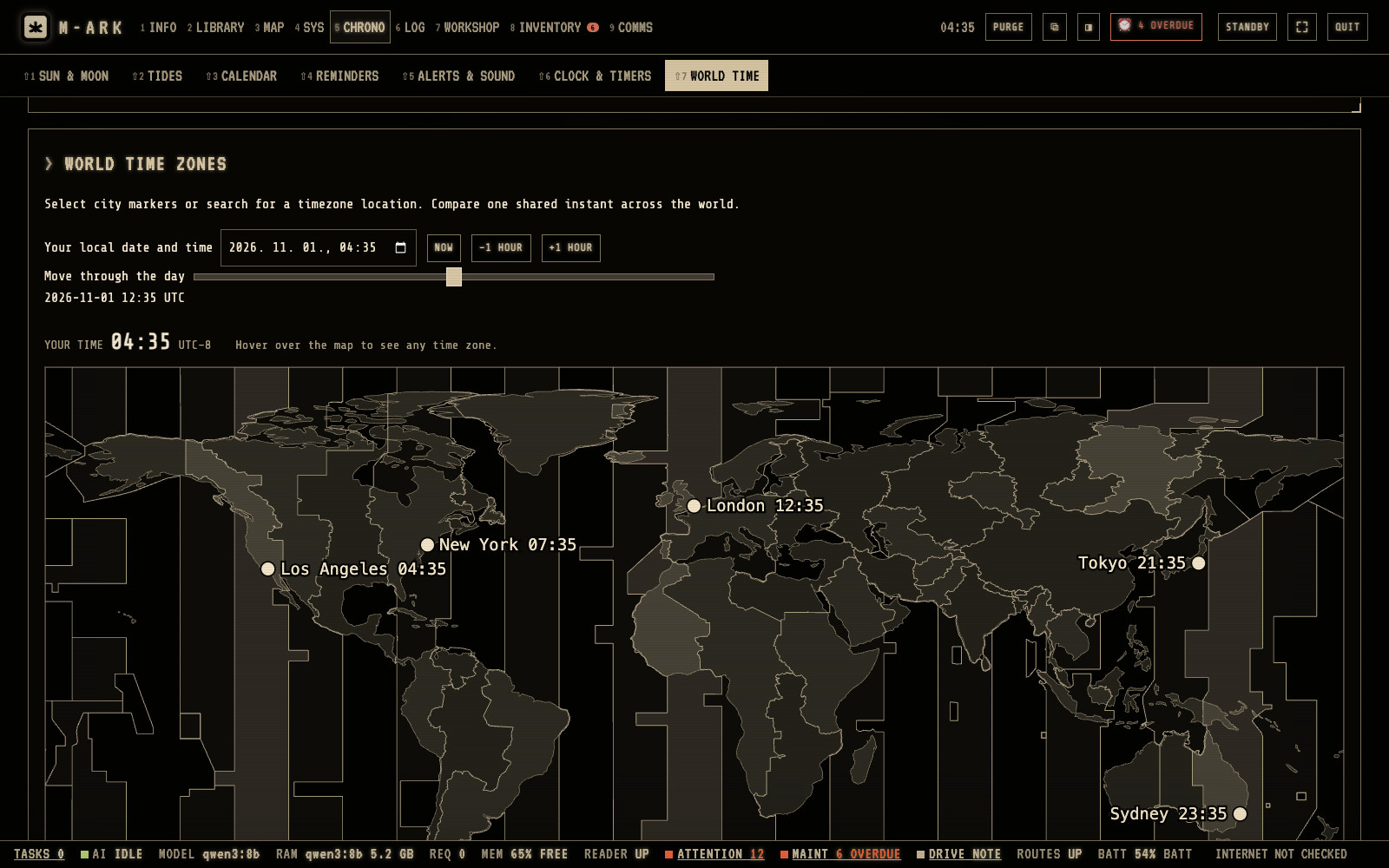
Time zone mapMove the pointer over the map and the zone lights up with its time.Your local date and timeChange it to see what time it is elsewhere at that moment.NOWGoes back to the moving clock.
The map shows the real time zone borders. Hover or tap a number for its note.
Every function in Time (10)
SUN AND MOONSunrise, sunset and twilight, the moon and its next phases, and the seasons, for home or any place.
TIDESHigh and low water for 3,852 tide stations, as a curve and a table for 1 to 14 days. Calculated from astronomy, so not for navigation.
CALENDARA month view with the day's items, overdue counts in red, and DONE, EDIT, DELETE and SNOOZE on each reminder.
HOLIDAYS AND OBSERVANCESHolidays for 250 countries and religious traditions, for the years 1950 to 2100.
REMINDERSOne-off or repeating every so many hours, days, weeks, months or years, for a person or a site. A CRITICAL reminder alerts every 15 minutes for 24 hours until it is done.
The clock checkIf the computer's clock looks wrong, M-ARK says so before a repeating reminder jumps years ahead.
ALERTS AND SOUNDBoxes on every open page, a sound that repeats for 5 minutes and desktop alerts even with the window closed. It can keep the computer awake when a reminder is close.
Export to a phone calendarSaves reminders with their repeats as an .ics file, as a second alarm on a phone.
CLOCK AND TIMERSA stopwatch and named countdowns of up to 8,760 hours that keep running while you use other pages.
WORLD TIMEA world map with real time zone borders and your chosen cities.
Comms · 5 screens · 10 functions
Stay in touch when the towers are down.
Text over Meshtastic mesh radios with no network. Send Morse by sound or by light, lay out the ground-to-air signals, spell clearly with the NATO alphabet, and look words up offline.
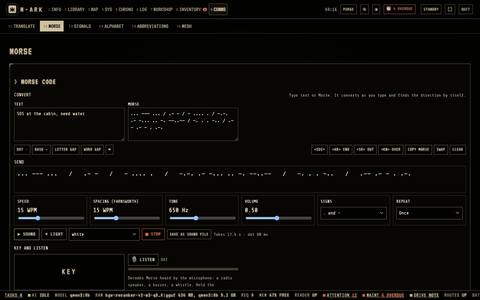
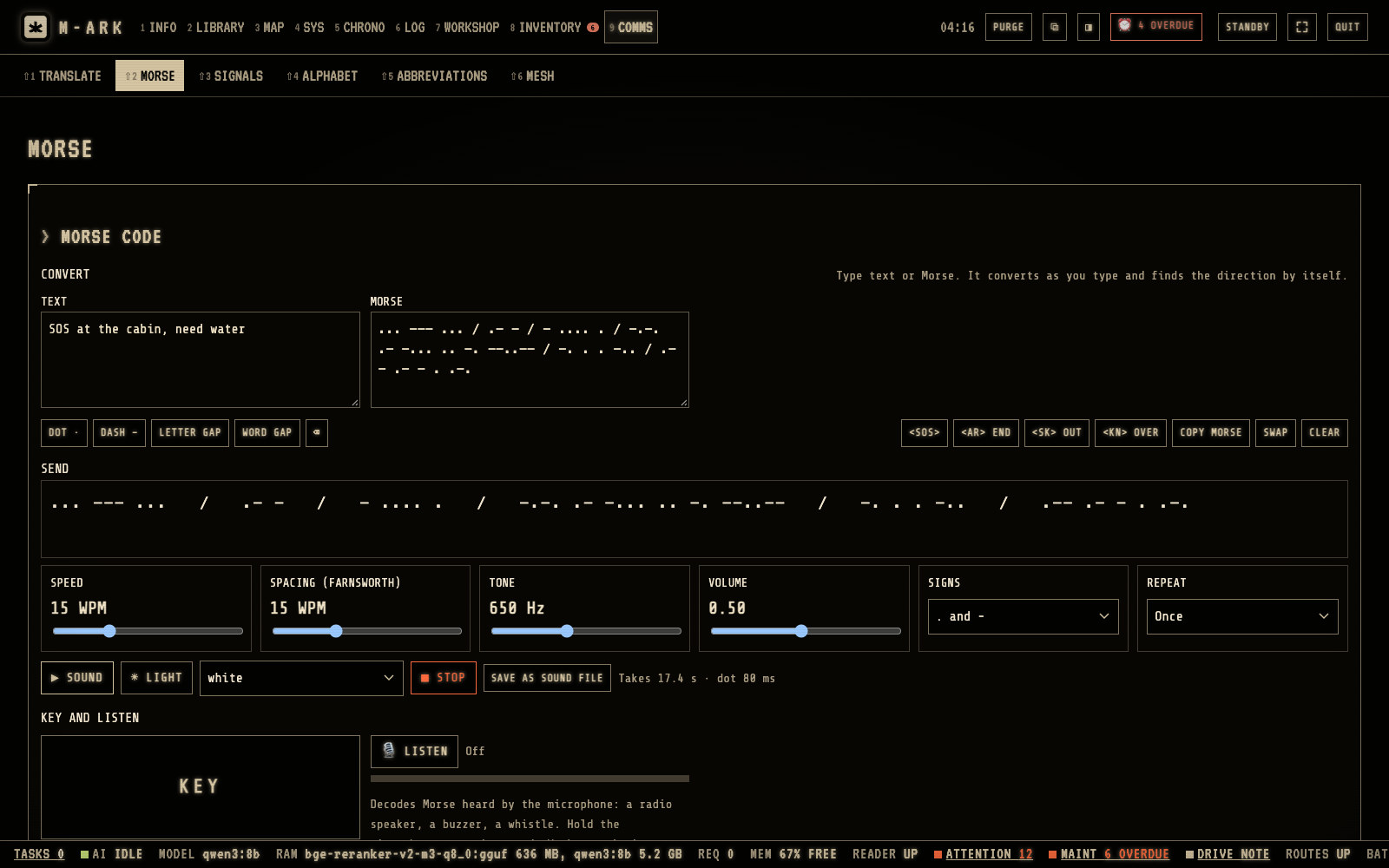
ConvertType text or Morse. It converts as you type, in both directions.SOUNDPlays the message. SAVE AS SOUND FILE makes a file to play into a radio.LIGHTFlashes the screen for signaling at night.Speed5 to 40 words per minute.KEYSend by hand. M-ARK reads what you send and learns your speed.
MORSE is a full Morse station. Hover or tap a number for its note.
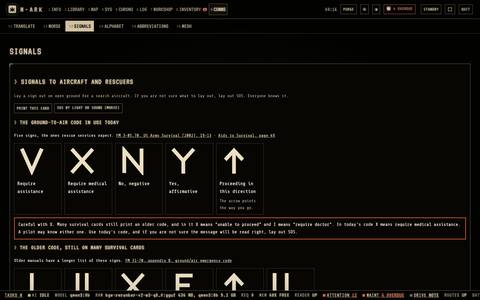
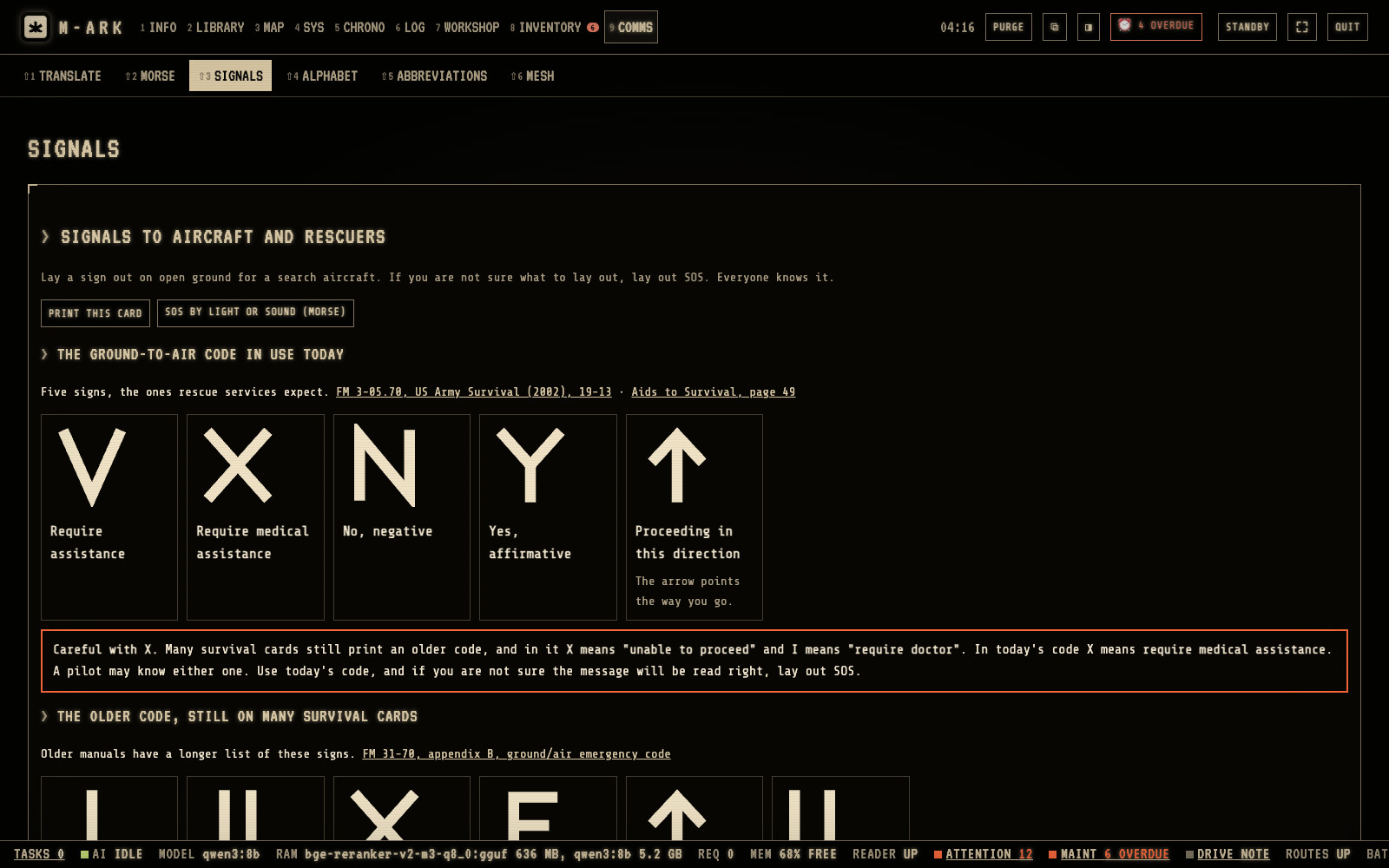
Today's five signsV require assistance, X require medical assistance, N no, Y yes, and an arrow for the direction you go.Careful with XX means require medical assistance today, and unable to proceed in the older code. If you are not sure, lay out SOS.PRINT THIS CARDPrints it for the go-bag.
SIGNALS shows the code to lay out for a search aircraft. Hover or tap a number for its note.
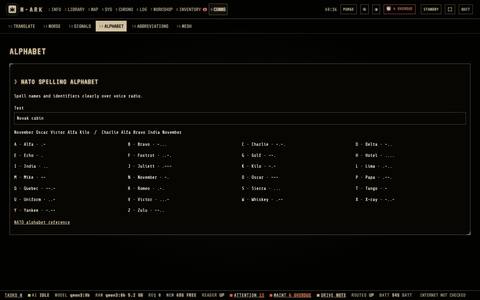
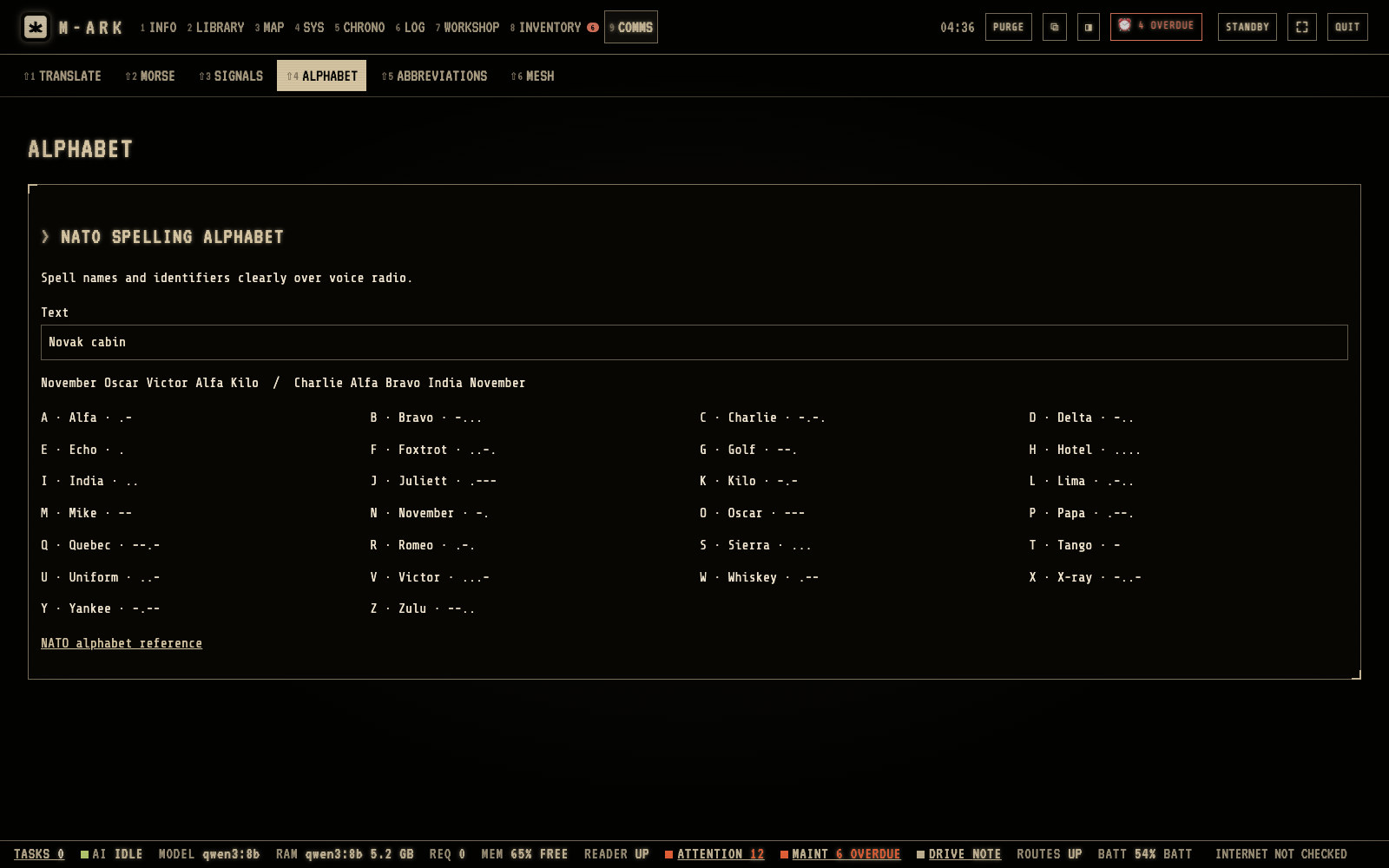
TextType a name or a word to spell it out.Spelled outEach letter as its word, ready to read over a radio.
ALPHABET spells text with the NATO spelling alphabet and the Morse of each letter. Hover or tap a number for its note.
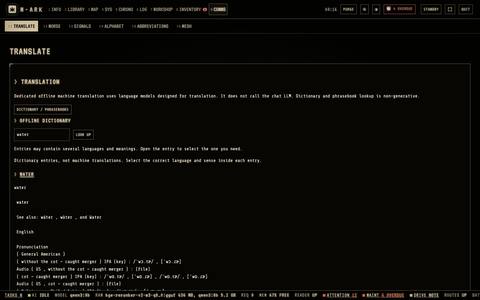
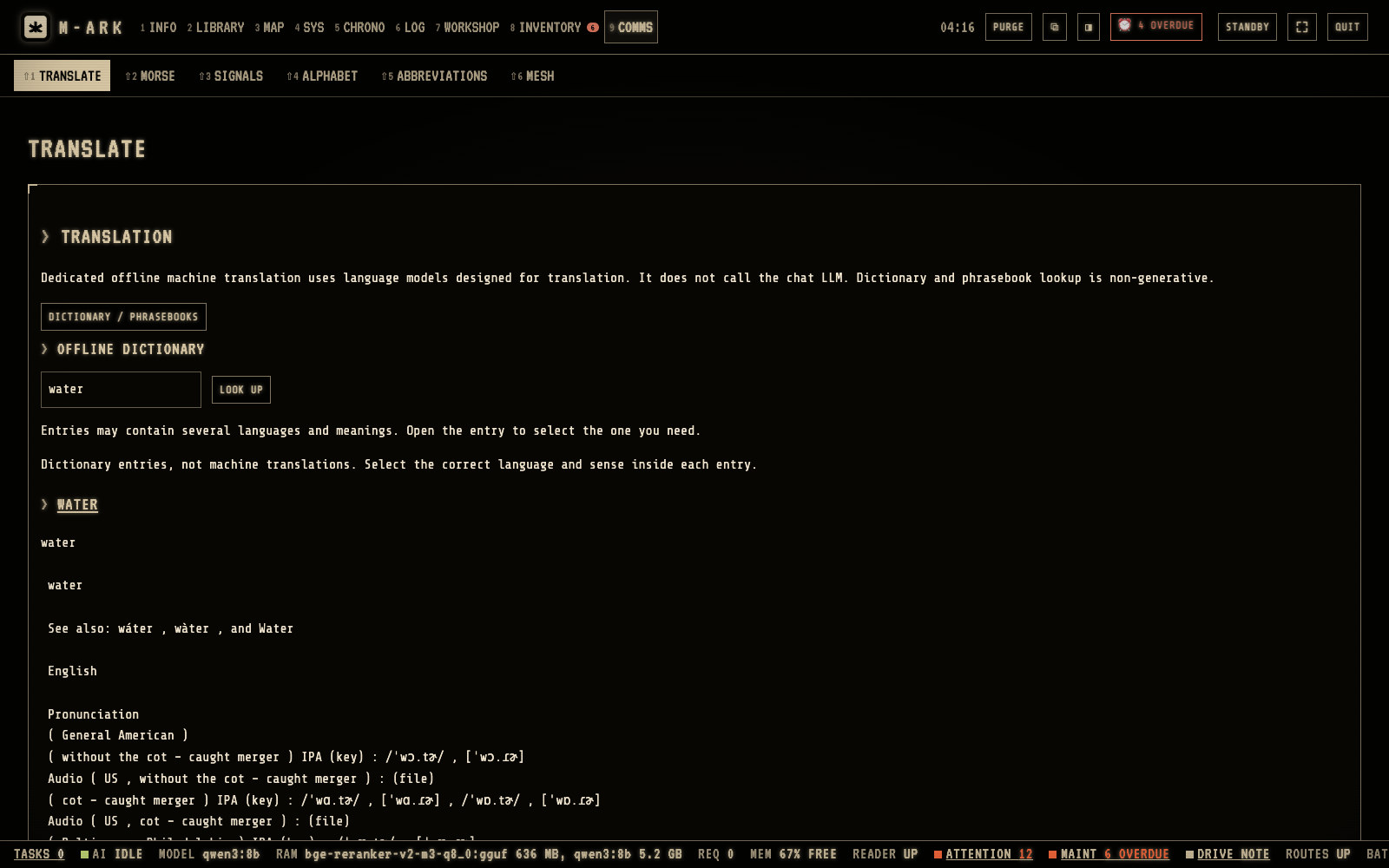
Offline dictionaryType a word and click LOOK UP.Travel phrasebooksOpen the phrasebooks on the drive.
The dictionary and the phrasebooks work offline. Hover or tap a number for its note.
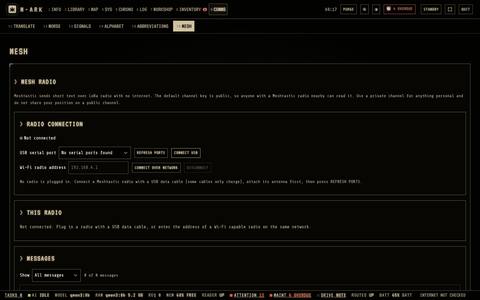
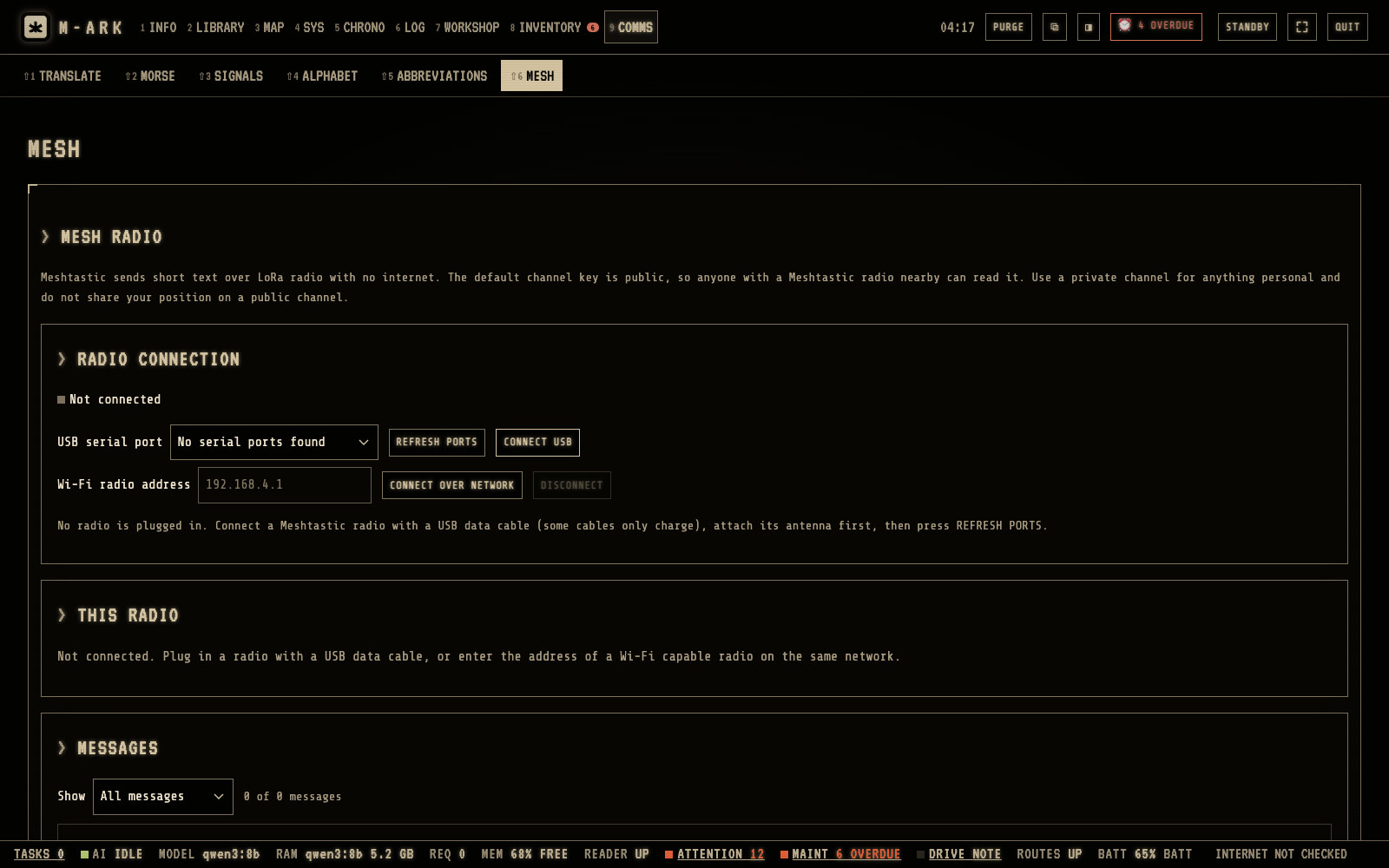
REFRESH PORTSConnect a Meshtastic radio with a USB cable, then refresh.CONNECT USBM-ARK remembers the radio and connects again by itself.Connect over networkFor a radio on the Wi-Fi, type its address.MessagesUp to 200 letters to everyone or to one radio. New messages show in the status bar.
MESH sends and receives text messages over Meshtastic radios, without internet or phone towers. Hover or tap a number for its note.
Every function in Comms (10)
MORSE convertText to Morse and back as you type, with the prosigns SOS, AR, SK and KN.
MORSE sendPlays Morse as sound at 5 to 40 words a minute, or flashes the whole screen white, red or amber. REPEAT makes a beacon. SAVE AS SOUND FILE makes a WAV for a radio.
KEY and LISTENHost computerKey by hand on screen or with the space bar and see what you sent. LISTEN decodes Morse from the microphone.
Morse practiceThe Koch method, five groups of five signs, adding a sign at 90% right. Your level is kept.
SIGNALSThe ground-to-air codes for a search aircraft, today's and the older one, drawn large and ready to print.
ALPHABETSpells any text in the NATO alphabet with the Morse for each letter.
CONVERTERSEncode and decode Caesar shift, ROT13, Base64 and Hex.
DICTIONARY AND PHRASEBOOKSLook up words offline and open travel phrasebooks.
ABBREVIATIONS49 aviation and police radio abbreviations with a search.
MESHMac onlyApple siliconSend and receive text over Meshtastic radios by USB or network, to everyone or one radio, with signal quality and automatic reconnect. New messages show in the status bar.
Journal · 3 screens · 4 functions
Your records, in your words.
A dated journal, a scratchbook that saves as you type, and a media bank for your photos, video and audio. Everything exports as plain files any computer can read.
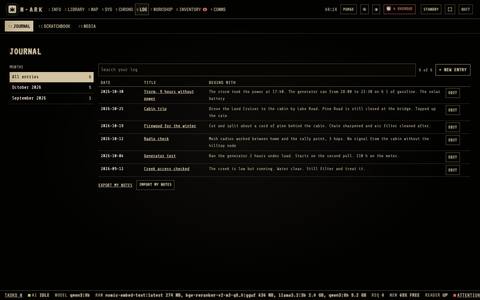
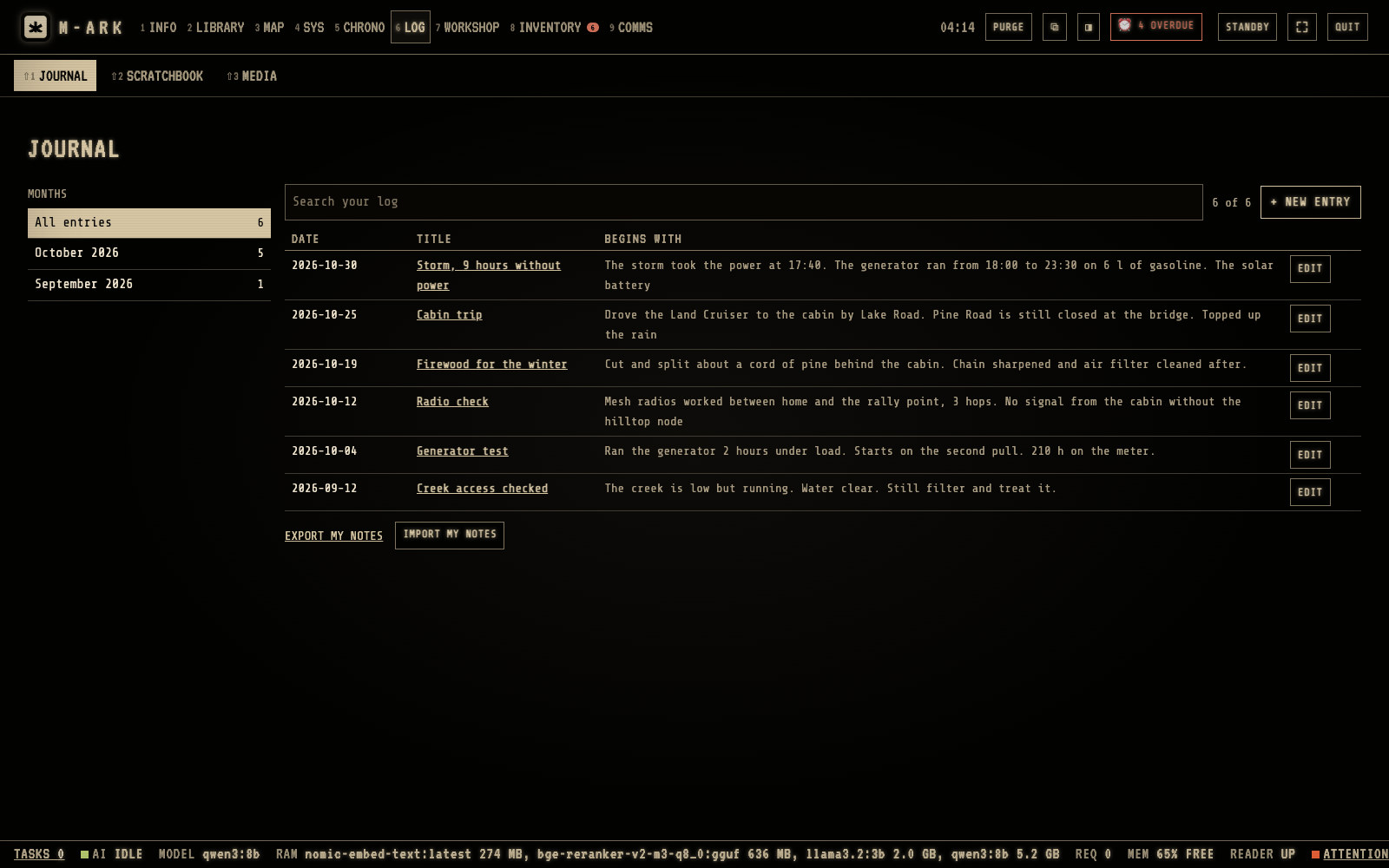
MonthsClick a month to show only its entries.+ NEW ENTRYChoose the date, type a title and the text, and click SAVE ENTRY.SearchFinds entries by title, text and date.EXPORT MY NOTESSaves the journal, the scratchbook, your marks and what the AI remembers as one zip, in plain Markdown.
The journal is a dated record of events, decisions and observations. Hover or tap a number for its note.
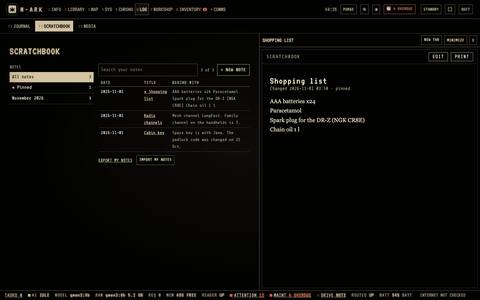
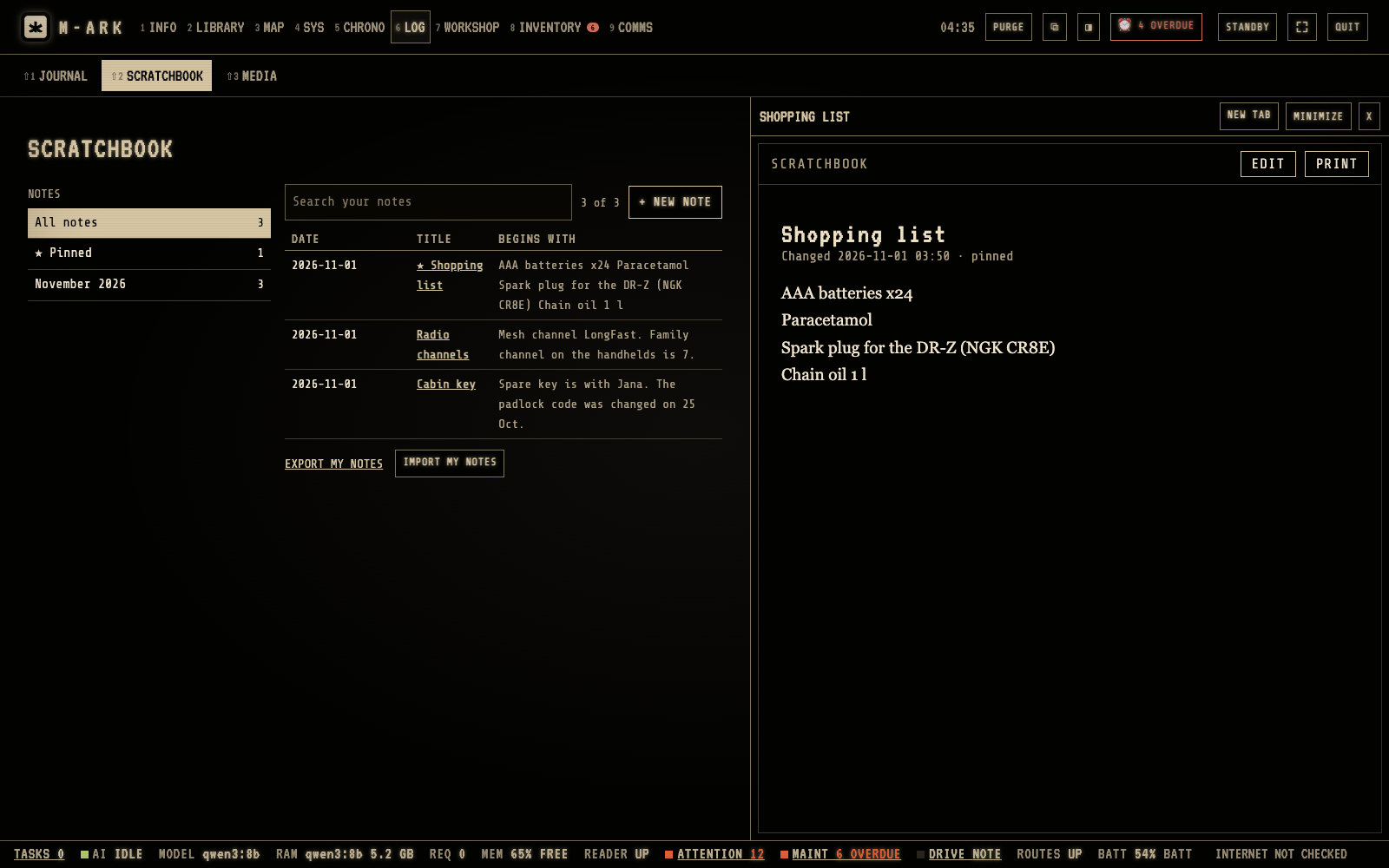
PinnedPinned notes stay at the top of their own list.+ NEW NOTEM-ARK saves the note by itself 1.2 seconds after you stop typing.
The scratchbook is for loose notes, lists and drafts. Hover or tap a number for its note.
IMPORTAdds files from the computer. You can also drag files onto the page.PULL FROM A FOLDERAdds all media from a folder.SearchClick a picture to crop it, draw on it or write on it. The original is always kept.
The media bank keeps pictures, videos and audio for your journal, notes and documents. Hover or tap a number for its note.
Every function in Journal (4)
JOURNALA dated record of events, decisions and observations, searchable by title, text and date. Unsaved text is recovered next time.
SCRATCHBOOKLoose notes, lists and drafts that save as you type, with pinned notes on the left.
Text toolsBold, italic, colors, three sizes, lists, and pictures, video and audio in the text.
EXPORT MY NOTESOne zip with the journal, scratchbook, your notes and marks in books, reading places and what the AI remembers, in plain Markdown any editor reads.
Devices · 5 screens · 15 functions
On every phone, tablet and TV in the house.
Turn on sharing and the family scans a QR code. Their phones open M-ARK in the browser and use the library and the AI of the main computer. Each device gets a profile, from read-only to full access, and old browsers get a simple version that needs no JavaScript.
The same answersAsk from the phone. The AI runs on the host computer.SourcesEvery statement carries the number of its source.MENUThe nine menus open as large tiles. Each sub menu is one row that scrolls sideways.
On a phone M-ARK shows the same answers, from the host computer over Wi-Fi. Hover or tap a number for its note.
CategoriesSwipe along the row to change the section.Expires nextWhat to use first.Needs doingLow stock and expiring items, each also a reminder.
Check the stock from the storage room with a phone. Hover or tap a number for its note.
The map in your pocketTerrain, contour lines, your places and the danger areas, served from home.Layers, 3D and zoomThe same map controls as on the computer, sized for a thumb.
Routes and the map work on a phone too. Hover or tap a number for its note.
Large menusTV mode switches on by itself in TV browsers, or add ?tv=1 to the address.Remote controlThe arrow keys move and Enter chooses.Ask from the sofaThe same questions and answers as on the computer.
TV mode shows large controls for a remote control. Hover or tap a number for its note.
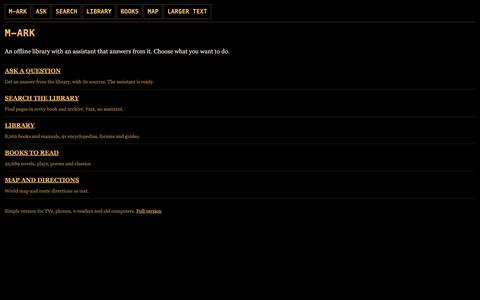
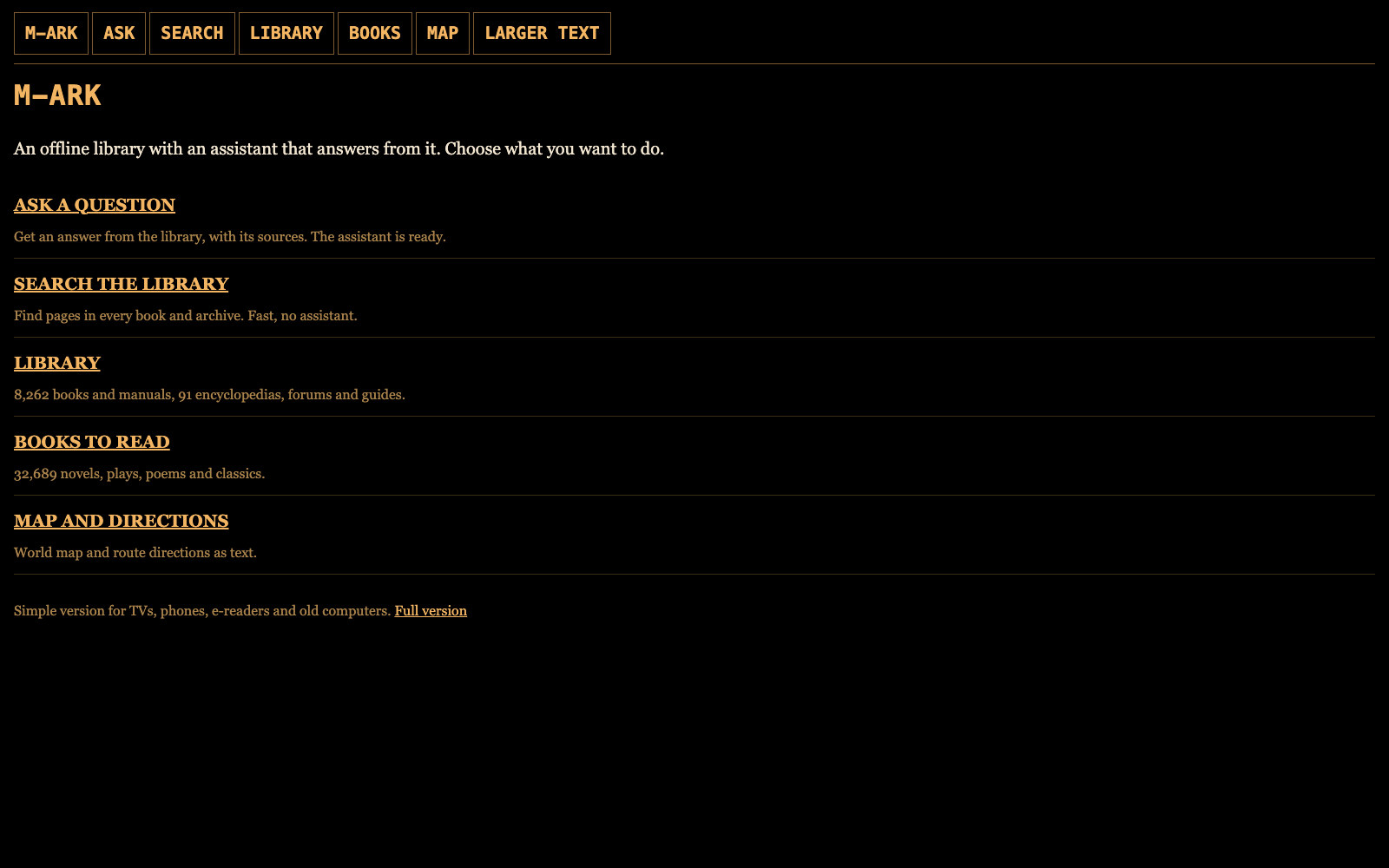
Ask a questionAsk, search, read and get directions with no JavaScript.Map and directionsDirections come as text.LARGER TEXTFor TVs and e-readers.Full versionOpens the full M-ARK on a device that can run it.
Old browsers, TV browsers and e-readers get the simple version. It needs no JavaScript. Hover or tap a number for its note.
Every function in Devices (15)
SHARE ON LOCAL NETWORKPhones, tablets, TVs and other computers on your Wi-Fi open M-ARK in their browser by scanning a QR code, with an optional PIN of up to 12 digits.
No Wi-Fi routerThe host computer can make its own Wi-Fi hotspot, with the steps shown for Mac, Windows and Linux.
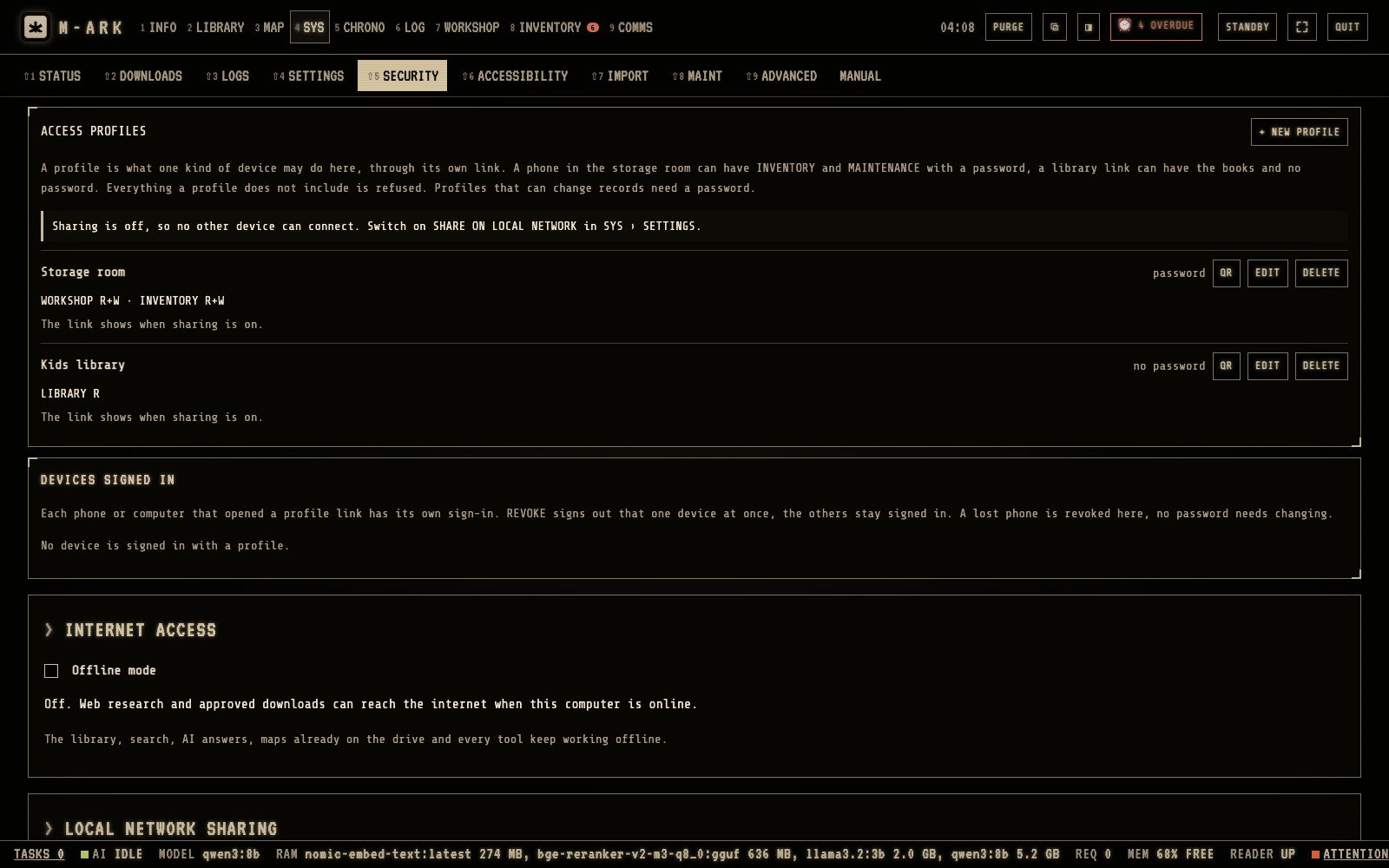
ACCESS PROFILESWhat each kind of device can do, menu by menu, OFF, READ or READ AND WRITE, with presets LIBRARY ONLY, STORAGE, HOUSEHOLD and EVERYTHING, READ ONLY.
DEVICES SIGNED INEvery device that opened a profile, with its name and last visit. REVOKE signs out a lost phone without changing the password.
The question queueUses the AIOne question at a time, URGENT first, then the host computer, then other devices in order, with the wait shown.
The simple versionOld browsers, TV browsers and e-readers get a version with questions, search, the library, books and text directions, with no JavaScript needed.
TV modeLarge controls for a remote, with the colored buttons opening questions, search, literature and the map.
AI from another M-ARKUses the AIA computer too weak for the AI uses the AI of a stronger one on the same network.
Phones and tabletsThe free Kiwix app reads the archives directly, and PDFs open in any PDF app. On an iPhone, install Kiwix while you have internet.
Raspberry Pi TV boxBetaA kit to run M-ARK from a Raspberry Pi 5 on a TV, with its own Wi-Fi for phones in the room. Not yet tested on a Pi.
The catalogA list of every title by subject that opens in any browser on any device, also without M-ARK.
Menus by number1 to 9 open the menus, with Shift and Alt for the second and third rows. F1 to F4 open questions, search, literature and the map.
Reader keysT for contents, / to find, N for the next hit, B to mark, A to ask, R to read aloud, and the arrows and space to turn pages.
TV remoteArrow keys move between controls, and red, green, yellow and blue open questions, search, literature and the map.
The listPress ? for every shortcut on one screen.
Control · 10 screens · 33 functions
Your computer, your rules.
Drive health, downloads, access profiles, encryption, snapshots, a purge button and a sealed factory version you can always go back to. Switch off the menus you do not use. Let an assistant set up your household from an interview, then import it in one file.
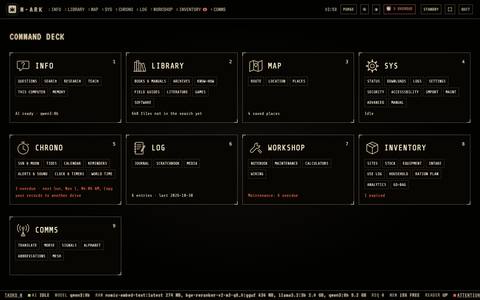
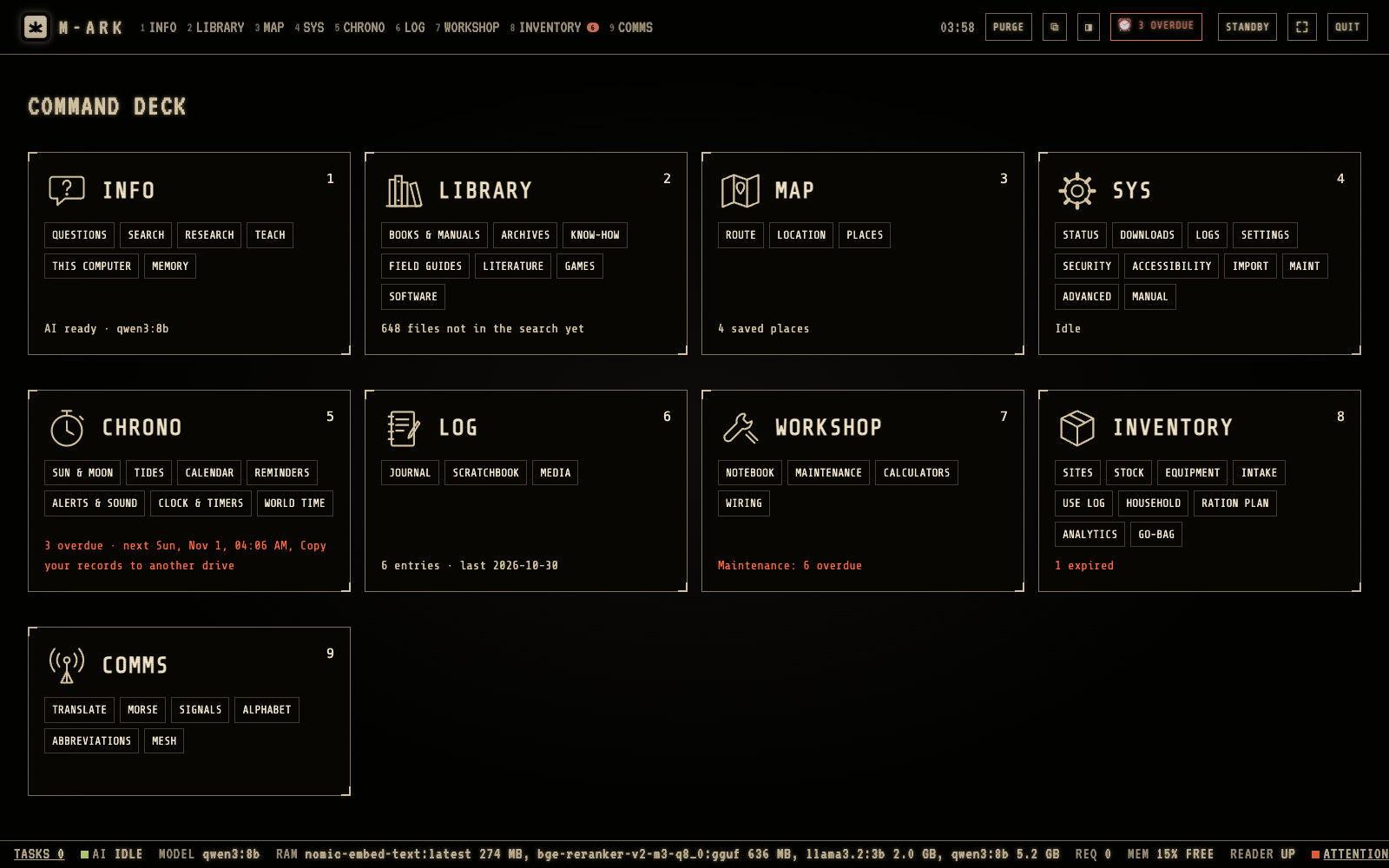
Command deckClick the M-ARK logo at the top left to open it. Each card is a menu with its parts as links.Nine menusINFO, LIBRARY, MAP, SYS, CHRONO, LOG, WORKSHOP, INVENTORY and COMMS. Keys 1 to 9 open them from anywhere.Lines in redA red line needs your attention, for example maintenance that is overdue.Stock warningsINVENTORY says when stock has expired or runs out within two weeks.Status barThe bar at the bottom shows the AI, the model, memory, the drive and the number of things that need doing.
The command deck shows all nine menus with their parts and one line on what is happening in each. Hover or tap a number for its note.
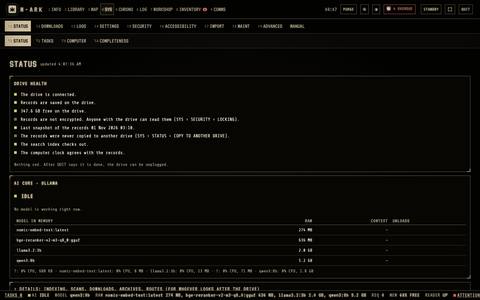
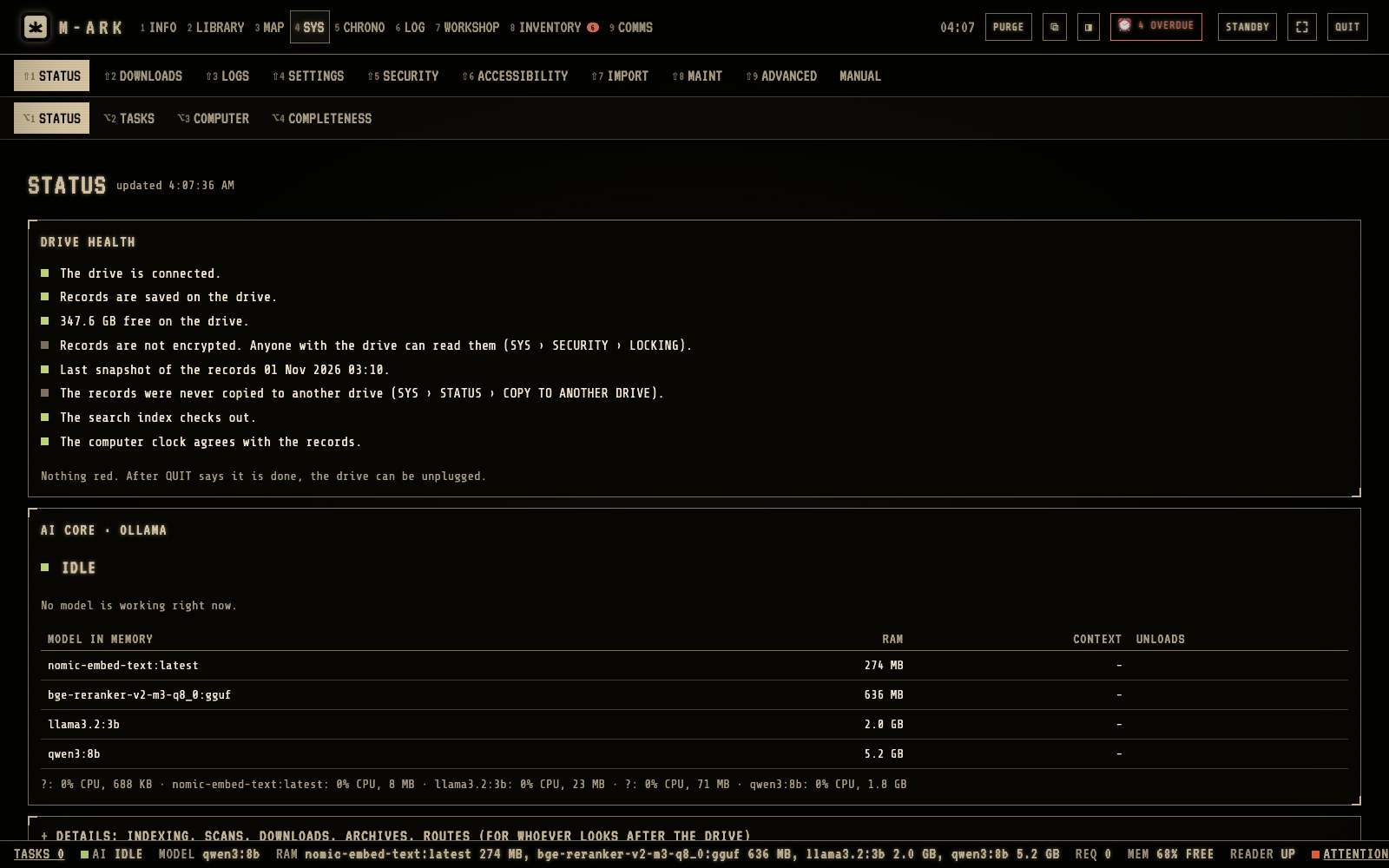
Drive healthThe drive, the records, the free space, the last snapshot and the search index.Plain linesNothing red means all is well. After QUIT says it is done, the drive can be unplugged.AIThe models in memory, how much they use and when they were used last.
STATUS says whether the drive and your records are fine. Hover or tap a number for its note.
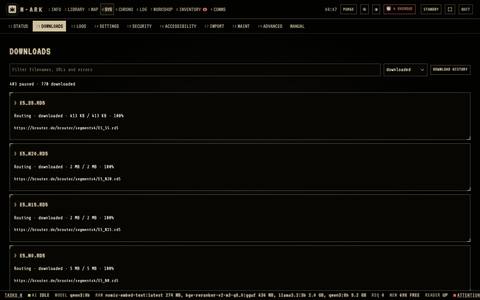
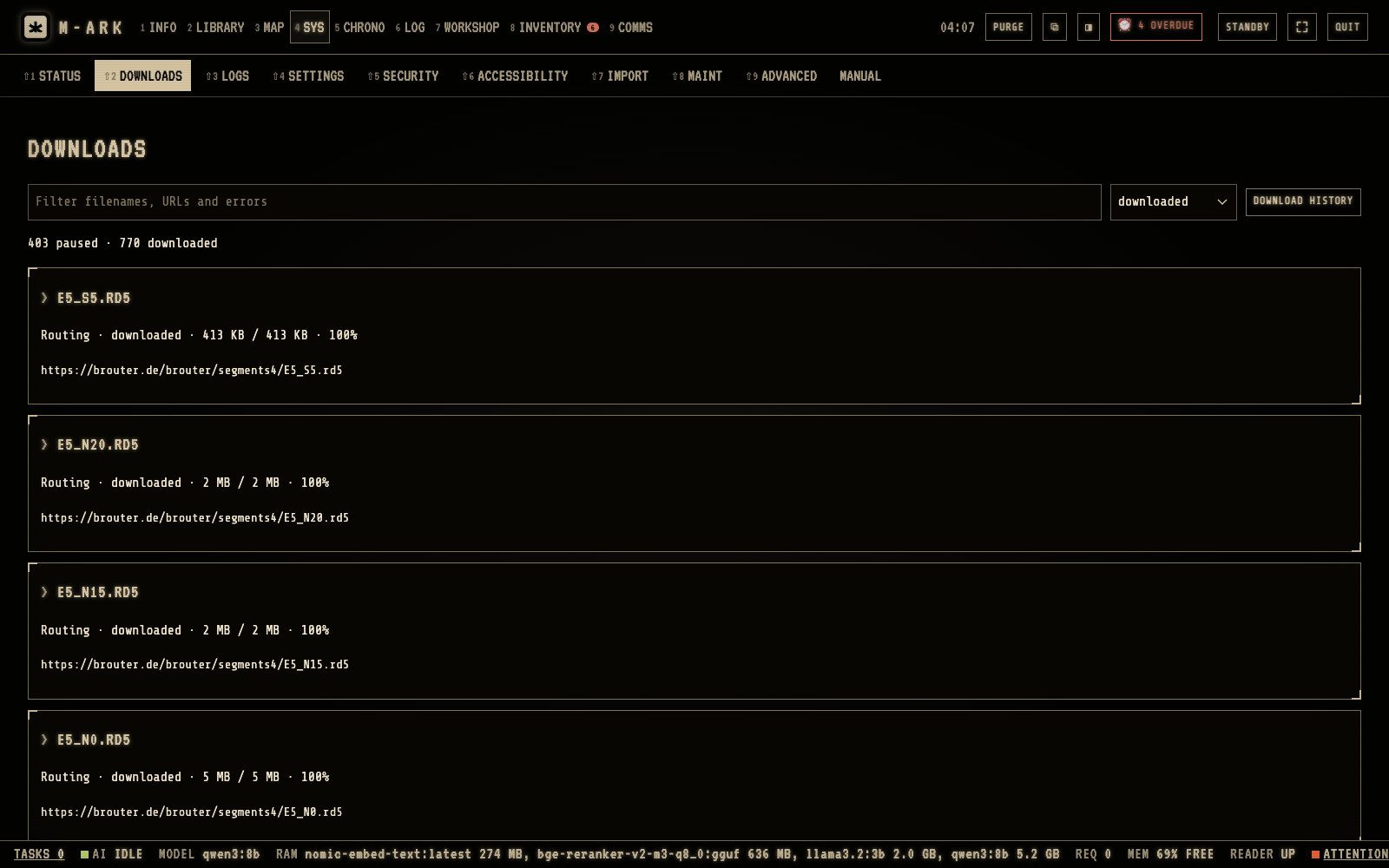
FilterFind a download by file name, address or error.StateShow all, or only those that are paused, finished or failed.DOWNLOAD HISTORYEverything that was downloaded.
DOWNLOADS lists every download and its indexing. Hover or tap a number for its note.
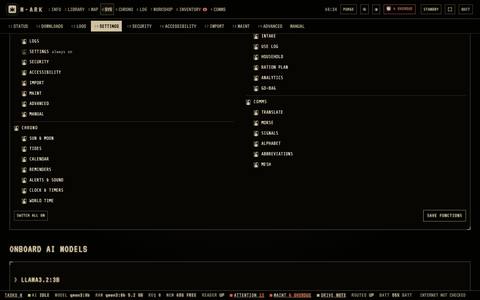
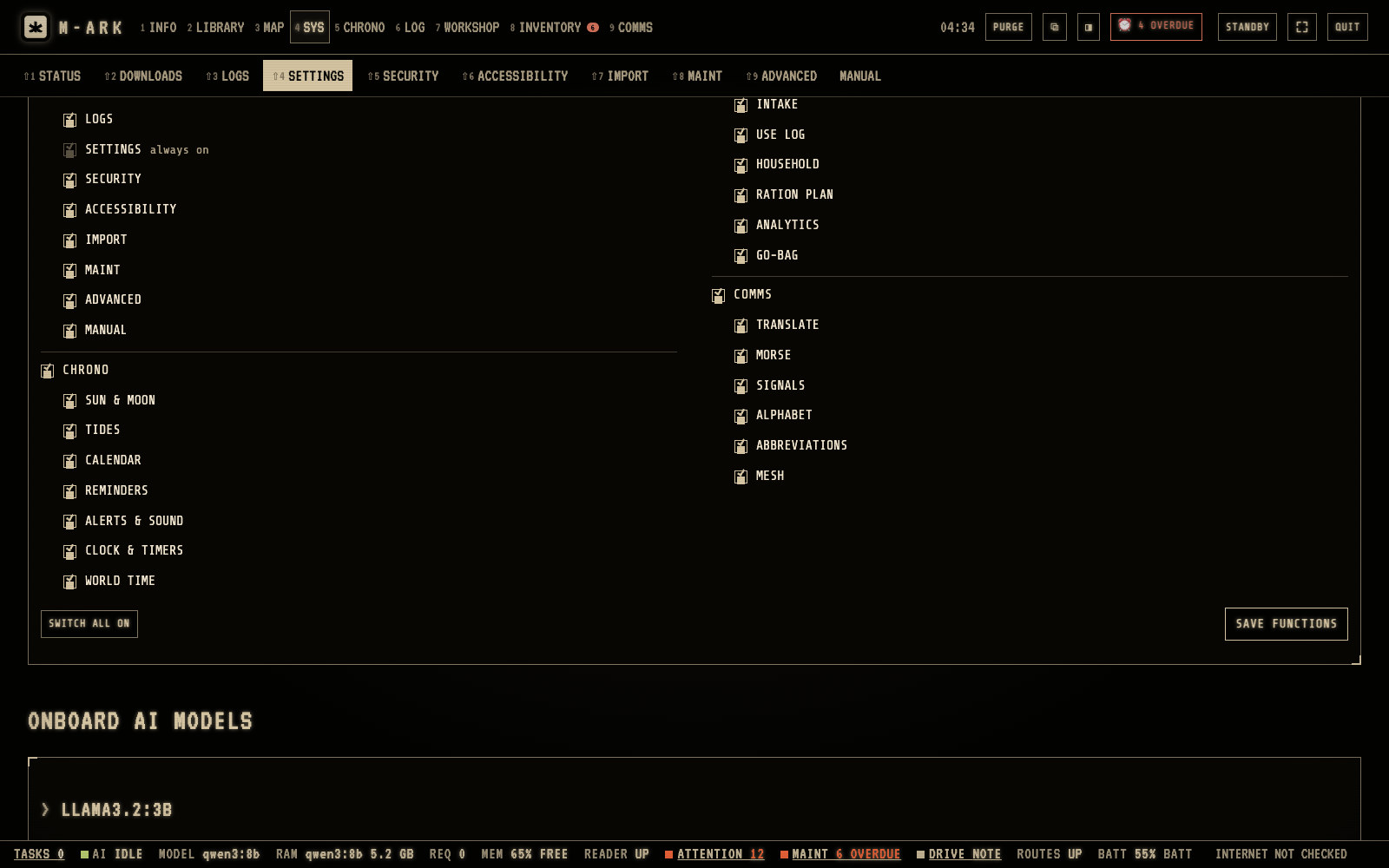
FUNCTIONSRemove the tick from each menu or section you do not want. Nothing is deleted.SAVE FUNCTIONSThe menus close up. Tick a function again and it comes back with its data.SWITCH ALL ONBrings back everything.
Switch off the menus and sections your household does not use. Hover or tap a number for its note.
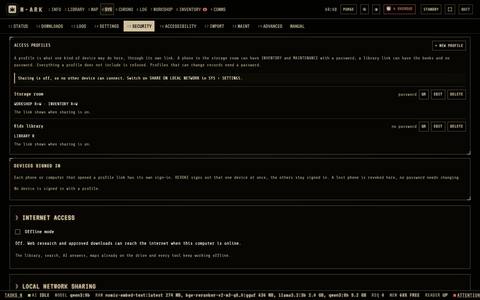
Access profilesEach profile has a name, its own link, a QR code and a password if you set one.Storage roomA phone in the storage room can have INVENTORY and MAINTENANCE with write access and a password.+ NEW PROFILEStart from a preset, then choose OFF, READ or READ & WRITE for each menu.Devices signed inREVOKE signs out one device at once. A lost phone is revoked here.
Access profiles say what each phone or computer may do. Hover or tap a number for its note.
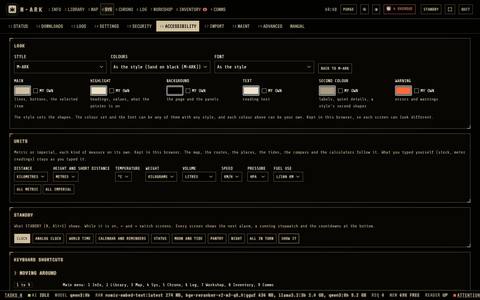
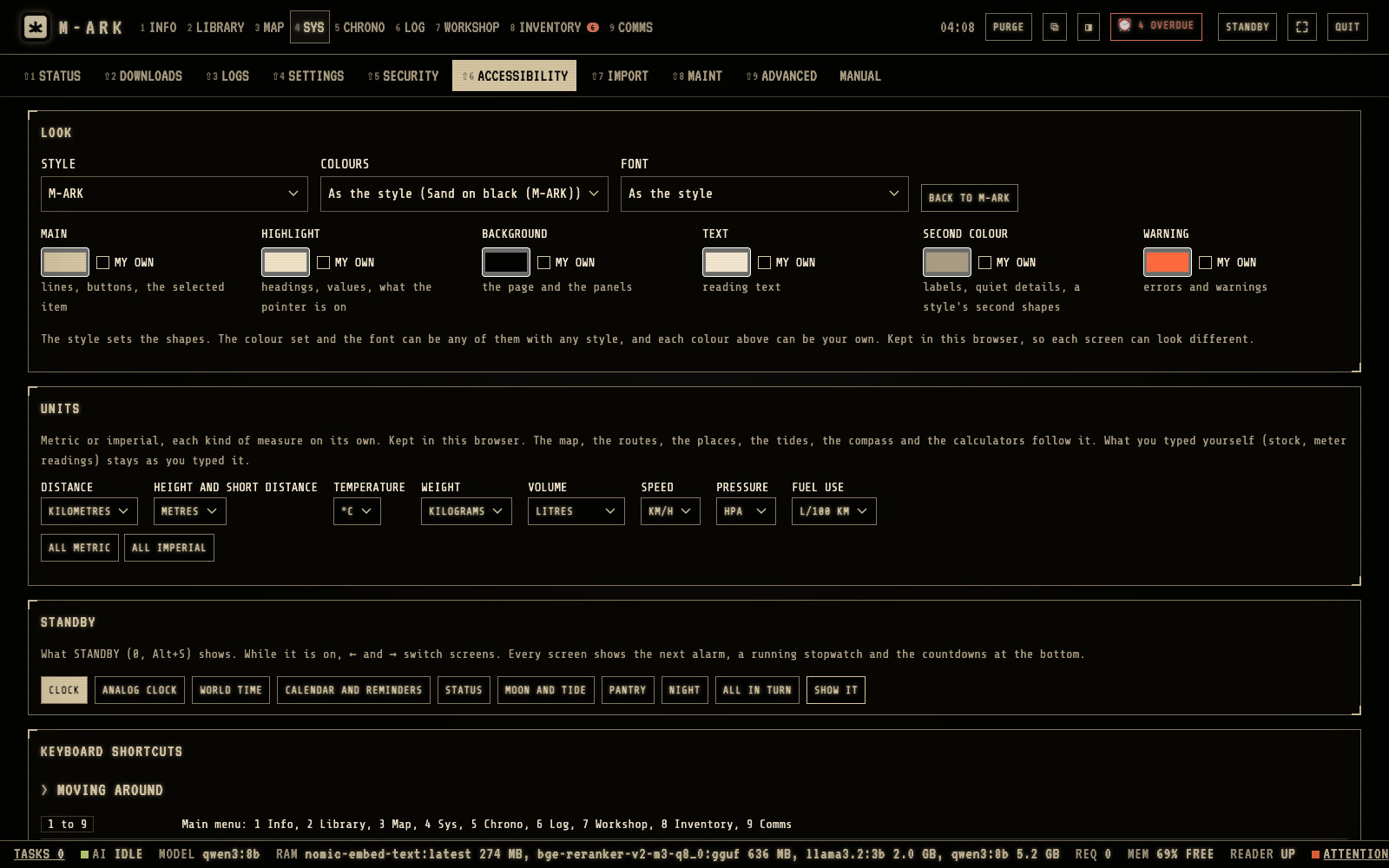
StyleChoose the style, the colors and the font. Each color can be your own.UnitsMetric or imperial, each kind of measure on its own.ColoursSand on black is the default. Each color can be your own.STANDBYChoose the screen that shows when M-ARK is not in use, for example the clock, the moon and tide, or a dim red night clock.
Change the look, the text size and the units on each device. Hover or tap a number for its note.
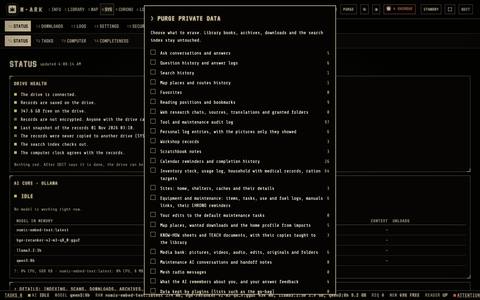
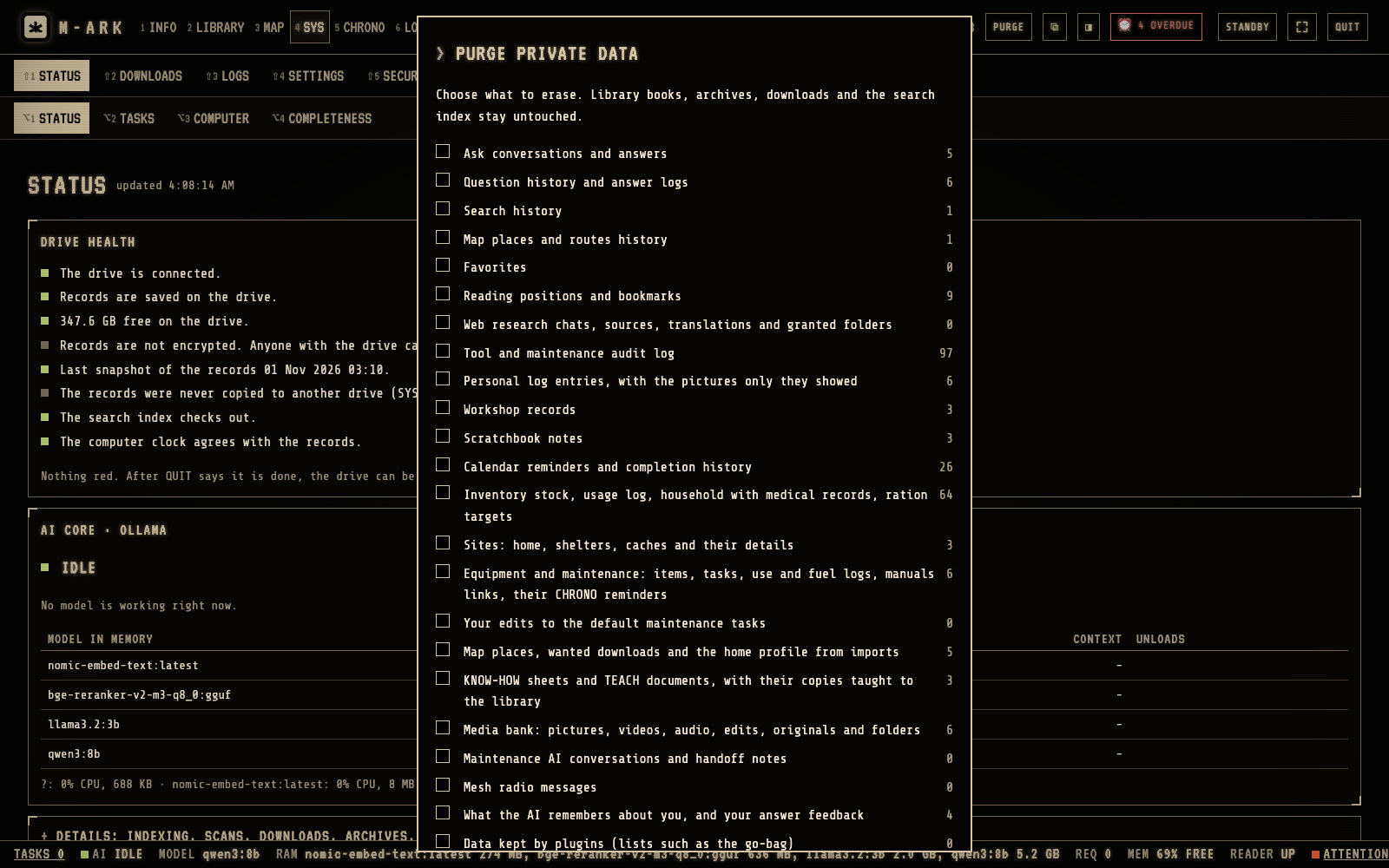
PURGEIn the top bar on every screen.Choose what to eraseEach line shows how many records it holds.Factory reset householdBefore you give the drive to another person, it erases everything and takes off locking.
PURGE erases private data permanently. The library stays. Hover or tap a number for its note.
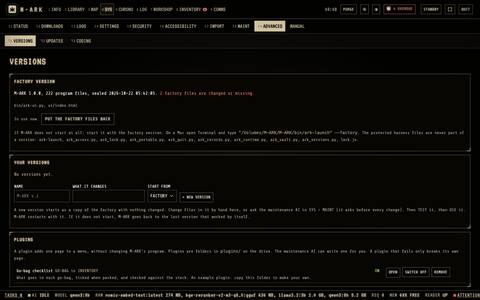
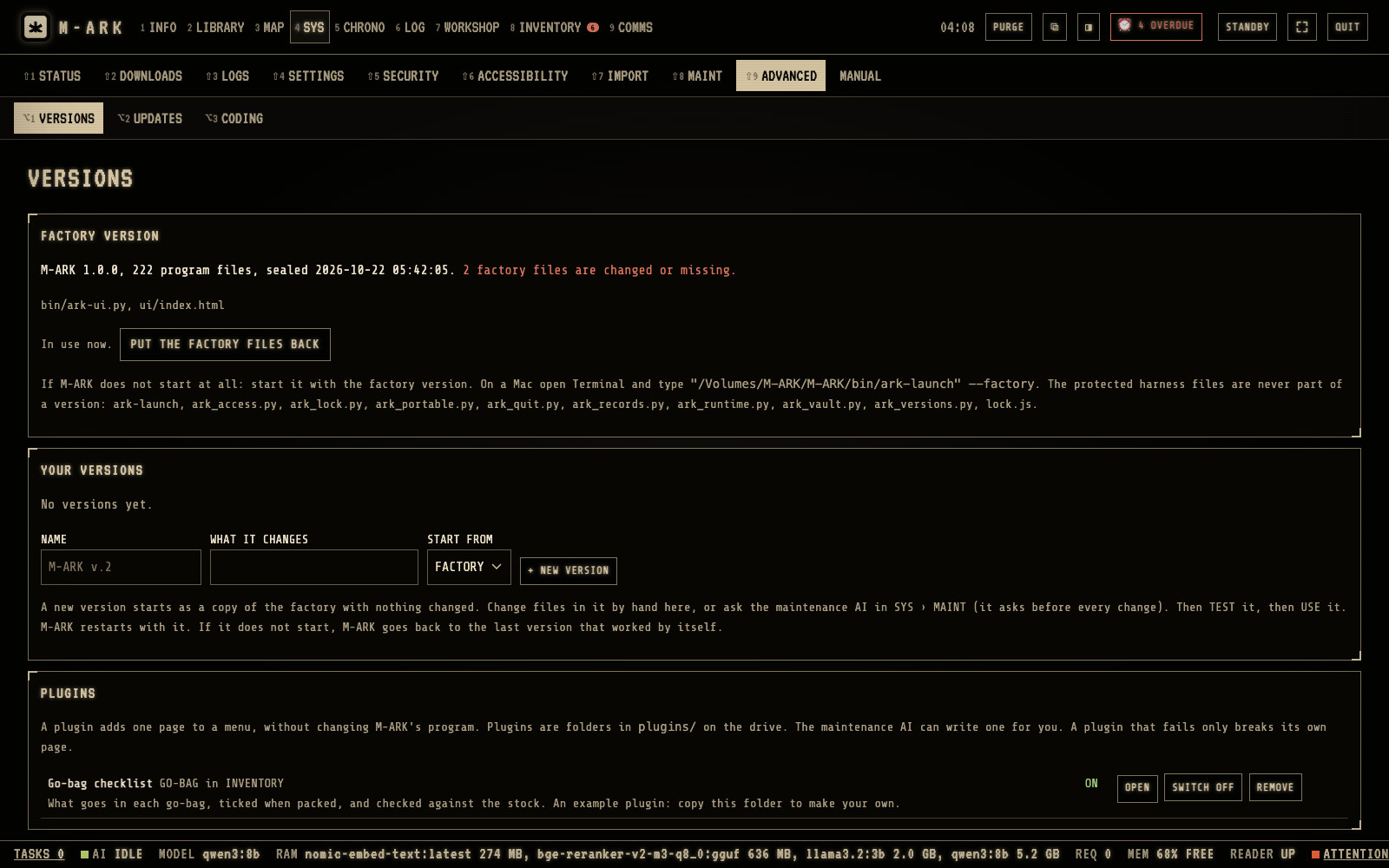
Factory versionThe original program. It is never changed, and M-ARK can always go back to it.+ NEW VERSIONA copy of the factory version that you or the maintenance AI can change and test.PluginsA plugin adds one page to one menu without changing the program.Go-bag checklistThe example plugin. It adds GO-BAG to INVENTORY.
Make your own version of M-ARK and switch plugins on and off. Hover or tap a number for its note.
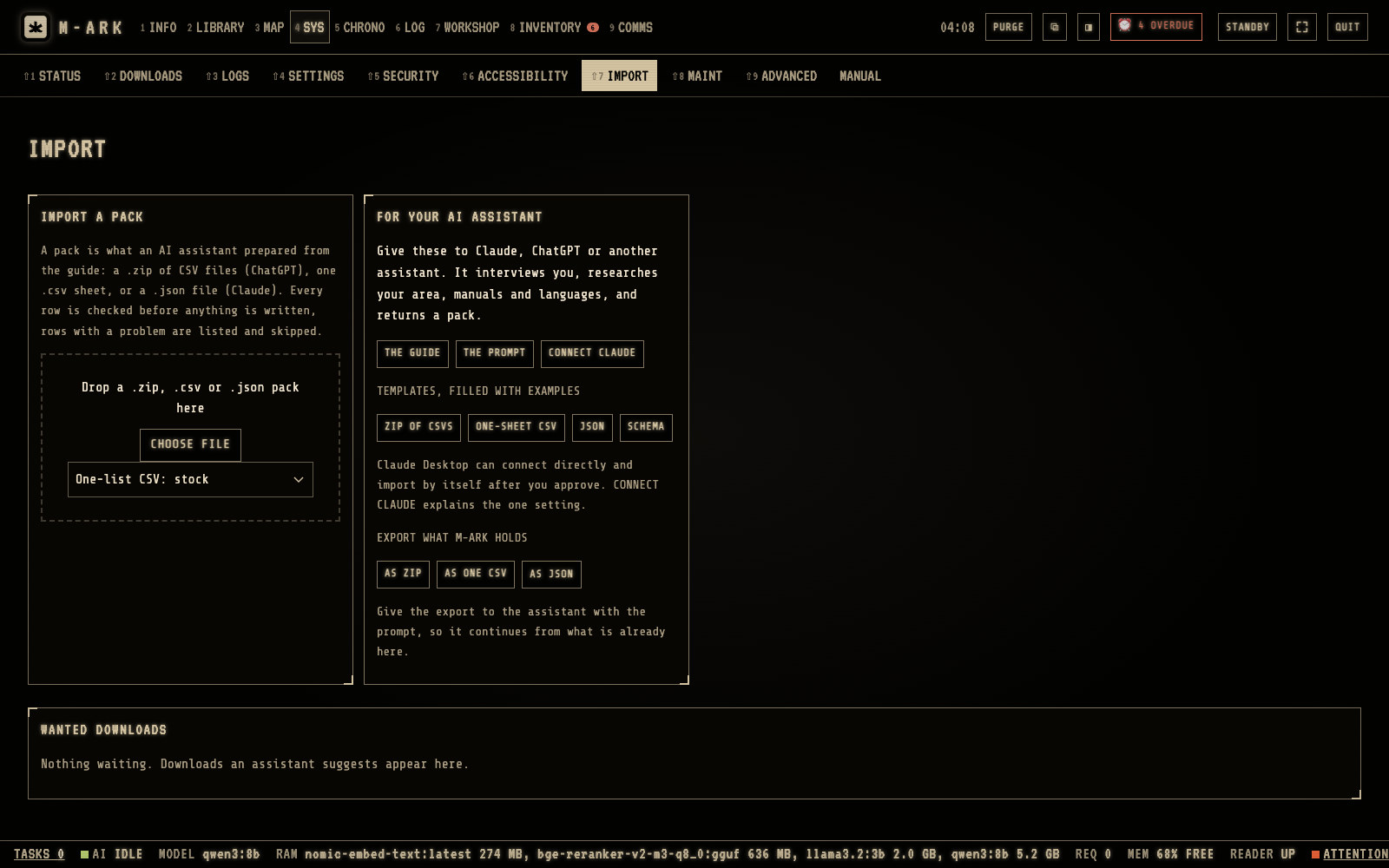
Import a packDrop a .zip, .csv or .json pack here. Every row is checked before anything is written.For your AI assistantGive THE GUIDE and THE PROMPT to ChatGPT, Claude or another assistant. It interviews you and returns a pack.CONNECT CLAUDEClaude Desktop can connect directly and import after you approve.ExportExport what M-ARK holds, so the assistant continues from it.Wanted downloadsDownloads an assistant suggests wait here. You approve each one.
An outside AI assistant can set up M-ARK for your household and hand you one file to import. Hover or tap a number for its note.
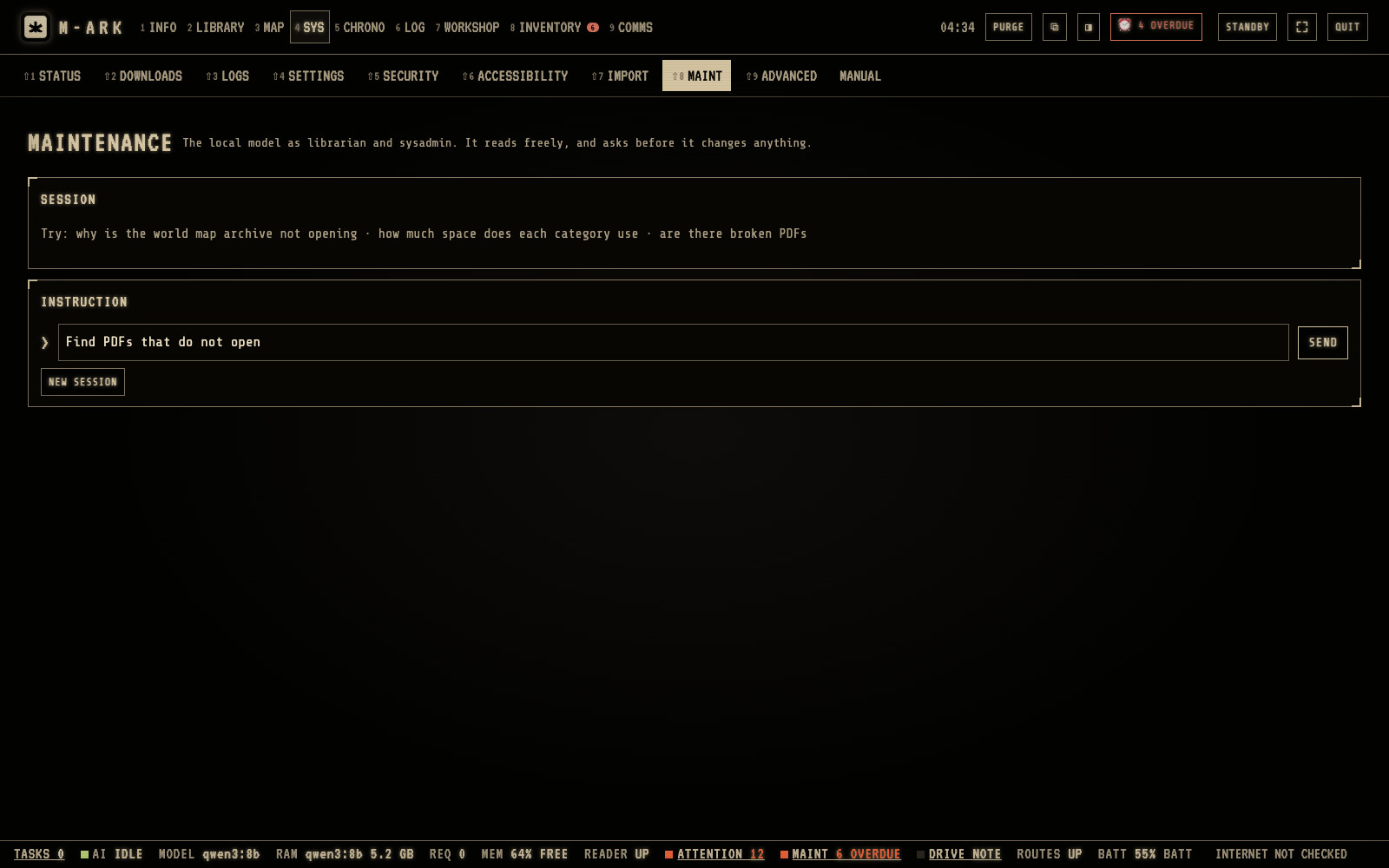
InstructionType what you need, for example find PDFs that do not open, or how much space is left.SENDWhen the AI wants to change something, it shows APPROVAL NEEDED. Click APPROVE or DENY.NEW SESSIONEach session has at most 10 steps. NEW SESSION starts again.
The maintenance AI looks after the library and the program. It reads freely and asks before it changes anything. Hover or tap a number for its note.
Every function in Control (33)
The command deckClick the logo for every menu on one screen, with a line on what needs attention in each.
STATUS and DRIVE HEALTHWhether the drive is connected and saving, free space, encryption, the last snapshot and copy, and the search index, in one box.
The status barThe AI, the reader, routes, battery, overdue items, the mesh radio, the drive and the internet, along the bottom of every page.
TASKSWhat M-ARK is doing now, the programs running from the drive, and the models in memory, with STOP, PAUSE and UNLOAD.
LIBRARY BACKLOGScan reading: Mac onlyFiles and scans waiting to be added to search, worked through in the background with life-critical subjects first. Reading scanned pages works on a Mac only.
COMPLETENESSWhich content is installed, which scans need text recognition, and which downloads and routing tiles are missing.
LOGSQuestion history for 12 months, the tool log of every action with export, and the records of each service.
STANDBYScreens for when M-ARK is not in use. Clocks, calendar, status, moon and tide, pantry, and a very dim red NIGHT clock that keeps your night vision.
Full screenFills the screen with one key.
Own windowAny page in its own browser window, kept current with the others.
Side by sideAny page on the right next to another on the left, for example stock beside a manual. On screens 900 pixels wide or more.
LOOK25 styles, from the sand-on-black default and a clean light style to Matrix, Military and Marine, with your own colors and font.
ACCESSIBILITYOn-screen keyboard, larger text up to 132%, high contrast, reduce motion, a strong focus outline and underlined links.
UNITSMetric or imperial for each of eight kinds of measure. The map, routes, tides, compass and calculators follow.
FUNCTIONSSwitch off menus and sections your household does not use. Nothing is deleted and they come back with their data.
USE THE AI switchUses the AITurn the AI off for a household that does not want answers written by a model. Search, research and TEACH stay.
One folderSettings, conversations, journal, calendar, inventory, household, sites, equipment and places all live in one folder on your drive.
RECORDS SNAPSHOTSA copy at every QUIT and once a day, the last 7 kept. PUT BACK restores one, and keeps the replaced files beside it.
COPY MY RECORDS TO ANOTHER DRIVECopies a fresh snapshot and your media to a second drive with a read-me. A reminder comes after 30 days without a copy.
PURGEErase chosen kinds of private data for good, with a count for each and a typed confirmation. The library stays.
FACTORY RESET HOUSEHOLDErases every record and the locking before you give the drive to someone else.
OFFLINE MODEBlocks all internet use, including research, downloads, model searches and update checks.
LOCKINGA sign-in for each person on the host computer, admins and members, a recovery key you print once, and sign-out after 30 minutes unused. Every action is logged with the name.
ENCRYPT THE RECORDSAES-256-GCM encryption of the inventory, journal, calendar, conversations, media and more. While M-ARK is stopped, a lost drive shows nothing of them.
What encryption coversLimitYour records are sealed whenever M-ARK is stopped. Locking covers the main computer, and the search index, settings, access profiles and logs stay unencrypted.
The factory versionA sealed copy of the program with a checksum per file. PUT THE FACTORY FILES BACK restores anything changed or missing.
Your own versionsChange program files in a named version, see the changed lines, TEST it in a separate copy, then switch to it.
Automatic fallbackA version that does not start in 90 seconds is stopped and the last working one starts. A page that does not load in 20 seconds shows BACK TO FACTORY.
PluginsA plugin adds one page to one menu in a closed frame of its own, with its own records. A broken plugin shows its error on its own page only.
Write a pluginCopy the go-bag plugin, change plugin.json and page.js, and reload. The page calls M-ARK's functions and keeps up to 5 MB of data.
New editions of the archivesNeeds internetCHECK FOR UPDATES compares your archives with the Kiwix catalog. Approve a download, VERIFY it, and remove the old edition yourself.
DOWNLOADSNeeds internetEvery file M-ARK downloads or indexes, with pause, resume and retry. Two run at a time.
Copy M-ARK to a new driveA command that copies M-ARK to another drive and leaves your records behind.
Specifications
Computers
Mac with Apple silicon. Windows 10 and 11. Linux in beta.
Memory
8 GB with the AI off or the small model. 16 GB for the full model.
Disk
60 GB for the core library, up to 600 GB for everything. Internal disk or any external drive.
Download
The app is about 400 MB. The library downloads from its publishers in the background, you pick the collections.
Phones and TVs
Any phone, tablet or TV on your Wi-Fi, in the browser, nothing to install. iPhone, Android, smart TVs.
License
One key for the computers in your household. Not tied to one machine.
Updates
App and library updates included. The app keeps working offline whatever happens to us.
Internet
Needed once, to install and download the library. Never after that. Offline mode blocks every connection.
Privacy
No account, no telemetry, no cloud. AES-256 encryption of your records. Purge erases for good.
Units
Imperial or metric for each kind of measure. Miles, gallons, pounds, Fahrenheit.
Languages
English interface. The AI answers in the language of the question.
Radios and GPS
Meshtastic text by USB or Wi-Fi. GPX export to Garmin, Gaia and phone map apps. Calendar export as .ics.
Compared with the alternatives
M-ARK
Library boxes
AI USB sticks
Runs on your own computer
Yes
Needs their box
Yes
Answers with sources
Yes
Search only
Usually without sources
Offline routes and compass
Yes
No
No
Stock, rations, maintenance
Yes
No
Rarely
Mesh radio, Morse, signals
Yes
No
No
Every phone and TV in the house
Yes
Its own Wi-Fi
No
Price
$49 once
$150 to $500
$25 to $100
Prices of the alternatives are typical US list prices in October 2026, no brand named.
Yours, on your own disk.
Install it once with the internet on. From then on it needs nothing from anyone, including us.
Everything on this page, including the AI, for $49 while M-ARK is in early access.
All sales are final, because downloaded software cannot be returned. Read the specifications, read the full manual after you install, and write to us with any doubt before you buy.
$49$69one payment, no subscription
Instant download
Mac, Windows, Linux beta
Household license
Updates included
Questions
What exactly do I get after I pay?
A download link and a license key by email within a minute. The app installs on your Mac or PC, you enter the key, pick the library collections you want, and M-ARK downloads them from the publishers. Everything on this page is in the one edition, including the AI.
Do I need an external drive?
No. M-ARK keeps the library on your computer’s own disk if there is room. An external SSD or hard drive is an option when you want the library out of the way or portable.
Do I need to be technical?
No. It installs like any app, the menus are numbered 1 to 9 and every screen has plain labels. If you can use a web browser, you can use M-ARK.
Is this a subscription?
No. One payment. The app and your library keep working as they are, with no renewal and no account.
Do I have to use the AI?
No. Switch it off in settings and no model is ever loaded. The library, search, readers, maps, stock, maintenance, time, comms and the phones work the same.
Can my family use it on their phones?
Yes. Turn on sharing and they scan a QR code. Their phones open M-ARK in the browser and use the library and the AI of the main computer, on your Wi-Fi or on the laptop’s own hotspot when the router is down.
Is it medical advice?
No. M-ARK puts the medical references in your hands, opens them at the right page and summarizes what they say, with the source shown. It does not replace a doctor.
Can I get a refund?
No. Downloaded software cannot be returned, so all sales are final and you agree to that at checkout. Read the specifications above, read the full manual, and write to us with any question before you buy. We answer honestly, including when M-ARK is not for you.
All 36 questions and answers
Before you buy
Do I need to be technical?
No. M-ARK installs like any app, asks which fields you want, and downloads the rest itself. The menus are numbered 1 to 9 and every screen has plain labels. If you can use a web browser, you can use M-ARK.
Do I need an external drive?
No. M-ARK keeps the library on your computer’s own disk if there is room. An external SSD or hard drive is an option when you want the library out of the way, or something you can carry to another computer.
What exactly do I get for $49?
The app for Mac, Windows and Linux, a license key for the computers in your household, every function on this page including the AI, and 12 months of updates to the app and the library index. The library itself is downloaded free from its publishers.
Is this a subscription?
No. One payment. After the first year the app and your library keep working exactly as they are.
Can I get a refund?
No. M-ARK is downloaded software that cannot be returned, so all sales are final, and you agree to that at checkout. Check the requirements above before you buy, and if you are not sure your computer qualifies, write to us first and we will tell you honestly.
Is M-ARK finished, or a beta?
The Mac version is the one we use every day and test most. The Windows build is newer and is being tested on more hardware. Linux is in beta. Three guide sets in the library (foraging, medicines, regional packs) are marked Draft until a professional has reviewed them.
Your computer
Which computers does it run on?
Macs with Apple silicon, Windows 10 and 11 PCs, and Linux in beta. 8 GB of memory is enough with the AI off or with the small model. 16 GB runs the full model. Phones, tablets and TVs use it through the browser from that computer.
Will it slow my computer down?
Not while you are not using it. M-ARK runs only when you open it. The AI model is loaded into memory when you ask a question and can be unloaded with one click. Downloads and indexing run in the background and can be paused.
How much space does it take?
You choose. The medical, water, food and repair core fits in about 60 GB. The whole library with the world map and terrain is about 600 GB, so a 1 TB disk or drive is comfortable. You can add or remove collections at any time.
Does it need admin rights or change my system?
No. It runs from your user folder, installs no drivers, and changes no system settings. Deleting the folder removes it completely.
What if my laptop battery runs out?
A laptop runs M-ARK for hours on its battery, longer with the AI off. Any small solar panel or power bank that charges a laptop keeps it going. Your records are saved as you go, and a snapshot is taken at every quit and once a day.
Can I move it to a new computer later?
Yes. The license is not tied to one machine. Copy the M-ARK folder, or let the app copy itself and leave your records behind, then enter your key.
The AI, which is optional
Do I have to use the AI?
No. Switch USE THE AI off in settings and no model is ever loaded. Everything else on this page works the same: the library, search, readers, maps, stock, maintenance, time, comms and the phones.
What does the AI actually do?
It searches your library by words and by meaning, takes the best passages, and writes the answer from those passages only, with a number on every statement that opens the page. Answers about health, electricity, gas, water and chemicals are read a second time against the sources. It says so when the library does not cover a question.
Can I trust what it says?
Trust the page it cites, not the summary. That is why every statement carries a number and the page is one click away. Numbers that appear in no source are listed under the answer. Like any AI it can misread a passage, which is why it never answers from memory alone.
Does it send my questions anywhere?
No. The model runs on your processor. With the Wi-Fi off, the answers come just the same. Your questions are kept on your computer only, and you can purge them for good.
How fast is it?
On a Mac with Apple silicon and 16 GB, seconds to a minute for an answer. With 8 GB, M-ARK uses a smaller, quicker model. On Windows and Linux the AI runs on the processor and is slower, so the Fast model suits them.
Which models does it use?
Qwen 3 8B and Llama 3.2 3B come with it, with a rerank model for search. You can add any GGUF model from a file or from Hugging Face, and choose separate models for fast answers, code and maintenance.
The library
Where does the library come from?
From open sources, such as public domain and government field manuals, OpenStreetMap, GeoNames, open encyclopedias and question-and-answer sites, downloaded by the app from the publishers under their own licenses. Your own PDFs and EPUBs go on the same shelves.
Is it medical advice?
No. M-ARK puts the medical references in your hands, opens them at the right page and summarizes what they say, with the source shown. It does not replace a doctor. Every book shows its year, and older medical books are flagged so you compare them with the newer ones.
Can I add my own manuals and books?
Yes. Drop PDFs and DRM-free EPUBs into the library and they are searched, cited and readable like everything else. TEACH lets you write your own documents into it, with pictures.
Does the library get updated?
The app checks for new editions of the archives when you are online and asks before downloading. Your own additions and notes are never touched.
Can I leave a book out of the AI?
Yes. Untick AI USES IT on any book, or a whole subject, to keep outdated or misleading material out of answers and search while it stays on the shelf.
Maps and navigation
Do the maps cover my area?
The map, place search and terrain cover the whole world. Turn-by-turn routes cover 746 of the world’s 1,142 map squares of 5 by 5 degrees, including nearly all of the United States and Canada, and the app shows which squares have routes before you plan.
Does it work in imperial units?
Yes. Miles, feet, gallons, pounds and Fahrenheit, each kind of measure set on its own. The map, routes, tides, compass and every calculator follow.
Can I print a map?
Yes. PRINT AREA puts the map on one sheet with a coordinate grid, scale bar, north arrow, declination and your numbered places, and routes print with every turn and its coordinates.
Does it use GPS?
A laptop has no GPS, so M-ARK fixes your position from compass bearings to landmarks you can see, or from a position you type. A phone on the same Wi-Fi can share its position when you open M-ARK on it.
Family and devices
Can my family use it on their phones?
Yes. Turn on sharing and they scan a QR code. Their phones open M-ARK in the browser and use the library and the AI of the main computer. Nothing to install, and it works on the laptop’s own hotspot when the router is down.
Can I limit what the kids or guests see?
Yes. Each device gets an access profile, menu by menu: off, read, or read and write. A kids’ library profile, a storage-room profile for the pantry phone, a read-only profile for guests.
Does it work on our TV?
Yes. TV mode shows large controls for a remote, and old browsers and e-readers get a simple version that needs no JavaScript.
Privacy and safety
Are my records private?
Yes. People, stock, journal and questions stay on your computer. Add a password, encrypt the records with AES-256, give each phone its own profile, and purge anything for good when you want.
Does M-ARK phone home?
No. There is no account and no telemetry. The app connects only when you ask it to download, check for updates, or search the web in RESEARCH. OFFLINE MODE blocks all of it with one switch.
What if the drive or the disk fails?
A snapshot of your records is taken at every quit and once a day, the last seven are kept, and COPY MY RECORDS TO ANOTHER DRIVE makes a second copy with one click. The library can be downloaded again.
What if an update breaks something?
The original program is sealed as a factory version with a checksum on every file. A version that does not start within 90 seconds is stopped and the last working one starts by itself.
Support
What if I get stuck?
Press ? on any screen for the shortcuts, open the manual from SYS, or ask the maintenance AI to find what is wrong. Beyond that, write to us and a person answers within two business days.
Is there a trial or a demo?
There is no trial, because the library is downloaded to your own computer and cannot be taken back. This page shows every screen instead. If a question is not answered here, ask us before you buy.